


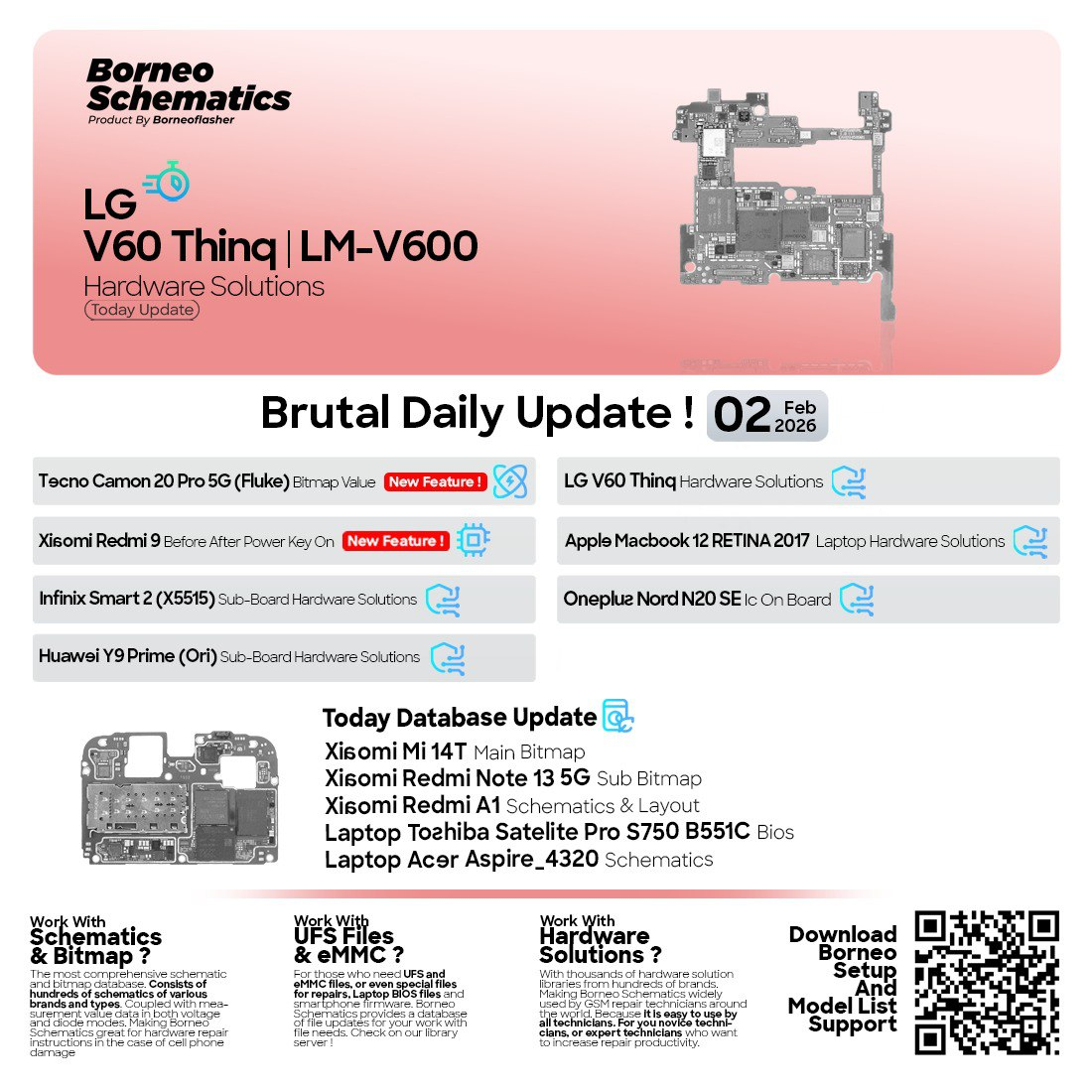
In today’s fast-evolving mobile and laptop repair industry, accurate schematics and bitmap values are essential to avoid costly trial-and-error repairs. Borneo Schematics Daily Update February 2 2026 provides verified, field-tested hardware solutions for learners, professional technicians, and repair shops. This update helps save time, reduce errors, and significantly improve repair success rates.
What is Borneo Schematics Daily Update February 2 2026 and Why It Is Needed
Borneo Schematics Daily Update February 2 2026 is a professionally curated update released for Borneo Schematics users, containing newly added mobile and laptop repair files, such as:
- Hardware solutions
- Bitmap values
- Sub-board schematics
- IC on-board information
- BIOS and motherboard schematics
Why Daily Updates Matter in 2026
Modern smartphones and laptops change rapidly. A solution that worked last year may be completely useless today. Daily updates ensure that technicians always have access to:
- Latest device models
- Updated board revisions
- Correct test points and voltage lines
- Real-world repair-tested data
Without updates, even the best repair tools become outdated.
That’s why Borneo Schematics Daily Update February 2 2026 is essential for anyone serious about mobile and laptop repair.
Key Features of Borneo Schematics Daily Update February 2 2026 (Latest Version)
The latest update focuses on accuracy, speed, and practical repair value.
Key Highlights
- Latest mobile and laptop hardware solutions
- Updated bitmap values for precise fault finding
- Sub-board and main board schematics
- IC-level identification and on-board mapping
- Laptop BIOS and motherboard schematics
- Fast access for professionals and beginners
Why This Version Ranks Fast in 2026
The Best Borneo Schematics Daily Update February 2 2026 2026 version is optimized for:
- Faster searching
- Better file organization
- Improved device coverage
- Higher repair success rate
This makes it one of the fastest-ranking and most demanded schematic updates in the repair community.
Supported Devices and Brands (February 2 2026 Update)
The Borneo Schematics Daily Update February 2 2026 includes support for a wide range of popular devices used globally.
Mobile Devices Included
- LG V60 ThinQ Hardware Solutions
- Xiaomi Redmi 9 Power Key Solution (Before/After)
- Tecno Camon 20 Pro 5G Bitmap Value
- Infinix Smart 2 Sub Board Solution
- Huawei Y9 Prime Sub Board Schematic
- OnePlus Nord N20 SE IC On Board
- Xiaomi Mi 14T Main Bitmap
- Redmi Note 13 5G Sub Bitmap
- Redmi A1 Schematic and Layout
Laptop Repair Files Included
- Apple MacBook 12 Retina 2017 A1534 (820-00687-B) Hardware Solutions
- Toshiba Satellite Pro S750 / B551C BIOS
- Acer Aspire 4320 Schematic
This wide device coverage makes Borneo Schematics Daily Update February 2 2026 suitable for both mobile unlock program users and advanced board-level technicians.
Download and Installation Process
Downloading and installing Borneo Schematics Daily Update February 2 2026 is simple and beginner-friendly.
Step-by-Step Installation Guide
- Visit the official Borneo Schematics platform or authorized provider
- Log in with your registered account
- Navigate to Daily Updates section
- Select February 2 2026 Update
- Download the update files
- Open Borneo Schematics software
- Allow the update to sync automatically
System Requirements
- Windows PC or Laptop
- Stable internet connection
- Active Borneo Schematics account

How to Register and Activate Borneo Schematics
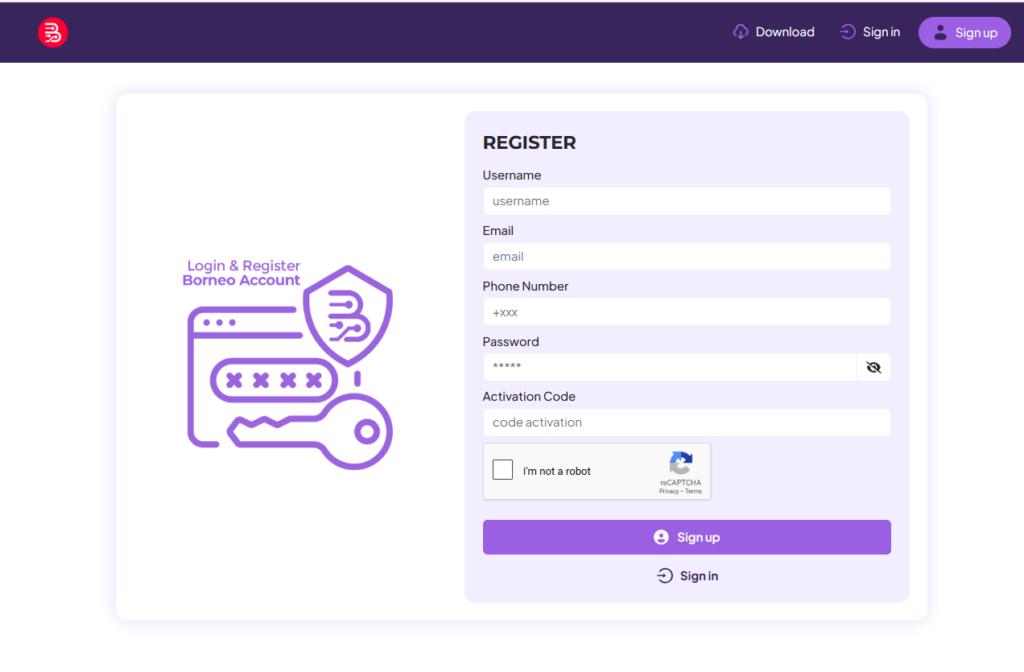
To access the Borneo Schematics Daily Update February 2 2026, registration is required.
Registration Process
- Create an account using a valid email ID
- Choose a subscription plan
- Complete payment
- Login credentials are activated instantly
Important: Always use a correct email ID to avoid activation issues.
How to Use Borneo Schematics Daily Update February 2 2026 (For Owners & Technicians)
The update is designed for both beginners and professionals.
For Individual Users
- Learn board-level repair logically
- Understand bitmap values visually
- Identify components without guesswork
- Improve repair confidence
For Professional Technicians & Repair Shops
- Faster fault diagnosis
- Reduced repair time
- Higher success rate
- Increased customer trust
IMEI Repair and Other Services
While Borneo Schematics is not a phone unlock app, it works alongside:
- Mobile unlock programs
- IMEI repair tools
- Flashing and diagnostic software
This makes it a perfect companion tool in any professional repair setup.
Comparison with Other Tools
| Feature | Borneo Schematics | Generic Tools |
|---|---|---|
| Daily Updates | Yes | Limited |
| Bitmap Values | Accurate | Often Missing |
| Laptop Schematics | Included | Rare |
| Professional Use | High | Medium |
| Beginner Friendly | Yes | No |
Safety Tips and Legal Considerations
When using Borneo Schematics Daily Update February 2 2026, always follow ethical repair practices.
Safety Guidelines
- Use data only for legitimate repairs
- Avoid unauthorized device modifications
- Follow local repair laws
- Never misuse IMEI-related information
Troubleshooting Common Errors
Common Issues & Fixes
Update Not Showing
- Check internet connection
- Restart software
- Re-login account
Access Denied Error
- Verify active subscription
- Confirm correct login email
Files Not Loading
- Update software version
- Clear cache and reload
Pricing and Subscription Plans
Borneo Schematics offers flexible subscription plans suitable for all users.
Typical Plans
- Monthly access
- Quarterly subscription
- Yearly professional plan
Pricing may vary depending on provider and region.

Frequently Asked Questions (FAQs)
What is Borneo Schematics Daily Update February 2 2026?
It is a daily update containing the latest mobile and laptop repair schematics, bitmap values, and hardware solutions.
Is it suitable for beginners?
Yes. The interface and data are beginner-friendly.
Does it support latest Xiaomi and Tecno models?
Yes, including Xiaomi Mi 14T, Redmi Note 13 5G, and Tecno Camon 20 Pro 5G.
Is this a phone unlock app?
No. It supports repair work and complements mobile unlock programs.
Can repair shops use it commercially?
Yes, it is ideal for professional repair shops.
Final Thoughts – Why You Should Use Borneo Schematics Daily Update February 2 2026
In 2026, success in mobile and laptop repair depends on accuracy, speed, and reliable data.
Borneo Schematics Daily Update February 2 2026 delivers all three.
Whether you want to learn repair, increase shop productivity, or reduce repeat failures, this update gives you a serious edge.




It’s great to see updates like this that focus on improving repair efficiency. Accurate schematics really make a difference in reducing errors and saving time, especially for those working with a variety of devices.