In today’s competitive mobile and laptop repair industry, accuracy and verified data matter more than ever. The Borneo Schematics February 5 2026 Update delivers trusted schematics, bitmap values, and IC voltage charts to help both learners and professionals diagnose and repair devices safely and efficiently.
What is Borneo Schematics February 5 2026 Update and Why It Is Needed
The Borneo Schematics February 5 2026 Update is the latest daily release of the Borneo Schematics database, designed specifically for mobile and laptop hardware repair professionals. It provides step-by-step hardware solutions, board-level diagrams, and diagnostic values that are based on real repair cases, not theoretical assumptions.
Why Traditional Repair Methods No Longer Work
Modern devices now include:
- Compact multilayer motherboard designs
- Advanced chipsets like SM8650, MT6878, UMS512
- Secure NVM and protected circuits
- Brand-specific power and signal routing
Trial-and-error repair methods often lead to:
- Permanent motherboard damage
- Short circuits and data loss
- Wasted time and unhappy customers
The Borneo Schematics February 5 2026 Update solves this problem by giving technicians verified repair paths, saving both time and money.
Key Features of Borneo Schematics February 5 2026 Update (Latest Version)
The Best Borneo Schematics February 5 2026 Update 2026 introduces multiple improvements that make it faster, more accurate, and easier to use.
Core Features
- Latest daily hardware solutions (February 5, 2026)
- Mobile and laptop hardware solutions PDF format
- Verified bitmap value for mobile repairing
- IC voltage chart for mobile repairing
- Motherboard schematic and layout diagrams
- Sub-board and main board solutions
- Before/after power-key diagnostic cases
- BIOS files for supported laptops
What’s New in This Update
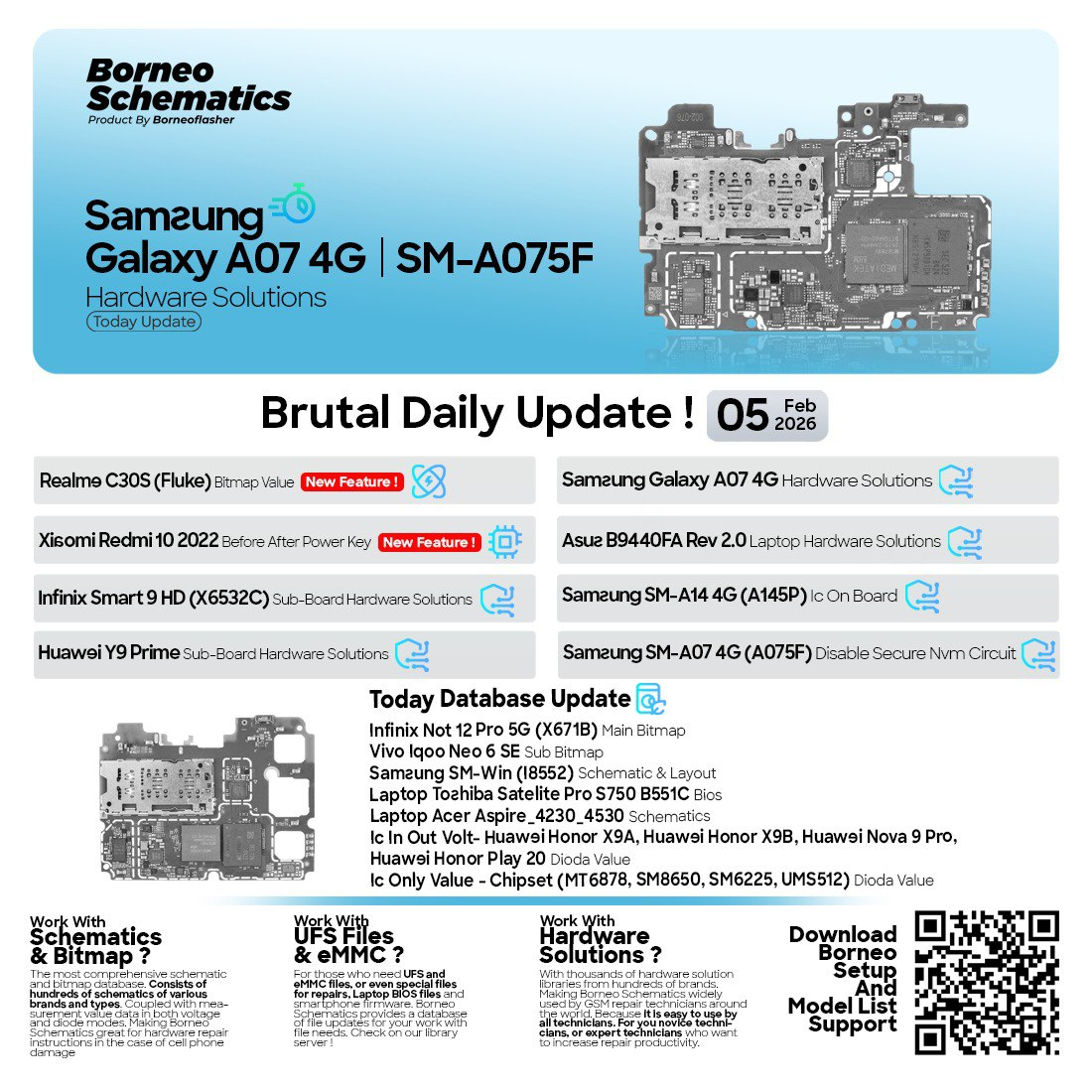
The Borneo Schematics February 5 2026 Update includes:
- Samsung SM-A07 4G hardware and secure NVM solutions
- Xiaomi power-key before/after diagnostics
- Realme bitmap and fluke-based solutions
- Infinix and Huawei sub-board schematics
- Laptop motherboard schematics and BIOS data
These additions make this update one of the most complete daily releases in 2026.
Supported Devices and Brands
One major reason for the popularity of the Borneo Schematics February 5 2026 Update is its wide brand coverage.
Supported Mobile Brands
- Samsung
- Xiaomi
- Realme
- Vivo
- Infinix
- Huawei
- Honor
Supported Laptop Brands
- ASUS
- Acer
- Toshiba
- Lenovo (selected models)
Types of Solutions Included
- Hardware solutions and jumpers
- Bitmap values and resistance readings
- IC in/out voltage charts
- Secure NVM disable circuits
- Sub-board and charging section repairs
- Laptop BIOS and schematic diagrams
This makes it ideal for both mobile unlock program users and advanced hardware technicians.
Download and Installation Process
Downloading the Borneo Schematics February 5 2026 Update is simple, but you must follow the correct steps to avoid fake or outdated versions.
Step-by-Step Installation Guide
- Visit the official Borneo Schematics provider or authorized reseller
- Register using your email or mobile number
- Download the latest February 5, 2026 update package
- Extract the files on your PC or laptop
- Install the software and database files
- Launch the application and verify the update version
System Requirements
- Windows 10 / Windows 11 (64-bit recommended)
- Minimum 4GB RAM (8GB recommended)
- Stable internet connection for updates

How to Register and Activate Borneo Schematics
After installation, activation is required to access full features of the Borneo Schematics February 5 2026 Update.
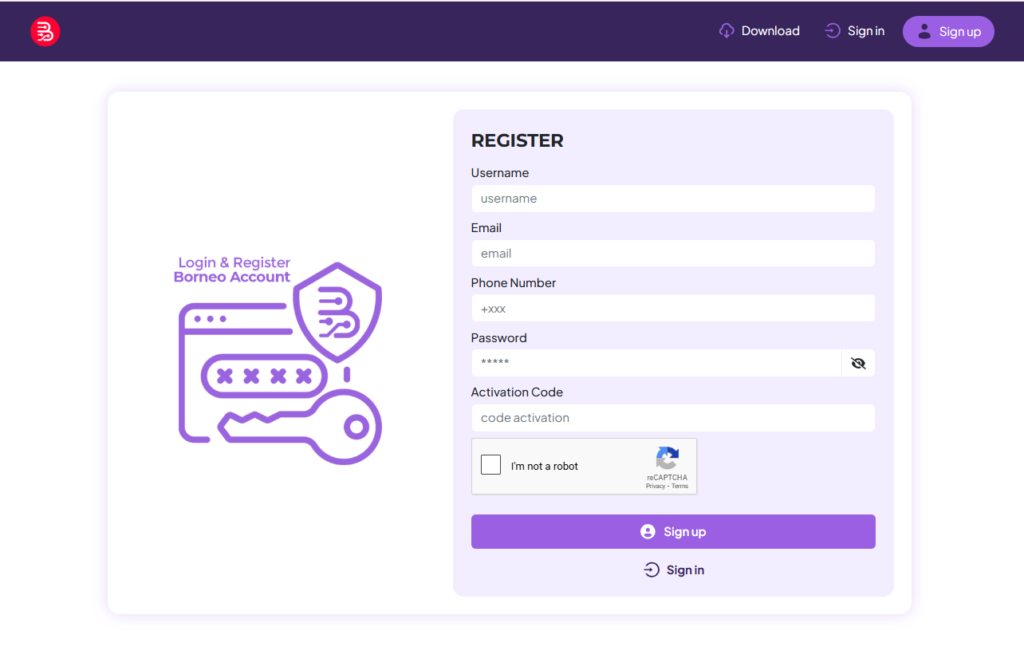
Registration Process
- Create an account with valid details
- Verify email or mobile number
- Login to the Borneo Schematics dashboard
Activation
- Choose a subscription plan
- Complete payment via supported methods
- Activate your account instantly
Once activated, you get full access to daily updates, schematics, and repair solutions.
How to Use Borneo Schematics February 5 2026 Update (For Owners and Technicians)
The software is designed for both beginners and professionals, making it easy to navigate even if you are new to board-level repair.
For Individual Users
- Learn motherboard architecture
- Understand IC voltage behavior
- Practice safe diagnostics using verified data
- Improve repair confidence
For Professional Technicians
- Diagnose devices faster
- Reduce repeat repair cases
- Handle complex jobs like secure NVM issues
- Increase customer trust and shop reputation
IMEI Repair and Other Services
While Borneo Schematics is mainly a hardware solution tool, it works perfectly alongside:
- Mobile unlock programs
- Phone unlock apps
- IMEI repair and baseband troubleshooting tools
Together, these tools create a complete professional repair setup.
Comparison with Other Tools
| Feature | Borneo Schematics | Free Schematics Sites | Random PDFs |
|---|---|---|---|
| Daily Updates | Yes | No | No |
| Verified Data | Yes | Partial | Unverified |
| Bitmap Values | Yes | Rare | No |
| IC Voltage Charts | Yes | Limited | No |
| Professional Use | High | Medium | Low |
The Borneo Schematics February 5 2026 Update clearly stands out in reliability and accuracy.
Safety Tips and Legal Considerations
Using professional tools responsibly is essential.
Safety Tips
- Always follow voltage values exactly
- Use proper ESD protection
- Avoid unauthorized circuit modifications
- Backup data before advanced repairs
Legal Considerations
- Use schematics only for repair purposes
- Follow local repair and consumer laws
- Avoid misuse for unauthorized activities
Borneo Schematics is intended for educational and professional repair use only.
Troubleshooting Common Errors
Software Not Opening
- Run as administrator
- Disable antivirus temporarily
- Reinstall the update
Missing Schematics
- Check update version (February 5, 2026)
- Sync database again
Login Issues
- Reset password
- Contact official support
Most issues are easily resolved with correct installation and activation.
Pricing and Subscription Plans
Pricing may vary based on region and reseller, but generally includes:
- Monthly Plan – Ideal for learners
- Quarterly Plan – Best for small repair shops
- Yearly Plan – Recommended for professionals
The Borneo Schematics February 5 2026 Update offers excellent value compared to the time and cost saved during repairs.

Frequently Asked Questions (FAQs)
Is Borneo Schematics suitable for beginners?
Yes. The interface is beginner-friendly and includes visual diagrams.
Can I use it for laptop repairs?
Yes. It includes laptop motherboard schematics and BIOS files.
Does it work offline?
Yes, after installation. Internet is required only for updates.
Is this the latest version?
Yes, this guide covers the Borneo Schematics February 5 2026 Update.
Final Thoughts – Why You Should Use Borneo Schematics February 5 2026 Update
The Borneo Schematics February 5 2026 Update is not just another repair database. It is a professional-grade solution trusted by technicians worldwide. From mobile phones to laptops, from bitmap values to IC voltage charts, it provides everything needed for accurate and safe repairs.