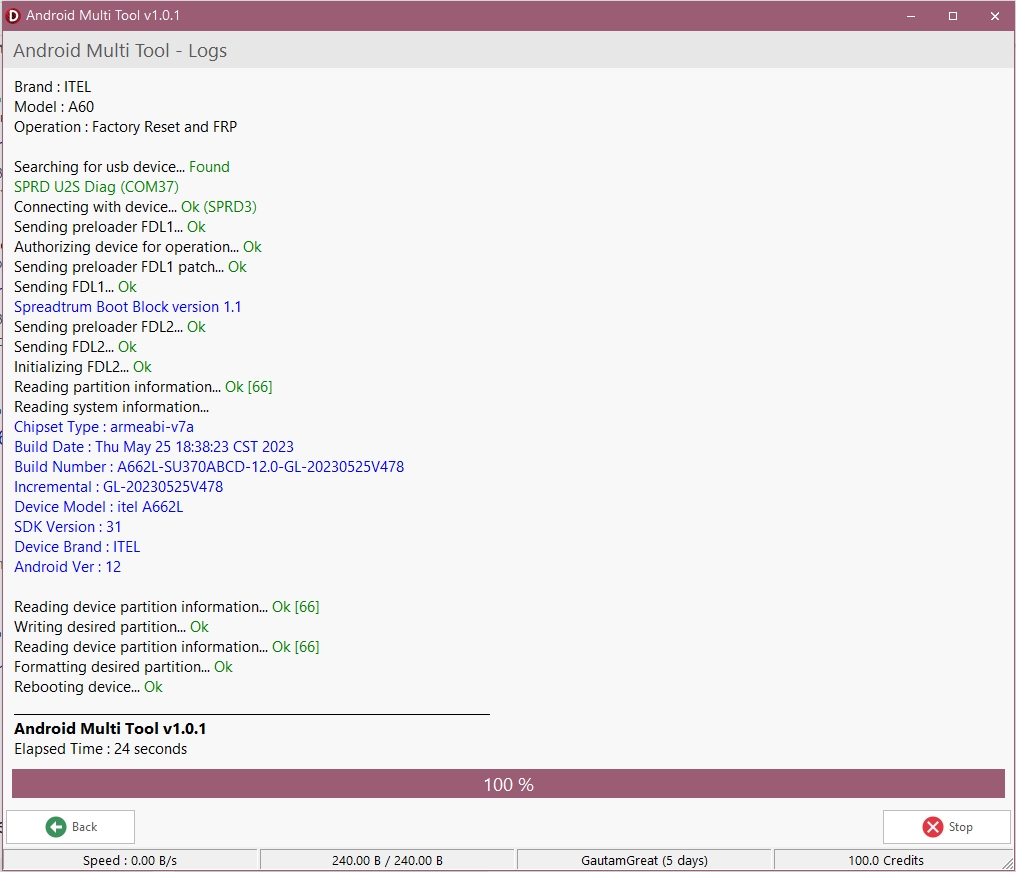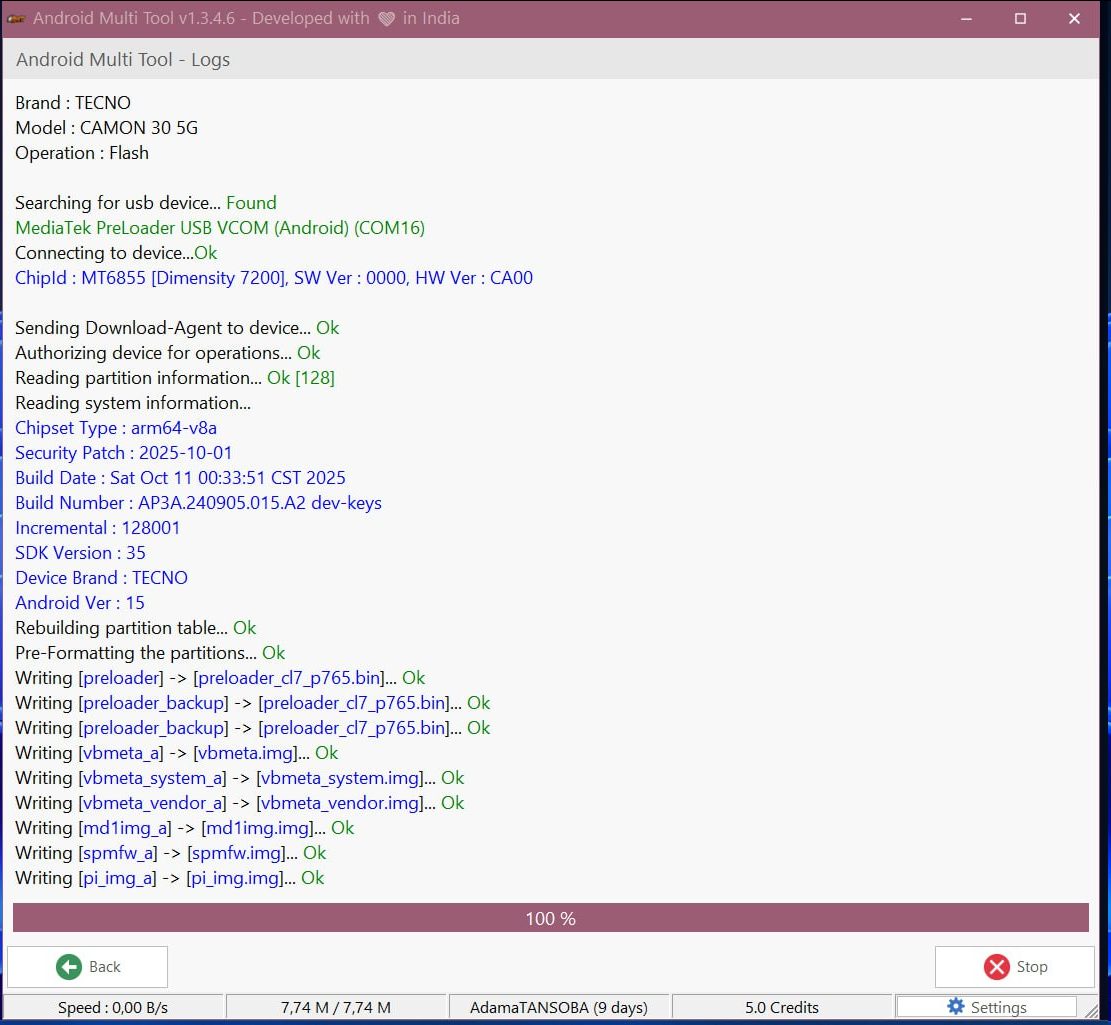
If you are working in mobile repairing or dealing with locked Android devices, you already know how frustrating it can be. Forgotten passwords, FRP locks, boot loops — these problems waste time and reduce productivity.
This is where Android Multi Tool Download becomes extremely useful. Whether you are a beginner technician or running a professional repair shop, Android Multi Tool (AMT) helps you unlock, repair, and manage Android devices in just a few clicks.
In today’s guide, we will cover everything — from downloading the tool to activation, features, supported devices, and real-world usage. If you want a simple, powerful, and reliable solution for Android unlocking and repair, this guide is exactly what you need.

Table of Contents
What is Android Multi Tool (AMT)?
Android Multi Tool (AMT) is a powerful software designed for unlocking, repairing, and managing Android devices. It is widely used by mobile technicians and software experts across India, Brazil, the United States, and other countries.
The main purpose of AMT is to simplify complex mobile repair tasks. Instead of using multiple tools, you can perform everything from a single interface.
This tool supports many operations like:
- Screen lock removal
- FRP bypass
- Firmware flashing
- Factory reset
- Device diagnostics
For example, if a customer forgets their phone password, you can unlock it within minutes using AMT. This saves both time and effort.
Why Android Multi Tool is Popular in 2026
The demand for mobile repair tools has increased rapidly. Smartphones are getting more secure, and traditional methods are no longer enough.
This is why Android Multi Tool Download is trending in 2026.
Here’s why people prefer AMT:
- Simple interface (easy for beginners)
- Fast processing (saves time)
- Wide device compatibility
- Regular updates
- All-in-one solution
In India, many small repair shops use AMT daily because it reduces manual work. Instead of trying risky methods, technicians rely on trusted tools like AMT.
Android Multi Tool Download – Step-by-Step Guide
Downloading the tool correctly is very important. Many users make mistakes by downloading from unsafe websites.
Follow these steps for safe Android Multi Tool Download:
Step-by-Step Process:
- Visit the official website
- Find the latest version of AMT
- Click on the download button
- Extract the ZIP file
- Install the software on your PC
Important Tips:
- Always download from trusted sources
- Avoid cracked versions (risk of malware)
- Keep antivirus enabled
Downloading from the official source ensures that your system stays secure and the tool works properly.

How to Activate Android Multi Tool (AMT)
After installation, activation is required to use all features.
Activation Steps:
- Purchase a valid activation license
- Open the AMT software
- Go to the activation section
- Enter your activation code
- Click on verify
Once activated, all premium features will be unlocked.
Pro Tip:
If you are a reseller or running a business, you can buy licenses in bulk and sell them to clients.
Supported Devices in Android Multi Tool
One of the biggest advantages of AMT is its wide compatibility.
Supported Brands:
- Samsung
- Xiaomi
- Vivo
- Oppo
- Realme
- Tecno
- Infinix
- Itel
- Karbonn
Before using the tool, always check if your device model is supported.
Why Compatibility Matters:
If a device is not supported, the tool may not work properly. Always verify before starting any process.
Key Features of Android Multi Tool
Android Multi Tool is packed with powerful features.
Main Features:
1. Screen Lock Removal
Remove PIN, password, pattern, or fingerprint locks easily.
2. FRP Bypass
Unlock Google account protection after factory reset.
3. Firmware Flashing
Fix software issues like boot loop or dead phone.
4. Factory Reset
Reset device to original settings.
5. Device Management
Reboot, check status, exit fastboot mode.
These features make AMT a complete solution for Android repair.
How to Use AMT for Screen Lock Removal
One of the most common uses of AMT is unlocking devices.
Steps:
- Connect phone to PC
- Open AMT tool
- Select “Remove Screen Lock”
- Click on start
- Wait for process completion
Within minutes, the device will be unlocked.
Example:
A customer forgets their phone password. Instead of resetting manually, you can use AMT and solve the issue quickly.
FRP Bypass Using Android Multi Tool
FRP (Factory Reset Protection) is a security feature in Android devices.
Sometimes users forget their Google account after reset.
Steps to Bypass FRP:
- Connect device
- Open AMT
- Select FRP bypass option
- Start the process
Important Note:
Use this feature only for legitimate purposes.
Firmware Flashing with AMT
Flashing is required when:
- Device stuck in boot loop
- Software crash
- System error
Steps:
- Download firmware
- Connect device
- Open AMT
- Select flashing option
- Start process
Flashing can fix major issues quickly.
Pros and Cons of Android Multi Tool
Pros:
- Easy to use
- Fast performance
- Multi-device support
- All-in-one tool
Cons:
- Paid activation required
- Data loss risk
- Needs technical knowledge
Real-Life Use Cases (India & Global)
In India, many technicians use AMT daily.
Example:
A shop in Delhi handles 20+ devices daily. Using AMT, they solve problems faster and increase income.
Global Use:
In countries like Brazil and the US, professionals use AMT for bulk device management.
Safety Tips Before Using AMT
Before using the tool, follow these precautions:
- Backup all data
- Use official version
- Avoid cracked software
- Check device compatibility
These steps will keep your system and data safe.
Best Alternatives to Android Multi Tool
If you want alternatives, you can try:
- UnlockTool
- EFT Tool
- UMT Tool
- Miracle Box
Each tool has its own features, but AMT remains one of the most reliable.
FAQ SECTION
1. Is Android Multi Tool free?
No, full features require paid activation.
2. How to download Android Multi Tool safely?
Always use the official website for Android Multi Tool Download.
3. Can AMT remove FRP lock?
Yes, it supports FRP bypass for many devices.
4. Does AMT support all Android phones?
It supports many brands, but not all models.
5. Is Android Multi Tool safe?
Yes, if you use the official version.
6. Will data be deleted?
Yes, some operations like reset may erase data.
7. Can beginners use AMT?
Yes, but basic knowledge is helpful.
CONCLUSION
Android Multi Tool is one of the most powerful tools for Android device management. From unlocking phones to fixing software issues, it provides everything in one place.
If you are serious about mobile repairing or dealing with locked devices regularly, doing a proper Android Multi Tool Download and activation is a smart move.