


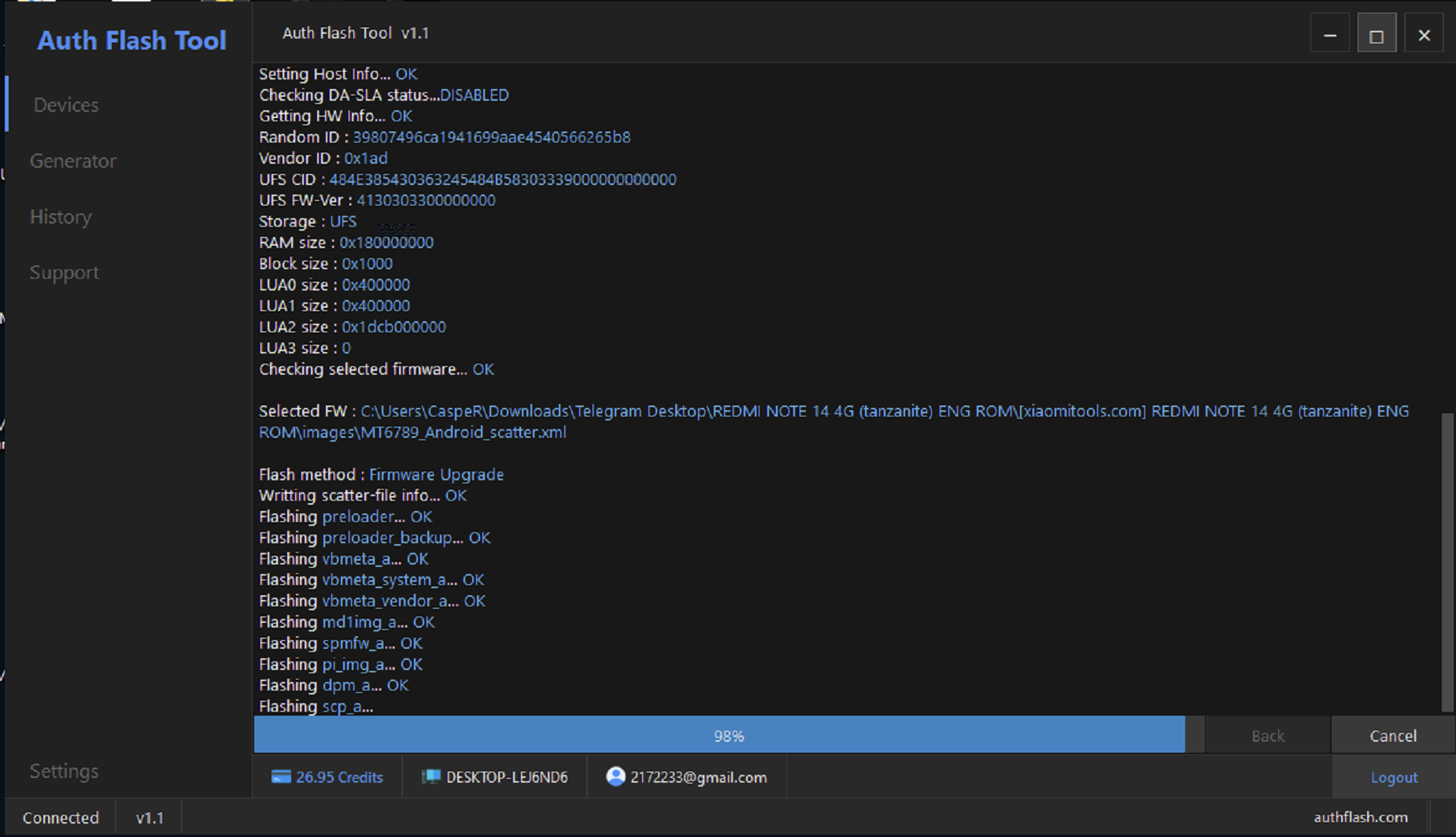
Trial-and-error flashing no longer works on modern Xiaomi and Android devices due to EDL, FRP, and secure boot protections. Auth Flash Tool Download is the professional, verified solution technicians need for reliable flashing, FRP reset, and Mi Account removal with guaranteed results.
Table of Contents
1. What is Auth Flash Tool
Auth Flash Tool is a professional Android authorization and flashing software designed mainly for Xiaomi and other secure Android brands.
Unlike normal flashing tools, it connects to official or private authorization servers that allow restricted operations such as EDL flashing, FRP reset, and account removal.
With Auth Flash Tool Download, you get access to:
- Secure flashing methods
- Server-based authentication
- Paid but reliable services
- High success rate on locked devices
This tool is mainly used by mobile repair shops, refurbishers, and unlocking professionals who deal with dead phones, auth-locked devices, and FRP issues daily.
Image ALT text suggestion:
Auth Flash Tool interface showing Xiaomi auth services
2. Why Auth Flash Tool is Required in 2026
Android security has increased massively in recent years. Xiaomi, Vivo, Oppo, and Realme now use server-side verification.
Free tools fail because:
- EDL access is blocked
- MediaTek auth required
- Fastboot commands restricted
- FRP protected by server validation
Auth Flash Tool solves these problems by providing real-time auth server access.
For technicians in India, Mexico, Germany, and Brazil, this tool saves:
- Time
- Money
- Customer trust
Without Auth Flash Tool Download, most Xiaomi phones above 2022 models are nearly impossible to repair safely.
3. Supported Brands and Models
Auth Flash Tool supports a wide range of brands and chipsets.
Supported Brands
- Xiaomi
- Redmi
- Poco
- Vivo
- Oppo
- Realme
- OnePlus
- Google Pixel
Chipset Support
- Qualcomm (EDL Mode)
- MediaTek V5
- MediaTek V6
Currently, more than 146 models are supported, and the list keeps expanding with updates.
4. Key Features of Auth Flash Tool
Auth Flash Tool is packed with professional-level features.
Core Features
- Qualcomm EDL Flash
- MediaTek V5–V6 Flash
- Fastboot to EDL
- FRP Reset
- Mi Account Reset
- EFS Wipe
- Bulk Operations
User Experience
- Easy interface
- Stable connection
- Fast processing
- Secure data handling
This makes Auth Flash Tool Download suitable even for semi-advanced technicians.
5. Qualcomm EDL Flash Explained
EDL (Emergency Download Mode) is a low-level flashing mode for Qualcomm devices.
With Auth Flash Tool, you can:
- Flash dead Xiaomi phones
- Repair bootloop issues
- Fix IMEI-related errors (EFS backup recommended)
- Restore bricked devices
Free EDL tools no longer work due to Xiaomi restrictions. Auth Flash Tool provides authorized EDL access, which is the real advantage.
6. MediaTek V5–V6 Auth Flash Support
MediaTek devices now require server authorization.
Auth Flash Tool supports:
- MTK V5 auth
- MTK V6 auth
- Secure boot unlock for flashing
This is extremely useful for Vivo, Oppo, and Realme MediaTek models where SP Flash Tool fails.
7. FRP Reset and Mi Account Reset
FRP lock is one of the most common problems in repair shops.
Auth Flash Tool allows:
- Xiaomi FRP reset
- Mi Account removal
- Fast and safe unlocking
Important note:
Always perform FRP reset with customer permission.
This feature alone makes Auth Flash Tool Download worth the investment.
8. Authorization Server Status and Pricing
One major benefit is real-time server status.
Popular Services and Pricing
| Service Name | Price | Status |
|---|---|---|
| Xiaomi Qualcomm Auth | $3.00 | Online ✅ |
| Xiaomi CPID | $5.00 | Offline ❌ |
| Xiaomi Fastboot TO EDL | $1.00 | Online ✅ |
| Xiaomi FRP | $2.00 | Online ✅ |
| Xiaomi Auth V5 | $3.00 | Online ✅ |
| Xiaomi New Auth V5 | $3.00 | Online ✅ |
| Xiaomi New Auth V6 | $0.00 | Online ✅ |
| Vivo Auth Server MTKV5 | $25.00 | Offline ❌ |
| Vivo Auth Server MTKV6 | $25.00 | Offline ❌ |
| Vivo Auth Server Qualcomm | $25.00 | Offline ❌ |
| Google Pixel Auth Server | $60.00 | Offline ❌ |
| Realme Auth Server | $3.00 | Online ✅ |
| OnePlus Auth Server | $25.00 | Offline ❌ |
| Oppo Auth Server | $40.00 | Offline ❌ |
Prices may change. Bulk discounts are available.
9. How to Download Auth Flash Tool Safely
Many fake versions are available online.
To avoid scams:
- Download only from trusted sources
- Avoid cracked versions
- Use official or verified sellers
Always choose digital license-based Auth Flash Tool Download to ensure updates and server access.
Auth Flash Tool download page showing latest version

10. Step-by-Step Usage Guide
Basic steps to use Auth Flash Tool:
- Install tool on Windows PC
- Login with authorized account
- Connect device in EDL or Bootloader
- Select service (Flash, FRP, Auth)
- Start process and wait for success
Stable internet is mandatory.
11. Pros and Cons of Auth Flash Tool
Pros
- High success rate
- Professional auth access
- Supports latest models
- Saves repair time
Cons
- Paid services
- Requires learning curve
- Internet mandatory
Still, benefits outweigh the cost for professionals.
12. Who Should Use Auth Flash Tool
Recommended for:
- Mobile repair shop owners
- Refurbishers
- Advanced technicians
- Bulk device handlers
Not recommended for beginners with no technical knowledge.
13. Comparison with Free Auth Tools
| Feature | Auth Flash Tool | Free Tools |
|---|---|---|
| Auth Server | Yes | No |
| Latest Xiaomi | Yes | No |
| FRP Reset | Yes | Limited |
| Reliability | High | Low |
This comparison clearly shows why Auth Flash Tool Download is the smarter choice.
14. Real-Life Use Case (India Focused)
A repair shop in Delhi receives 10 Xiaomi phones daily with FRP and dead boot issues.
Before:
- 3–4 phones repaired
- High failure rate
After Auth Flash Tool:
- 8–9 phones repaired
- Higher customer trust
- More profit
This is real-world impact.
FAQ SECTION
Frequently Asked Questions
What is Auth Flash Tool used for?
Auth Flash Tool is used for Xiaomi flashing, EDL access, FRP reset, and Mi Account removal.
Is Auth Flash Tool free?
No, it is a paid professional tool with digital license.
Does Auth Flash Tool support MediaTek?
Yes, it supports MediaTek V5 and V6 authorization.
Is Auth Flash Tool safe to use?
Yes, when used correctly with proper backups.
Can beginners use Auth Flash Tool?
Basic flashing knowledge is required.
Is Auth Flash Tool legal?
It is legal for servicing devices with customer consent.
CONCLUSION
If you are serious about Android repairing in 2026, Auth Flash Tool Download is not optional anymore.
It offers:
- Reliable auth access
- Professional results
- Time-saving workflow
For technicians in India, Mexico, Germany, Brazil, and worldwide, this tool delivers exactly what modern repair demands.
