


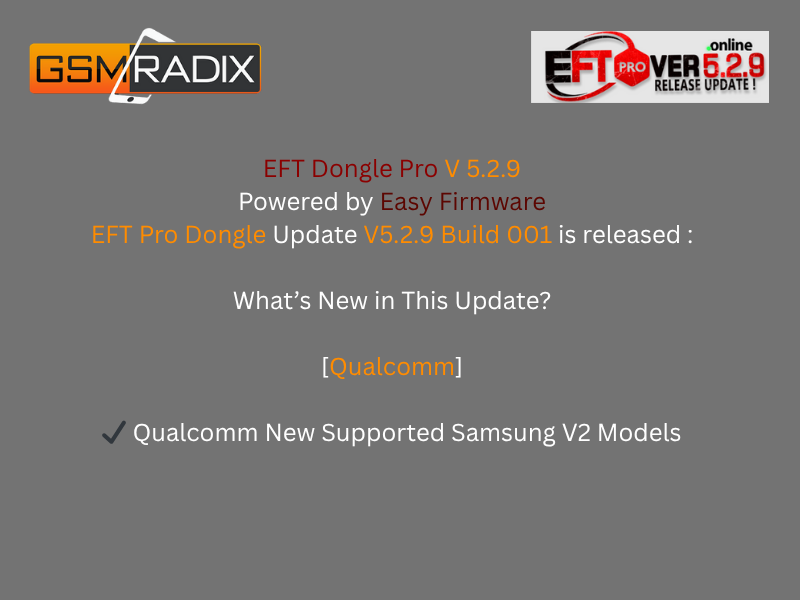
The EFT Pro Dongle V5.2.9 Update has officially landed and it’s already creating a buzz among smartphone technicians and repair experts. This version brings advanced Qualcomm and MTK chipset support, including new Samsung, Oppo, and Realme models, making mobile servicing faster, safer, and more efficient.
Whether you are an individual user looking to unlock your device or a professional repair shop handling multiple FRP, network, and software repairs, this latest EFT Pro Dongle update is a must-have.
What is EFT Pro Dongle V5.2.9 Update and Why It Is Needed
The EFT Pro Dongle (Easy Firmware Tool) is a professional-grade mobile servicing tool used for:
- FRP (Factory Reset Protection) removal
- Flashing and formatting
- Network unlocking
- Rooting, recovery, and firmware updates
With each new version, the tool becomes more powerful, secure, and compatible with the latest Android devices.
The V5.2.9 Update is designed to address compatibility gaps, add support for the newest Qualcomm-based Samsung phones, and improve MTK flashing and patching capabilities for Oppo and Realme devices.
Why It’s Needed
- The latest smartphones have new security patches.
- Technicians need faster and safer FRP and reset operations.
- Compatibility with the latest firmware and Android versions is critical.
Key Features of EFT Pro Dongle V5.2.9 Update
The EFT Pro Dongle V5.2.9 Update comes with a series of improvements and new functions, making it one of the most important updates this year.
Qualcomm Section – New Samsung V2 Models Supported
You can now perform FRP Reset and Factory Reset on newly supported Samsung Qualcomm models, including:
| Model | Bit Version | CPU Type |
|---|---|---|
| SM-A057M | Bit B | Qualcomm |
| SM-A236E | Bit C | Qualcomm |
| SM-A2360 | Bit B | Qualcomm |
| SM-C5560 | Bit 4 | Qualcomm |
| SM-E145F | Bit 8 | Qualcomm |
| SM-E236B | Bit B | Qualcomm |
| SM-G736U | Bit C | Qualcomm |
| SM-G780G | Bit H | Qualcomm |
| SM-G781B | Bit I | Qualcomm |
| SM-G885F | Bit 5 | Qualcomm |
| SM-G990U2 | Bit H | Qualcomm |
| SM-G9910 | Bit E | Qualcomm |
| SM-M236B | Bit B | Qualcomm |
| SM-M446 | Bit 6 | Qualcomm |
| SM-P619 | Bit A | Qualcomm |
| SM-T387T | Bit 2 | Qualcomm |
| SM-T387V | Bit 3 | Qualcomm |
| SM-T505N | Bit 7 | Qualcomm |
| SM-T738U | Bit C | Qualcomm |
| SM-T978U | Bit 9 | Qualcomm |
| SM-X210 | Bit 8 | Qualcomm |
MTK Section – Added Oppo and Realme Patch Support
For MTK-based devices, the update adds patch support for:
- FRP
- Format
- Flash
- Read Flash
Supported Models:
- Oppo A18
- Oppo A38
- Oppo A58
- Realme C55
- Realme C65
These functions improve compatibility with newer Android security updates, ensuring smoother performance during servicing.
Download and Installation Process
Step-by-Step Installation Guide
- Download the Latest Setup
Visit Easy-Firmware.com and go to the EFT Pro Dongle section. Download the EFT Pro Dongle V5.2.9 Setup.
Extract the Files
Unzip the downloaded package using WinRAR or 7-Zip.
Run as Administrator
Right-click EFTProInstaller.exe and choose Run as Administrator.
Connect EFT Dongle
Plug in your EFT Pro Dongle to the PC’s USB port before installation completes.
Install Drivers (If Required)
Follow on-screen prompts to install Qualcomm, MTK, and ADB drivers.
Launch Software and Login
After installation, open the EFT Pro tool and log in with your registered Easy Firmware credentials.
How to Register and Activate EFT Pro Dongle
- Visit the official Easy Firmware Registration page.
- Enter your Dongle Serial Number (SN).
- Complete activation using your Easy Firmware account.
- Once activated, restart the software to unlock all functions.
How to Use EFT Pro Dongle V5.2.9 Update
FRP Unlock
Easily bypass FRP locks on supported Samsung, Oppo, and Realme models in just a few steps:
- Connect device in download or EDL mode.
- Select the appropriate brand and model.
- Click on “Remove FRP”.
- Wait until the tool finishes and reboots the device automatically.
Network Unlock
Repair network lock and SIM issues on selected Qualcomm models:
- Supports direct unlock for many Samsung models.
- Retains IMEI and data integrity.
- No need for risky third-party patches.
IMEI Repair and Other Services
- Full IMEI rebuild for MTK and Qualcomm devices.
- Read/write NV data.
- Backup and restore security partitions.
- Software updates, rooting, and repair features included.
Comparison: EFT Pro Dongle vs Other Tools
| Feature | EFT Pro Dongle | UMT Dongle | Miracle Box |
|---|---|---|---|
| FRP Unlock | Yes (Wide support) | Yes | Yes |
| Qualcomm Reset | New V2 Models | Partial | Partial |
| MTK Format/Flash | Advanced Patch | Yes | Yes |
| Realme/Oppo Latest Support | Yes | Limited | No |
| Regular Updates | Monthly | Irregular | Irregular |
Safety Tips and Legal Considerations
Before performing FRP or IMEI repairs:
- Always verify device ownership.
- Do not use for illegal unlocking.
- Backup user data before any operation.
- Use the latest drivers and antivirus-excluded folders to prevent crashes.
EFT Pro Dongle is designed for authorized technicians and educational use only.
Troubleshooting Common Errors
| Error Message | Solution |
|---|---|
| Dongle Not Detected | Reconnect USB, reinstall drivers |
| Login Failed | Check Easy Firmware credentials |
| FRP Reset Failed | Try different mode (EDL/ADB) |
| Update Required | Download latest version from official site |
Pricing and Subscription Plans
EFT Pro Dongle requires an active license.
- Dongle Activation Price: $10–$70 (approx.)
- Renewal / Activation: Available via Easy Firmware resellers
- Subscription Duration: 1 year of free updates and support
For best deals and activation, contact verified EFT Pro resellers or reach out via WhatsApp or Telegram.
FAQs
Q1: Is EFT Pro Dongle compatible with Windows 11?
Yes, the latest version works smoothly on Windows 10 and 11 (64-bit recommended).
Q2: Can I use it without a physical dongle?
No, a valid EFT Pro Dongle is required for activation and usage.
Q3: How often is the tool updated?
EFT Pro receives regular monthly updates with new device and model support.
Q4: What if my dongle gets blocked or lost?
Contact official Easy Firmware support to recover or replace your license.
Final Thoughts – Download and Connect with Us
The EFT Pro Dongle V5.2.9 Update is one of the most stable and feature-rich releases yet, perfect for technicians, mobile repair shops, and advanced users who need reliable FRP, flash, and repair solutions for the latest Android phones.
Ready to upgrade your tool?
Download the EFT Pro Dongle V5.2.9 Update from Easy-Firmware.com
Contact via WhatsApp or Telegram for activation support.
Subscribe to our newsletter to receive the latest EFT Pro updates and tips straight to your inbox.
Why Buy from GsmRadix
- 100% genuine and verified firmware
- Official download mirror of Phoenix Service Credits
- Instant auto-delivery 24/7
- Secure checkout with fast technical support

You’ve the most impressive websites.