The mobile repair and unlocking industry is evolving, and features like FRP (Factory Reset Protection) can lock devices after a reset. If your Nothing Phone 3a is stuck on a Google account, the Nothing Phone 3a FRP Remove File helps safely remove FRP, PIN, or pattern locks. This guide covers everything users and technicians need to unlock, repair, and flash the device efficiently and legally.
What is Nothing Phone 3a FRP Remove File and Why It Is Needed
The Nothing Phone 3a FRP Remove File is a specialized software package designed to remove Google account verification (FRP lock) from the Nothing Phone 3a after a factory reset. It is compatible with Nothing OS 4.0 and supports both personal and professional use cases.
Why FRP Lock Exists
FRP lock is automatically enabled when:
- A Google account is added to the device
- The device is factory reset without removing the Google account
- The device boots and asks for the previously synced Google credentials
This protects stolen phones, but it also causes problems when:
- You forget your Google account credentials
- You buy a second-hand device
- A customer brings a locked device to your repair shop
- The phone is reset after a software repair
Why You Need the Nothing Phone 3a FRP Remove File
The Nothing Phone 3a FRP Remove File is needed to:
- Bypass Google FRP lock safely
- Remove PIN or pattern lock
- Flash official firmware
- Repair software-related boot or system issues
- Restore access to devices locked after reset
For technicians, it reduces turnaround time and increases service reliability.
Key Features of Nothing Phone 3a FRP Remove File (Latest Version 2026)
The Best Nothing Phone 3a FRP Remove File 2026 comes with enhanced compatibility, stability, and security updates.
Core Features
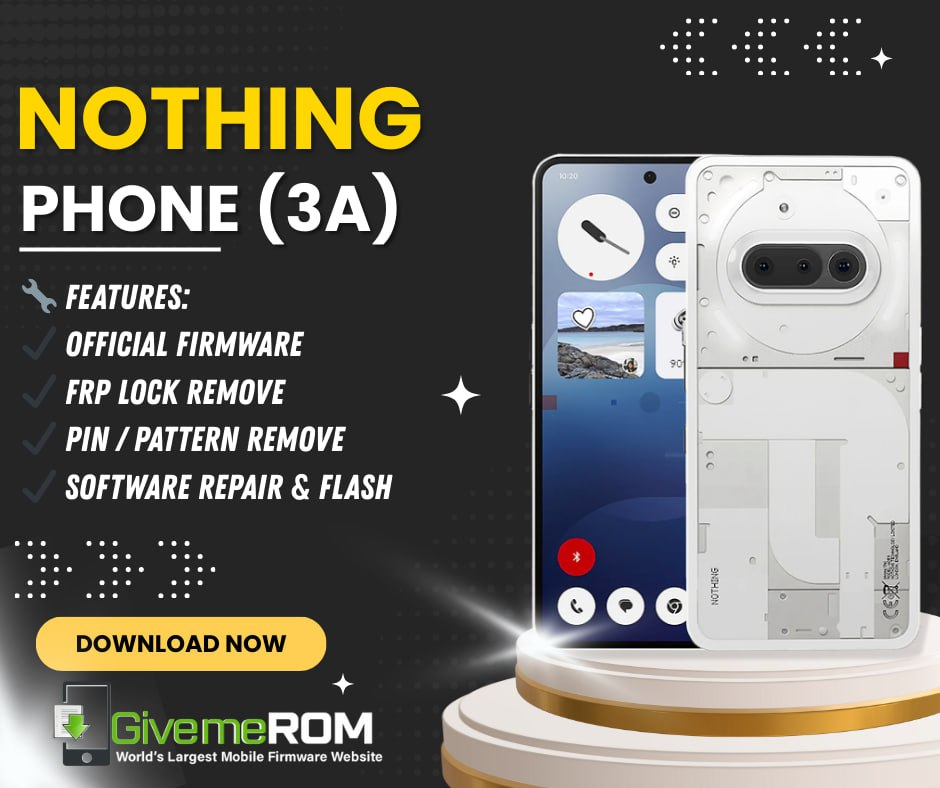
- FRP lock removal for Nothing Phone 3a
- PIN and pattern lock removal
- Official Nothing Phone (3a) firmware support
- Nothing OS 4.0 flash file compatibility
- Safe software repair and system restore
- User-friendly interface for beginners
- Advanced options for professional technicians
Additional Benefits
- Works with latest security patches
- Reduces risk of bootloop or data corruption
- Supports clean flashing and repair
- Compatible with major Windows versions
- Designed for both phone owners and repair shops
This makes it a reliable mobile unlock program and phone unlock app solution for Nothing devices.
Supported Devices and Brands
Although the main focus is the Nothing Phone 3a, the tool ecosystem is designed to scale.
Supported Model
- Nothing Phone 3a (All variants)
Operating System Support
- Nothing OS 4.0
- Updated Android security levels supported
Platform Compatibility
- Windows 10 (64-bit recommended)
- Windows 11
Future updates may extend support to additional Nothing devices, but this guide focuses exclusively on the Nothing Phone 3a FRP Remove File.
Download and Installation Process
Downloading and installing the Nothing Phone 3a FRP Remove File correctly is critical to avoid errors.

Download Requirements
Before downloading, ensure:
- Stable internet connection
- Windows PC or laptop
- USB cable (original or high quality)
- Basic understanding of Android flashing
Step-by-Step Installation Guide
- Download the Nothing Phone 3a FRP Remove File from the official source
- Extract the downloaded archive to a dedicated folder
- Install required USB drivers if prompted
- Disable antivirus temporarily to avoid false detection
- Run the tool as administrator
- Connect the Nothing Phone 3a to the PC
- Select the appropriate FRP or firmware option
- Follow on-screen instructions carefully
- Wait until the process completes successfully
Do not disconnect the device during the process.
How to Register and Activate
Some versions of the Nothing Phone 3a FRP Remove File are available free for membership users, while others require registration or activation.
Registration Process
- Create an account on the official website
- Verify your email
- Log in to access downloads or activation files
Activation Options
- Free membership activation
- Monthly or yearly subscription
- Technician or shop-based license
Activation ensures:
- Access to updates
- Stable tool performance
- Technical support
How to Use Nothing Phone 3a FRP Remove File (For Owners and Technicians)
The tool is designed to be flexible for both personal users and professionals.
For Individual Users
If you own a locked device:
- Use FRP removal mode
- Follow guided instructions
- Restore access without advanced technical knowledge
For Professional Technicians
Repair shops can:
- Unlock multiple devices efficiently
- Use firmware flashing for repairs
- Offer FRP unlock as a paid service
- Reduce dependency on multiple tools
IMEI Repair and Other Services
Depending on version and region:
- Software repair options
- System restore
- Firmware reinstallation
Always follow local laws when performing advanced operations.
Comparison with Other Tools
| Feature | Nothing Phone 3a FRP Remove File | Generic Unlock Tools |
|---|---|---|
| Device-Specific Support | Yes | Limited |
| Nothing OS 4.0 Compatibility | Full | Partial |
| Beginner-Friendly | Yes | Often complex |
| Technician Features | Yes | Varies |
| Update Frequency | Regular | Inconsistent |
This comparison highlights why device-specific solutions often outperform generic unlock tools.
Safety Tips and Legal Considerations
Using FRP removal tools comes with responsibility.
Safety Tips
- Always back up data when possible
- Use official or trusted sources only
- Avoid interrupting flashing processes
- Keep tools updated
Legal Considerations
- Only unlock devices you own or have permission to repair
- Do not bypass security for illegal purposes
- Follow local regulations for IMEI-related services
Ethical use protects both users and service providers.
Troubleshooting Common Errors
Device Not Detected
- Install correct USB drivers
- Change USB cable or port
- Enable required modes on the device
FRP Removal Failed
- Check OS version compatibility
- Use the latest Nothing Phone 3a FRP Remove File
- Restart PC and phone
Bootloop After Flashing
- Reflash official firmware
- Perform clean installation
- Avoid mismatched firmware files
Pricing and Subscription Plans
Pricing varies depending on usage level.
Typical Plans
- Free membership version (limited features)
- Monthly subscription for technicians
- Annual license for repair shops
Value for Repair Shops
- Faster service delivery
- Higher customer satisfaction
- Reduced operational costs
Always choose a plan based on your workload and business needs.
Frequently Asked Questions (FAQs)
What is Nothing Phone 3a FRP Remove File?
It is a software file used to remove Google FRP lock and perform firmware-related repairs on the Nothing Phone 3a.
Is it safe to use?
Yes, when downloaded from trusted sources and used correctly.
Does it support Nothing OS 4.0?
Yes, it is designed for Nothing OS 4.0 compatibility.
Can beginners use it?
Yes, the interface is beginner-friendly with guided steps.
Is it legal?
It is legal for personal use or authorized repair services.
Final Thoughts + Download and Contact CTA
The Nothing Phone 3a FRP Remove File is a powerful and reliable solution for unlocking, repairing, and flashing the Nothing Phone 3a. Whether you are an individual user trying to regain access to your device or a professional technician managing daily repairs, this tool offers stability, efficiency, and peace of mind.
Why Buy from GsmRadix
- 100% genuine and verified firmware
- Official download mirror of Borneo Schematics 3 Months
- Instant auto-delivery 24/7
- Secure checkout with fast technical support