FRP stands for Factory Reset Protection. On Android devices (including the Oppo A58 CPH2577), once a device is reset without removing the Google account, the system will require the previously used Google account login to verify identity. This prevents unauthorized access if the device was lost or stolen.
Why the need for OPPO A58 FRP unlock?
Even legitimate users sometimes get stuck:
- They purchased a second-hand OPPO A58 (CPH2577) and the previous owner forgot to remove their Google account.
- They performed a factory reset, but the account credentials were misplaced.
- The device changed hands (technician, shop) and needs a clean start.
In such cases, the locked Google account screen prevents full use of the phone.
That’s where OPPO A58 FRP unlock comes in: it allows you (or a professional technician) to bypass the FRP lock safely, regain full access, and use the phone normally. Our service uses the proven “One click FRP unlock OPPO A58” method, employing the Test Point D0 FRP bypass process with the help of tools like UnlockTool. This makes the process faster, more reliable, and suited for repair-shops and individual users alike.
The key phrase here is: you’re not simply resetting — you’re unlocking the FRP in a controlled, professional way.

Key scenarios where this is essential
- The phone shows “This device was reset. To continue, sign in with a Google account…” after factory reset.
- Tech shops refurbishing units for resale or service.
- Individual users who otherwise cannot proceed beyond the Google verification step.
In all these, performing a safe OPPO FRP bypass service for the A58 model ensures you can restore full device functionality.
Key Features of OPPO A58 FRP Unlock (Latest Version
Here are the standout features of our OPPO A58 FRP unlock solution — ideal for both DIY users and professional technicians/repair shops:
- One-click FRP removal for OPPO A58 (CPH2577): The latest version supports the A58 4G model (CPH2577) running Android 13/14/15 and includes the “Test Point D0 FRP bypass” path.
- Test Point D0 FRP bypass: A trusted hardware-level method that ensures bypass even when software-only tricks fail, making it suitable for tougher locks.
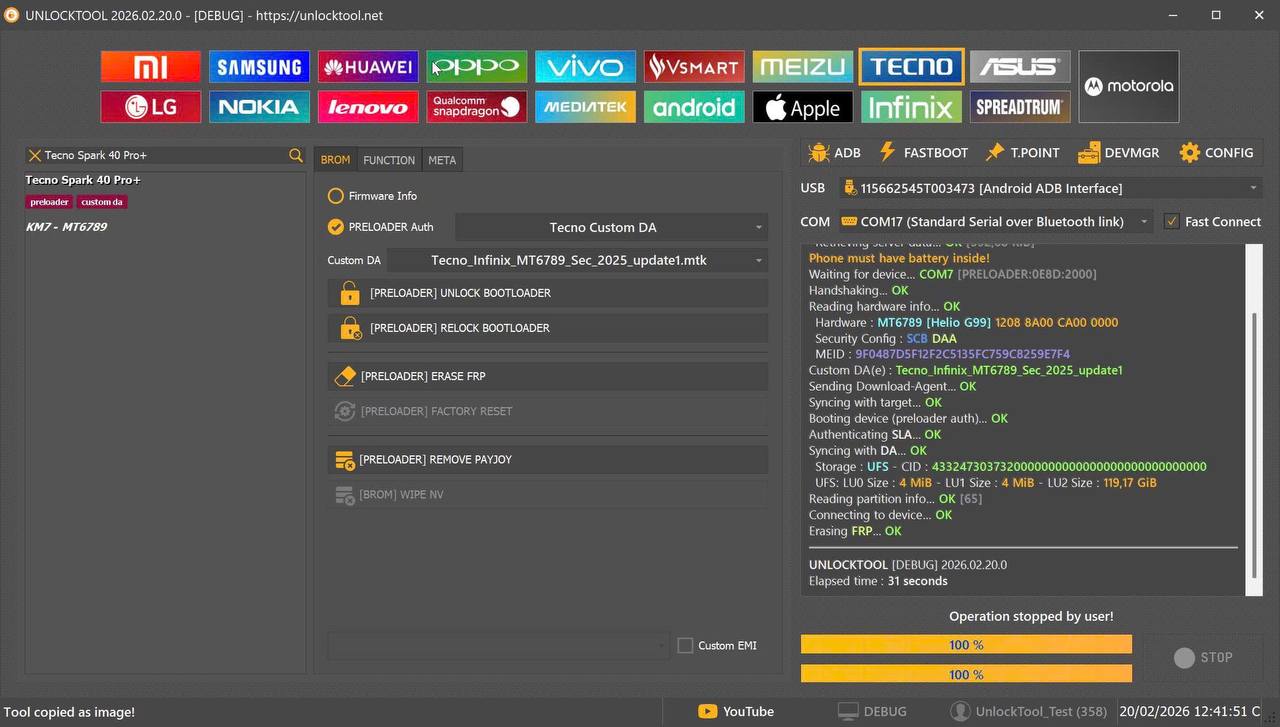
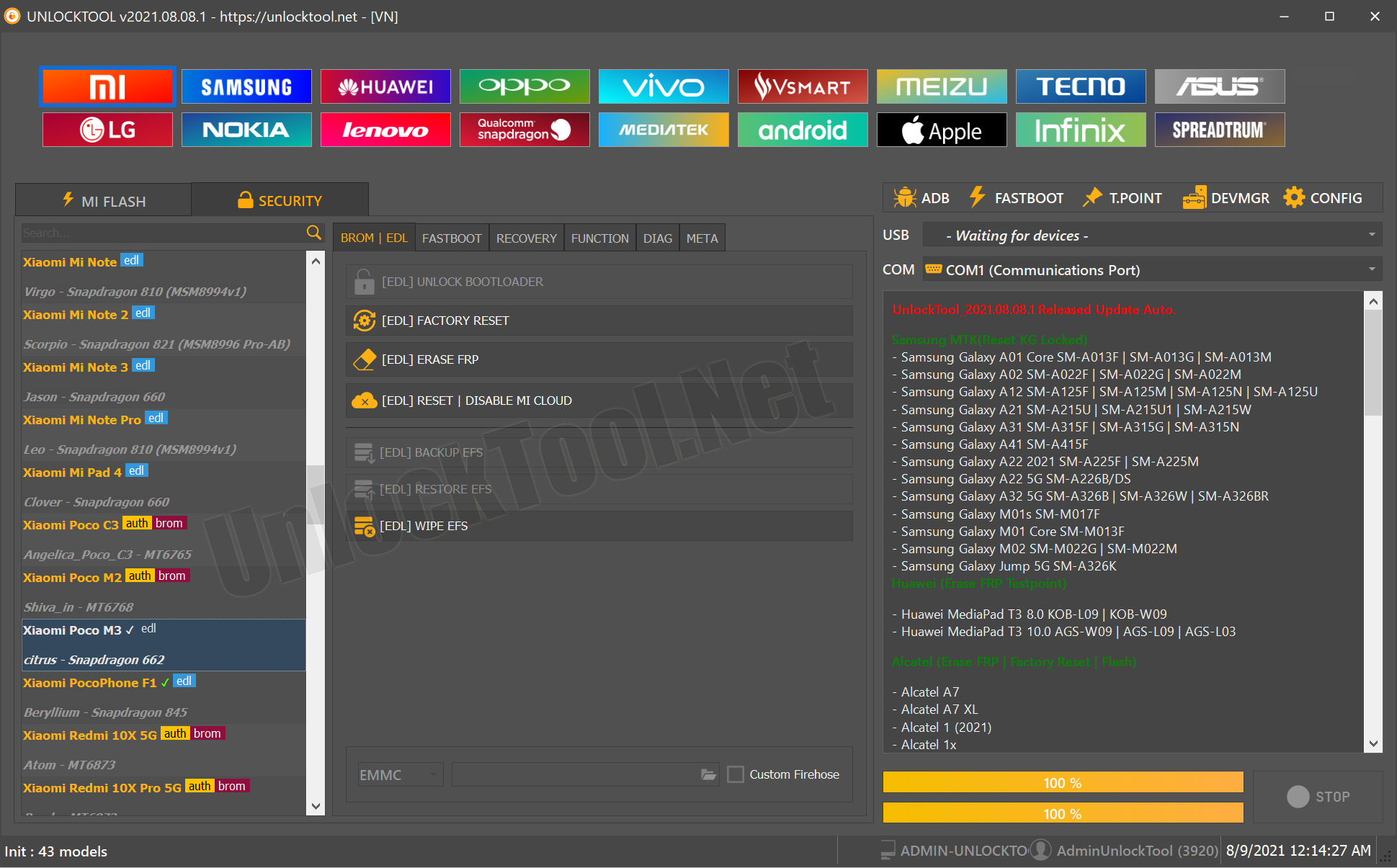
- UnlockTool integration: Seamless compatibility with the UnlockTool FRP OPPO A58 profile, meaning you can rely on a professional toolset rather than uncertain hacks. YouTube+1
- Network unlock & IMEI repair options: Beyond FRP, the tool supports unlocking network/region restrictions and IMEI repair — good for service shops looking to bundle multiple services.
- Multi-device/brand support: While optimised for the OPPO A58 CPH2577, our tool supports other OPPO models and brands as listed in the next section.
- User-friendly interface + technician mode: The interface offers a simplified mode for individual users, and an advanced mode for repair shops (batch processing, logs, device reports).
- Updates & support: Regular updates to handle latest security patches and incoming FRP variants, plus support via WhatsApp/Telegram if you run into issues.
- Professional service option: Prefer not to DIY? We offer a professional FRP bypass service for OPPO, letting you send the device or remote connect, and get it unlocked securely.
These features ensure that whether you’re an individual user locked out of your OPPO A58, or a technician/repair shop servicing multiple phones, you have a robust tool for “Remove Google FRP OPPO A58” reliably and efficiently.
Supported Devices and Brands
While our focus is the OPPO A58 FRP unlock (CPH2577 model), the tool/service supports a broader range of devices. Here’s a quick overview:
Main supported model (optimized):
- OPPO A58 (CPH2577) – 4G version, Android 13/14/15 (and future security patches)
- This is the primary model we reference when we say “OPPO A58 FRP unlock”.
Other supported OPPO/brand models (for technicians/shops):
- OPPO A38 / A59 / other A-series with similar FRP architecture. YouTube
- OPPO other CPH-series models with FRP lock based on same chipset and architecture.
- Also compatible (via service mode) with other brands in some cases (check supported models list in tool).
For the best results, always check the model and build-number before initiating any FRP removal, since security patch levels matter.
Usage scenario breakdown:
- Individual user with OPPO A58 CPH2577 → Use the one-click FRP unlock pathway.
- Repair shop/technician with multiple OPPO models → Use technician mode, batch mode, and ensure tool supports all builds.
Download and Installation Process
In this section we’ll walk you through how to download and install the tool for the OPPO A58 FRP unlock, and then how to register and activate it for usage.
Step-by-step Installation Guide
- Visit the official download page (your brand/site) for the FRP unlock tool.
- Download the correct version labelled “OPPO A58 FRP unlock / CPH2577 support”.
- Before installation:
- Ensure PC (Windows) has drivers for OPPO devices (ADB, Mediatek/Qualcomm depending on model).
- Disable antivirus temporarily if it blocks the installer (some tools are flagged mistakenly).
- Run the installer, follow on-screen prompts, select installation folder.
- After installation, launch the tool. You’ll see two modes: “User Mode” and “Technician Mode”. Pick the one appropriate for your scenario.
- Connect your OPPO A58 (CPH2577) via USB cable, device in download mode/test point mode as guided.
How to Register and Activate
- When you first open the tool, you’ll see a registration screen. Fill in name, email, country, and optionally company (for repair shops).
- You’ll receive a confirmation email with an activation key / license. Enter this into the tool to activate your license.
- Choose your subscription plan (we’ll discuss pricing below) and enter payment details if required.
- After activation, check for updates (Help → Check for Updates) to ensure the latest security patch support.
- For repair shops: you may activate a multi-device license to handle multiple phones per month.
Once the tool is installed and activated, you’re ready to perform the OPPO A58 FRP unlock or other services.
How to Use OPPO A58 FRP Unlock (for Owners and Technicians)
Here’s how to use the tool in your scenario—whether you’re an individual user or a repair technician.
FRP Unlock
For individual user (OPPO A58 CPH2577):
- Ensure phone is fully charged and USB debugging / OEM unlocking is enabled (if accessible).
- Connect phone via USB to PC, open the tool.
- Select Model → OPPO A58 (CPH2577).
- Choose “One click FRP unlock OPPO A58”.
- Follow on-screen instructions: typically include entering Test Point D0 mode, waiting for device detection, loading bypass firmware.
- Once process completes, phone will reboot normally and no longer ask for Google account.
- Set up device as new.
For technician/repair shop mode:
- Use batch mode to queue multiple devices.
- Use technician logs and export reports for each unlock.
- Optionally offer value-added services (network unlock, IMEI repair) for each device after FRP unlock.
Network Unlock
- After FRP removal, the tool allows you to remove carrier locks (if supported) on OPPO A58 or other models.
- Select “Network unlock / region unlock” in the tool, follow instructions, device will become SIM-free.
- This is especially useful for refurbished phone business or resale.
IMEI Repair and Other Services
- Some versions of the tool include “IMEI repair / re-write” function (for supported models) — ensuring compliance with local laws, you may need to verify legality in your region.
- Other services may include “FRP removal + Bootloader unlock + Custom ROM install” for advanced technicians.
- Keep device logs, use backups, and follow best practices.
Comparison with Other Tools
Here’s a comparison table summarising how our OPPO A58 FRP unlock solution stacks up against generic free tools and competitor paid tools:
| Feature | Our OPPO A58 FRP Unlock Solution | Generic Free Tools | Competitor Paid Tools |
|---|---|---|---|
| Model-specific support (CPH2577) | ✅ Yes, optimized | ❌ Often generic, may fail | ✅ Varies |
| One-click Test Point D0 mode | ✅ Included | ⚠️ May require manual/hardware tricks | ✅ May include but higher cost |
| Technician Mode / Batch Support | ✅ Yes | ❌ Rare | ✅ Yes, but expensive |
| Network unlock + IMEI features | ✅ Yes | ❌ Rare or unsupported | ✅ Yes, but high license cost |
| Regular updates for latest patches | ✅ Yes | ❌ Often outdated | ✅ Varies |
| Support (WhatsApp/Telegram) | ✅ Dedicated | ❌ None or community only | ✅ Yes, but may cost extra |
| Affordability | ✓ Balanced | Free but unreliable | Expensive vs. value |
Bottom line: For both individual users and repair shops looking for a dependable professional solution to OPPO A58 FRP unlock, our tool/service offers the best balance of ease-use, reliability, and cost-effectiveness. Generic free tools may work occasionally, but often fail on newer patches, while expensive competitor tools may cost more than necessary for your use case.
Safety Tips and Legal Considerations
Safety Tips
- Always back up any data before proceeding with FRP removal: some steps may erase data.
- Use a good quality USB cable and stable PC connection.
- Ensure your PC has compatible drivers installed for OPPO devices.
- Follow the Test Point D0 instructions carefully if hardware access is required — improper soldering or connections can damage the device.
- Use the tool in a well-ventilated environment, keep the device cool.
- After unlock, verify all functions (WiFi, camera, sensors) to ensure no side-effects.
Legal Considerations
- FRP is a security measure designed to protect legitimate owners of devices. Use of FRP removal tools must only be for lawful cases: e.g., you own the device or have permission from the owner.
- Many countries have laws governing device unlocking, IMEI changes, and ownership transfer. Ensure you comply with local regulations.
- Avoid any actions that could be considered unauthorised removal of lock on stolen or barred devices.
- For network unlock and IMEI repair: ensure you are authorised to perform such tasks; altering IMEI in many jurisdictions is illegal.
- We recommend documenting the chain-of-custody for devices serviced in a repair shop, and obtaining owner’s approval in writing if performing unlock or repair services.
By following best practices you can offer a professional, compliant FRP removal service for OPPO A58 and other models.
Troubleshooting Common Errors
Here are some common issues you may encounter when attempting OPPO A58 FRP unlock, with solutions:
| Error Message | Possible Cause | Solution |
|---|---|---|
| “Device not detected” | Missing drivers, faulty cable, phone not in correct mode | Reinstall drivers, use different USB port/cable, switch to Test Point D0 mode. |
| “Unlock failed – security patch too new” | Device has latest firmware not supported yet | Update the tool, check for latest patch support, wait for new update. |
| “Stuck at Google verification screen” | FRP wasn’t removed properly | Re-run tool, ensure correct model selected, check logs. |
| “Bootloop after unlock” | Firmware mismatch or incorrect method used | Re-flash stock ROM, then rerun unlock process. |
| “Network/IMEI services not working” | Device may be locked in bootloader or region | Check bootloader status, ensure network/IMEI support is valid for region. |
If you run into any persistent issue, feel free to reach out via WhatsApp/Telegram with the tool logs, device model, firmware version and we’ll guide you through.
Pricing and Subscription Plans
We offer flexible plans to suit both individual users and professional repair shops:
| Plan Type | Features Included | Ideal For | Price (Indicative) |
|---|---|---|---|
| Single-Device Basic | One OPPO A58 (CPH2577) FRP unlock, standard support | Individual user | 20 USD |
| Technician Standard | Up to 50 devices/month, batch mode, network/IMEI services | Small repair shop | 30 USD |
| Enterprise Unlimited | Unlimited devices, multi-brand support, priority support | Large shop / service chain | 50 USD |
How to subscribe / pay:
- Fill out the registration form after installation → choose plan → enter payment info (credit card / PayPal / local payment).
- Once payment is authorised, your license activates instantly and you’ll receive confirmation via email.
- Renewals automatically trigger or you can manually renew via dashboard.
Lead generation tip for shops:
Offer a “Free 15-min demo unlock” or “First device free” to attract walk-in customers. Highlight that you support “One click FRP unlock OPPO A58” and “Professional FRR removal for Oppo” to build credibility.
FAQs
(structured FAQPage schema recommended)
Q1: What exactly does OPPO A58 FRP unlock do?
A1: It removes the Google account verification lock (Factory Reset Protection) on an OPPO A58 (CPH2577) so you can set up the device as new without needing the previous Google credentials.
Q2: Will my data be erased?
A2: In many cases yes — FRP removal often involves a reset or a mode that wipes user data. Always back up any important data before proceeding.
Q3: Is the “Test Point D0 FRP bypass” method safe?
A3: Yes — when performed properly by trained users or technicians. It’s a hardware-level method used for harder locks and supported by our tool.
Q4: Can any OPPO A58 model be unlocked this way?
A4: The method is optimised for OPPO A58 (CPH2577). Other variants may work but you should check firmware build and tool version for compatibility.
Q5: Is this legal?
A5: Yes — if you own the device or have explicit permission. It becomes illegal if used on stolen or unauthorised devices. Check local laws for network unlock/IMEI services.
Q6: What if the unlock fails?
A6: Check driver installation, cable/USB port, correct model selected, latest tool version, and firmware patch support. You can reach support via WhatsApp/Telegram with logs for help.
Q7: After FRP unlock, can the device be updated?
A7: Yes — once the lock is removed, you can proceed with OTA updates. However, major firmware upgrades may re-introduce security patches that require newer bypass versions, so shop/technician users should stay updated.
Final Thoughts + Download / Contact / Subscribe CTA
In summary, if you’re facing a lock on your OPPO A58 (CPH2577), the solution is clear: use a trusted professional service for OPPO A58 FRP unlock that supports the “One click FRP unlock OPPO A58” path, implements the “Test Point D0 FRP bypass” method, and is backed by the proven UnlockTool FRP OPPO A58 profile.
Whether you’re an individual trying to regain access, or a technician/repair shop looking to add a reliable service offering, this solution delivers.
Ready to get started?
- Download the tool now: Download Link
- Register and Activate: After installation register your license via the tool and activate following instructions above.
- Contact us via WhatsApp or Telegram for fast support and licensing:
- WhatsApp: +91 7302252300
- Telegram: @https://t.me/GsmRadix
- Subscribe to our newsletter for updates on new models, firmware patches, and discount offers.
Unlock your OPPO A58 today with confidence. Get the job done quickly, safely, and professionally. For those offering repair services, list “Remove Google FRP OPPO A58” and “Professional FRP removal OPPO” on your site to attract more leads.
Ready for action? Click the link, register, and you’re set — the FRP lock is no longer a barrier.
Why Buy from GsmRadix
- 100% genuine and verified firmware
- Official download mirror of AMT 3 Months
- Instant auto-delivery 24/7
- Secure checkout with fast technical support