Borneo Schematics Today Update: Everything You Need to Know
Welcome to our definitive guide on Borneo Schematics Today Update — designed for both mobile repair beginners and seasoned technicians. In this post, you will find a complete walkthrough of what the Borneo Schematics tool is, how to download and install its latest update, how to activate it, and use it for FRP unlock, network unlock, IMEI repair, plus tips for safety, comparisons with other tools, and more.
By the end of this post, you’ll have everything you need to make an informed decision, download the right version, activate properly, and contact us (via WhatsApp / Telegram) for support or registration.
What is Borneo Schematics Today Update and Why It’s Needed
When working in repair shops or as an individual technician, schematics and hardware layouts are essential. The Borneo Schematics Today Update is the latest daily update package of the Borneo Schematics tool (v8.1.05.15 as of May 2025) that provides:
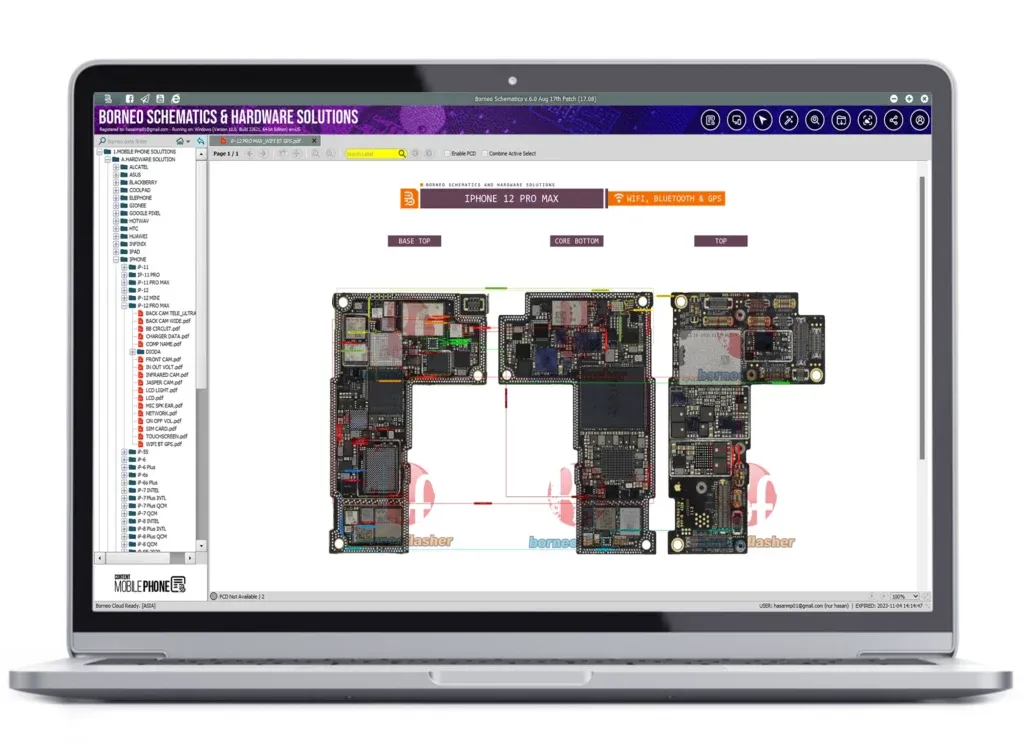
Complete circuit diagrams, boardviews, hardware solution workflows, and component-level maps.
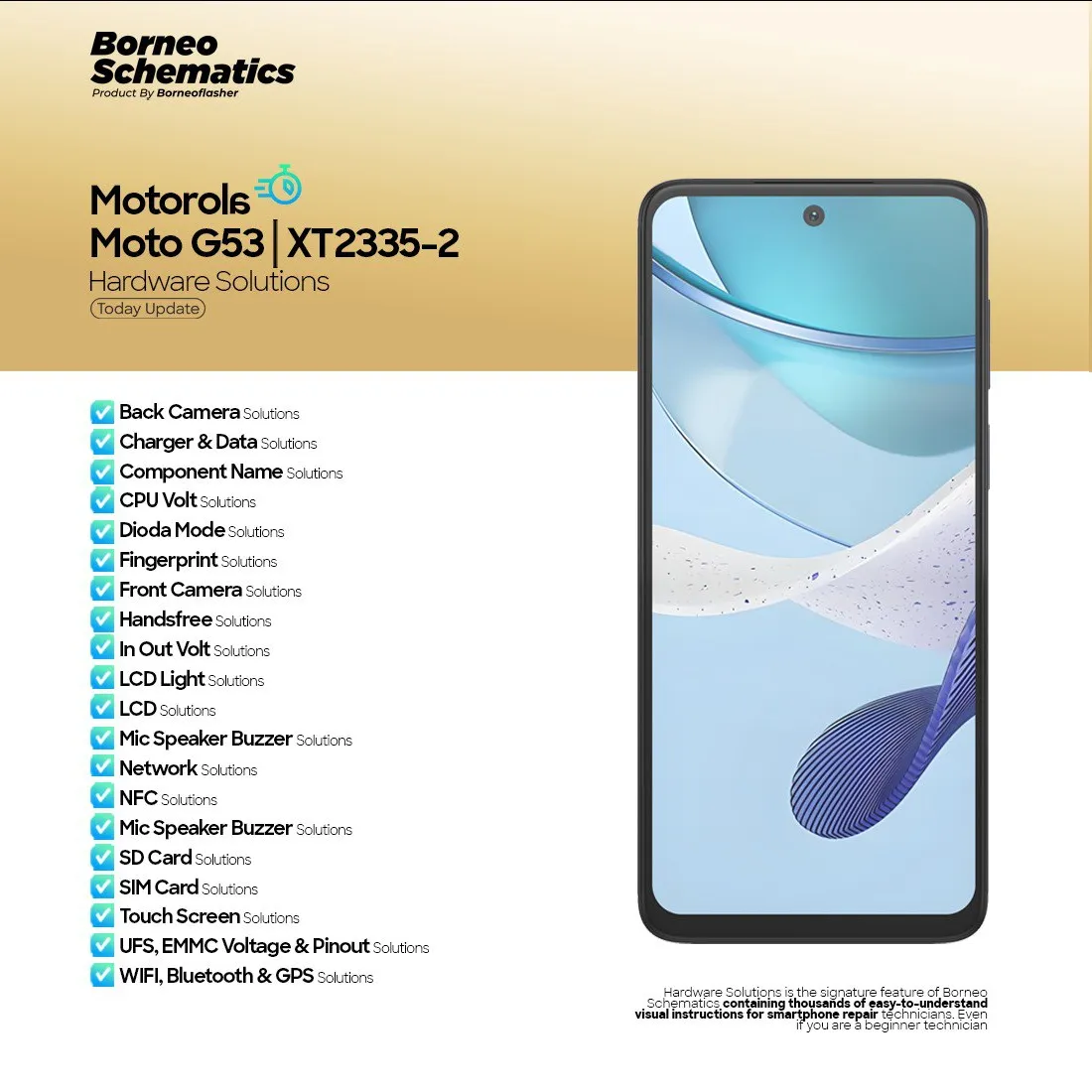
Updated “hardware solutions” for new phone models that are released.
Fixes, compatibility improvements, and new brand/device support in each version.
Better stability, UI fixes, and backend improvements to ensure activation and login works smoothly (e.g. fixes to “failed login” or HWID detection).
Without staying up to date, your versions may lack support for newer phones, or activation may break because older versions are not supported. Indeed, Borneo has a notice that version 7 is no longer supported and users must update to version 8.1.05.15 immediately. Borneo Schematics
Thus, the Borneo Schematics Today Update ensures you always have access to the latest device support and hardware solutions.
Key Features of Borneo Schematics Today Update (Latest Version)
Here are the standout features you get with the latest Borneo Schematics Today Update:
Feature | Description |
|---|---|
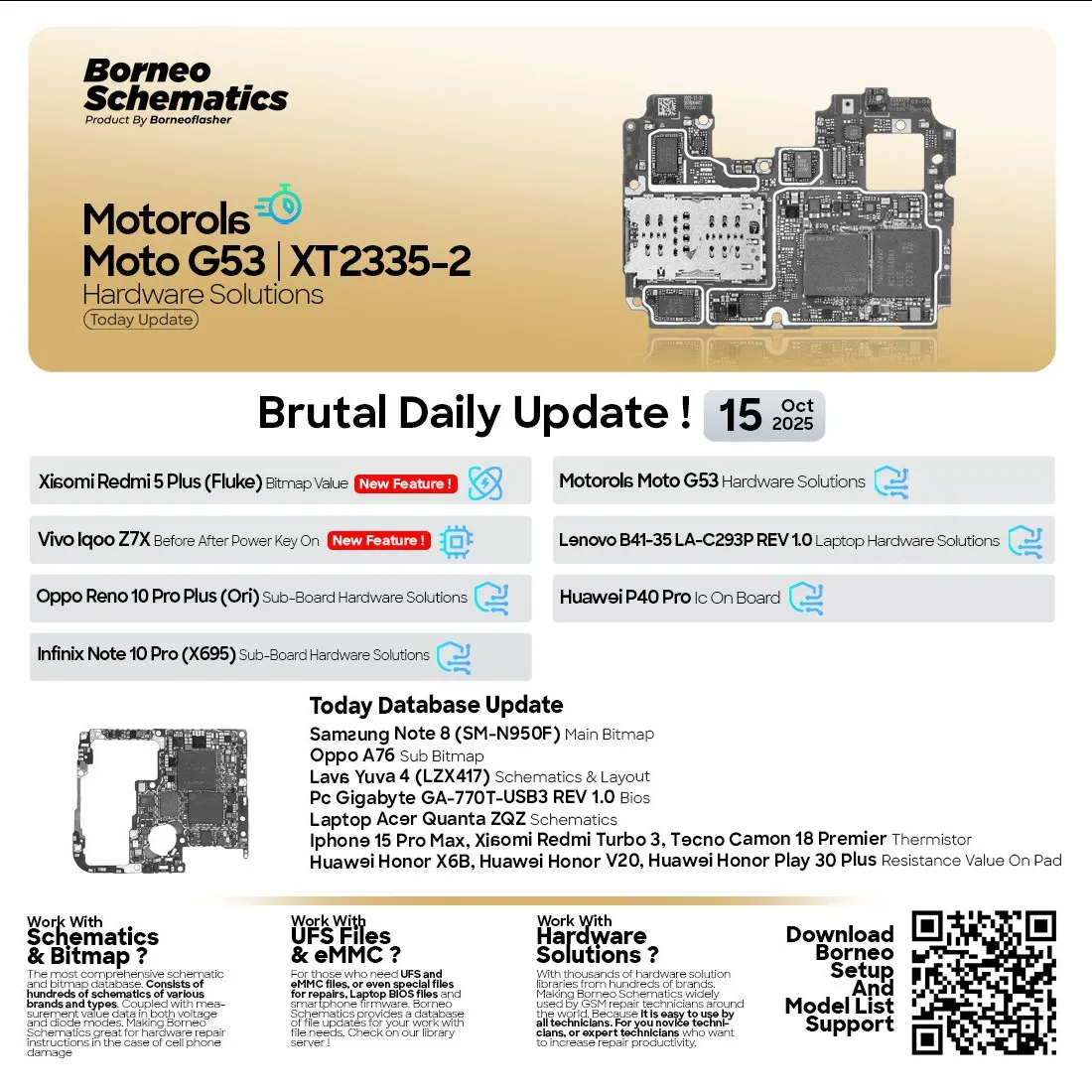
Daily updates / hardware additions | New phones and hardware diagrams added daily, keeping your database fresh. See changelog on updateborneo.com |
Auto Sync Date & Time | The update can sync itself automatically to avoid expiration or login errors. |
Fixed Tools & Stability | Issues like WMI class errors, IP detection, or hidden processes fixed in recent builds. |
Remote Application Support | Built-in support for remote tools to assist technicians in resolving issues. |
Hardware Solutions & Boardviews | Includes schematic, layout, bitmap, and hardware solution files (IC pinouts etc.). |
Multi-language / UI support | Interface and documentation support for English, Indonesian, Arabic etc., suited for global users |
License / Activation System | License keys (3 / 6 / 12 months) or multi-PC licensing with renewal capabilities (see Borneo activation tools) |
These features make it a robust schematics tool not only for hobby users but for repair shops that frequently handle new models.
Supported Devices and Brands
One of the reasons Borneo Schematics is popular is its wide device support. As of the latest update, it supports:
Popular smartphone brands: Samsung, Xiaomi, Oppo, Vivo, Realme, Nokia, Huawei, Infinix, Tecno, etc.
New models like Samsung Galaxy A14 5G (SM-A14 / A146B) with hardware solutions.
Schematic, boardview, layout files, and hardware solution for newer chips and sub-boards.
PC / laptop boards (some “hardware solutions” include laptop schematics) — though primary focus is mobile.
Multi-PC and multi-license support (e.g. two-PC license).
If you have a rarer or custom phone, Borneo often accepts custom schematic requests depending on stock / board availability
Download and Installation Process
Before diving into the installation, here are a few key notes:
You must always use the latest version — older versions (like v7) might stop working or be unsupported.
Use the official download portal (e.g. updateborneo.com) to avoid malicious copies.
Always run as administrator and allow network access (firewall exceptions).
Step-by-step Installation Guide
Visit the official Update Borneo site (e.g. updateborneo.com) and find FullSetup_Borneo_Schematics_v8.1.05.15 or latest.
Download the setup (Mega or Mediafire mirror).
After download, right-click → Run as Administrator to install.
During setup, allow firewall / antivirus prompt exceptions for Borneo.
Complete installation; the first launch may trigger update scripts (auto sync, HWID registration etc.).
If prompted to update modules or libraries (e.g. VC++ Redistributable), allow them.
Restart your PC if requested.
How to Register and Activate
After installation, you need to register and activate to unlock full capabilities (hardware solutions, full device support, daily updates):
Create a Borneo account (username + email + password).
In the Borneo UI, go to Activation / License section.
Enter your license key / activation code (3, 6, or 12 months license).
Choose PC binding (1 PC, 2 PC) as per purchase.
Submit and wait for activation — usually instant or within 30 minutes. Some licenses may have a slight activation delay.
Check Login again; if successful, the tool should show “activated” and allow full access.
You can purchase Borneo activation / renewal codes from authorized distributors.
How to Use Borneo Schematics Today Update (for Owners & Technicians)
Once installed and activated, here’s how both individual users and professional technicians can use Borneo Schematics Today Update in practice.
FRP Unlock
Factory Reset Protection (FRP) is a common lock challenge when a phone is reset without removing the Google account. Here’s how to use Borneo to assist:
Connect the locked phone to PC via USB (ensure drivers are installed).
In Borneo UI, select the brand / model series (e.g. Samsung, Xiaomi etc.).
Choose FRP Unlock or Erase FRP in the left menu.
Follow on-screen steps (e.g. boot in Download / EDL / ADB mode).
The tool will attempt FRP bypass; once done, device reboots without Google lock.
Note: success depends on device, Android version, and bootloader status. Sometimes additional patches or temp exploits are needed by technicians.
Network Unlock
A “network unlock” means removing carrier restriction, enabling use with any SIM. Steps using Borneo:
Connect your phone and select brand / model.
Choose Network Unlock / SIM Unlock option.
The tool will query network lock status (lock code or box needed).
Apply the unlock code or patch.
Reboot and test with a different SIM to confirm.
Note: Some devices require particular unlock modules or box support; Borneo may integrate with external unlock boxes if needed.
IMEI Repair & Other Services
Borneo also supports advanced board-level services (depending on version and modules):
IMEI repair / restore
Component-level troubleshooting (IC, resistors, traces, etc.)
Boardview / layout / bitmap overlay for hardware solutions
Voltage measurement or test point guidance
Custom mods or hardware mapping
Technicians often combine Borneo with tool sets like JTAG, ISP, or external programmers to complete full repair tasks.
Comparison with Other Tools
Below is a comparison table between Borneo Schematics and other popular tools (like UnlockTool, TFT, etc.) to help you evaluate which suits your needs:
Feature / Tool | Borneo Schematics (latest) | UnlockTool | TFT Unlock Tool / Other Unlock Suites |
|---|---|---|---|
Primary focus | Schematics, hardware solutions, boardview | Unlock / FRP / flashing | Unlock / FRP / flashing |
Device / Board Support | Very strong, daily update | Strong unlocking support | Good, but weaker schematics support |
Activation / License | 3, 6, 12 months, multi-PC support | Subscription / license key model | Has free / paid variants, often requires VPN or disable AV |
Hardware / Circuit Support | Excellent, hardware layouts, IC diagrams | Mostly software side (unlocking) | Focus primarily on unlocking / flashing |
Stability & Updates | Frequent, official updates | Frequent unlock module additions | Good, but may require workarounds |
Ease of Use for Beginners | Moderate — some hardware knowledge helps | Easier for basic unlock tasks | Fairly user friendly for unlocking |
Safety & Legal | Schematics are legal; use ethically | Unlocking is legal only on owned devices | Similar restrictions |
Note: Using any unlock / repair software must comply with local laws — only use on legally owned devices.
If your priority is deep hardware-level repair and schematics, Borneo Schematics is often more suitable than pure unlock suites. For pure FRP / SIM unlock, using Borneo together with UnlockTool or other tools may provide synergy.
Safety Tips and Legal Considerations
When using Borneo Schematics Today Update or any mobile unlock / hardware tool, be mindful of:
Legal compliance: Only use on devices you own or with explicit permission. Unlocking stolen devices is illegal.
Backup data: Always back up user data before unlocking or flashing.
Use correct model: A mismatch in model / board can lead to bricking.
Antivirus / firewall: Grant exceptions; otherwise activation or module loading may fail.
Avoid pirated keys / cracks: They often contain malware or cause internal errors.
Check warranty & region laws: Some regions penalize device tampering.
Document changes: For repair shops, always log changes done to device for customer transparency.
By following these precautions, you protect both your business reputation and your customers’ devices.
Troubleshooting Common Errors
Here are common issues users may face and how to resolve them:
Error / Symptom | Possible Cause | Solution |
|---|---|---|
“Activation failed / key invalid” | Wrong license, expired key, wrong PC binding | Confirm license version, rebind PC, contact distributor |
“Version 7 no longer supported” message | Using outdated version | Update to version 8.1.05.15 or latest |
“Login failed / cannot connect to server” | Network block, firewall, IP blocked | Whitelist Borneo in firewall / AV, check internet DNS |
FRP / unlock fails | Incompatible model / patched bootloader | Try latest module, alternative exploit, check logs |
“HWID exceeded / device limit” | License bound to other PC | Request reset from seller or use a multi-PC license |
Module loading errors | Missing dependencies or libraries | Install required VC++ runtimes, re-update modules |
If you face persistent errors, you can contact us via WhatsApp / Telegram (links below) with your error log, and we’ll assist you directly.
Pricing and Subscription Plans
Here’s how Borneo Schematics typically handles pricing and licensing:
3 months single PC — entry level license
6 months / 12 months single or multi-PC (2 PC, etc.) — for shops or heavier use
Renewal / extension — easily via official activation sites
Some sellers list 3 months single user activation on online marketplaces.
Make sure you buy from an official distributor or authorized seller so that support and license resets are valid.
You can visit Borneo activation sites for current pricing and license codes.
FAQs
Below is a structured FAQ (FAQPage schema) section to address common user queries.
Q1: What is the current Borneo Schematics version?
A1: The current version is 8.1.05.15 (as of May 2025).
Q2: Can I use Borneo on more than one PC?
A2: Yes — but you need a multi-PC license (2 PC or more). Single PC licenses cannot be shared.
Q3: What devices does Borneo support?
A3: It supports a wide range of smartphone brands (Samsung, Xiaomi, Oppo, Vivo, etc.), with hardware schematics and boardviews.
Q4: Does Borneo include FRP or network unlocking?
A4: Borneo’s focus is primarily schematics and hardware solutions, but many users combine it with unlock modules (or external tools) for FRP / network unlock tasks.
Q5: Why does version 7 not work anymore?
A5: Borneo has officially deprecated version 7, and servers will refuse login — you must update to v8.1.05.15
Q6: What should I do if activation fails?
A6: Check license code, confirm proper PC binding, ensure firewall / AV isn’t blocking activation, and contact your distributor for reset support.
Q7: Is Borneo safe to use?
A7: Yes, when obtained from official sources and used on owned devices. Always use legal licenses; avoid cracked or pirated versions for reliability and security.
Final Thoughts + Download / Contact / Subscribe CTA
The Borneo Schematics Today Update is your gateway to powerful hardware-level repair support, schematic access, and consistent updates. For individual users wanting to tinker or repair, it provides deep insight into device internals. For professional technicians and repair shops, it becomes an essential backbone tool.
Ready to get started? Here’s what to do next:
Download the latest Borneo setup via the official portal / Update Borneo site.
Install and register / activate using a valid license key.
Use the tool for FRP unlock, network unlock, IMEI repair, and hardware troubleshooting.
Contact us for support or license purchase via WhatsApp / Telegram — our team is ready to assist you.
Subscribe to our newsletter / updates to receive alerts about new updates, device support, or activation deals.
With the Borneo Schematics Today Update, you equip yourself with industry-grade schematic knowledge, frequent updates, and a community of repair professionals. Start your download, complete your activation, and be prepared for the next hardware challenge with confidence.
Why Buy from GsmRadix
100% genuine and verified firmware
Official download mirror of BorneoSchematics
Instant auto-delivery 24/7
Secure checkout with fast technical support

Share this article
About the author