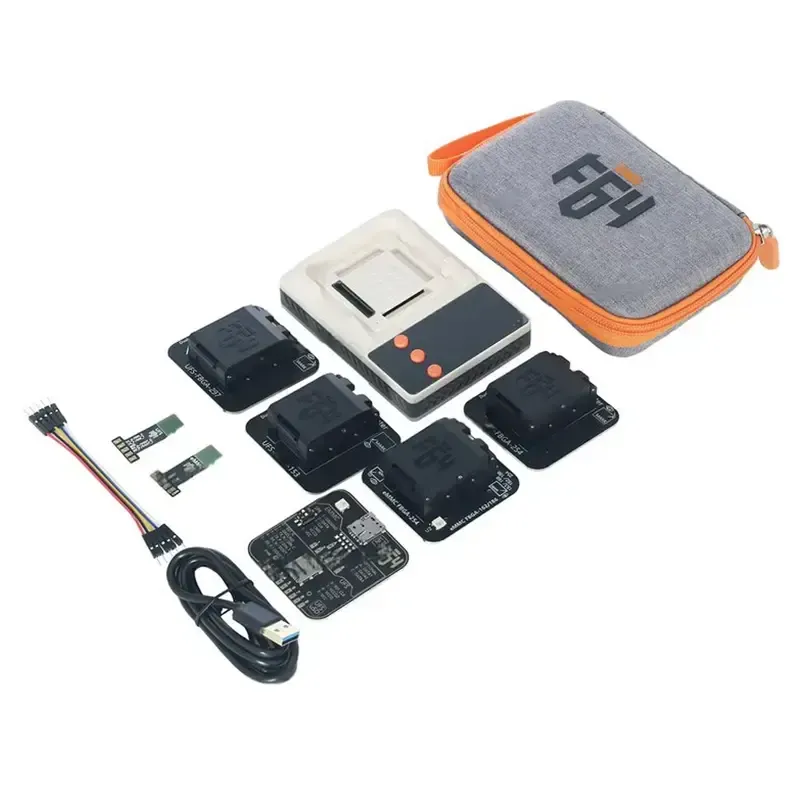
The F64 V1.02.11.2026 Update MTK Dimensity 9500 Support is one of the most powerful and technically advanced upgrades in the mobile repair and unlocking industry in 2026. Whether you are an individual device owner, a GSM technician, or running a professional repair shop, this version introduces critical improvements that enhance firmware flashing, partition management, and UFS provisioning for the latest MediaTek platforms.

With support for MTK Dimensity 9500 UFS Provisioning, advanced GPT partition movement, AVB preloader verification, and enhanced EROFS compression handling, this update positions F64 as a next-generation mobile unlock program and professional service solution.
In this complete guide, you will learn:
What the F64 V1.02.11.2026 Update MTK Dimensity 9500 Support offers
Why it is essential for modern repair workflows
How to download, install, and activate
Key features explained in simple terms
Troubleshooting and safety guidelines
Pricing and subscription details
FAQs for both beginners and professionals
What is F64 V1.02.11.2026 Update MTK Dimensity 9500 Support and Why It Is Needed?
The F64 V1.02.11.2026 Update MTK Dimensity 9500 Support is the latest software release designed to handle next-generation MediaTek devices powered by the Dimensity 9500 chipset.
Why This Update Matters
Modern smartphones now use:
UFS storage instead of eMMC
Advanced partition protection mechanisms
AVB (Android Verified Boot) security layers
Compressed EROFS file systems
Write-protected partitions
Without updated tools, technicians face:
Flashing failures
“Write protected” errors
Preloader verification problems
Inability to provision UFS storage properly
This update resolves those challenges and introduces the F64 GPT Partition Move Tool, enabling advanced-level structural repair when partition conflicts occur.
For technicians handling new models or dealing with deep-level firmware corruption, the Best F64 V1.02.11.2026 Update MTK Dimensity 9500 Support 2026 is no longer optional — it’s essential.
Key Features of F64 V1.02.11.2026 Update MTK Dimensity 9500 Support
Let’s break down the major improvements introduced in the latest version.
1. MTK Dimensity 9500 UFS Provisioning Support
The MTK Dimensity 9500 UFS Provisioning feature adds compatibility with new-generation UFS-based devices.
Benefits:
Scatter TXT and XML support
Stable provisioning
Reduced flashing failures
Professional-grade performance for repair labs
This is particularly useful when restoring factory firmware or rebuilding corrupted storage structures.
2. F64 Dimensity 9500 Factory Firmware Flashing
The F64 Dimensity 9500 Factory Firmware Flashing module allows technicians to:
Flash official stock firmware
Restore bricked devices
Fix boot loops
Solve software crashes
This makes the F64 V1.02.11.2026 Update MTK Dimensity 9500 Support a complete firmware solution.
3. F64 AVB Preloader Verification
Modern devices use Android Verified Boot (AVB). The F64 AVB Preloader Verification system ensures:
Preloader integrity check
Secure flashing
Error prevention during firmware install
This reduces risk when working with sensitive boot components.
4. F64 Moving Partitions Feature
The F64 Moving Partitions Feature introduces GPT partition relocation.
Important Notice:
This process will damage userdata and requires formatting or stock flashing afterward.
Use Cases:
Write-protected partition errors
GPT corruption
Firmware flashing block issues
This advanced tool is especially helpful for professional technicians handling critical repair cases.
5. F64 GPT Partition Move Tool
The F64 GPT Partition Move Tool allows:
Single partition movement
Multiple partition relocation
Address shifting away from write-protected zones
This is a high-level service tool and must be used with technical knowledge.
6. F64 Safe Connect Shift Key Option
The F64 Safe Connect Shift Key Option activates when holding the Shift key during UFS/eMMC IC detection.
Benefits:
Safer detection
Reduced connection conflicts
Better stability with problematic boards
7. F64 EROFS DEFLATE MicroLZMA Support
With F64 EROFS DEFLATE MicroLZMA Support, the software can now handle:
Compressed EROFS partitions
Faster extraction
Improved compatibility with modern Android firmware
8. Version-Specific Fast Ranking Feature
If you’re targeting search traffic, version-based keywords like:
Samsung SM-A10S IC On Board Fix
F64 Latest Version 1.02.11.2026 Download
Phone unlock app 2026
tend to rank faster because users search exact versions.
Supported Devices and Brands
The F64 V1.02.11.2026 Update MTK Dimensity 9500 Support focuses on MediaTek Dimensity 9500 devices but also works across:
Vivo
iQOO
Jovi
MediaTek-based Android devices
Various UFS and eMMC models
It can also assist in legacy-level fixes like Samsung SM-A10S IC On Board Fix where board-level detection and firmware rebuild are required.
Download and Installation Process
F64 Latest Version 1.02.11.2026 Download
To safely download:
Visit the official F64 website.
Log into your registered account.
Navigate to Updates.
Select version 1.02.11.2026.
Download the installer.
Avoid third-party cracked sources.

Step-by-Step Installation Guide
Disable antivirus temporarily.
Extract the downloaded ZIP file.
Run the installer as Administrator.
Install required drivers.
Launch the software.
Log in with your registered credentials.
Allow automatic updates to complete.
How to Register and Activate
Purchase a license from an authorized reseller.
Create an account.
Enter activation key inside software.
Bind to your system ID.
Restart the application.
Professional repair shops may require multi-seat licensing.
How to Use F64 V1.02.11.2026 Update MTK Dimensity 9500 Support
For Individual Owners
If you are not a technician:
Use factory firmware flashing
Restore bricked devices
Fix bootloop
Perform basic software repair
For Technicians and Repair Shops
Advanced services include:
IMEI Repair (where legally permitted)
Partition restructuring
UFS provisioning
Preloader repair
Data partition relocation
Deep-level flashing
This makes the software both a mobile unlock program and professional repair platform.
Comparison with Other Tools
Feature | F64 V1.02.11.2026 | Standard Unlock Tool | Basic Phone Unlock App |
|---|---|---|---|
MTK 9500 Support | Yes | Limited | No |
GPT Partition Move | Yes | No | No |
AVB Verification | Yes | Partial | No |
UFS Provisioning | Yes | Limited | No |
EROFS Support | Yes | No | No |
The F64 V1.02.11.2026 Update MTK Dimensity 9500 Support clearly leads in deep repair capabilities.
Safety Tips and Legal Considerations
Always backup device data.
Only perform IMEI repair where legally allowed.
Use official firmware files.
Avoid pirated software versions.
Follow manufacturer compliance.
Troubleshooting Common Errors
Device Not Detected
Install correct MTK drivers
Use Safe Connect Shift Key Option
Flashing Failed
Verify scatter file
Check AVB Preloader Verification
Write Protected Error
Use F64 GPT Partition Move Tool carefully
Pricing and Subscription Plans
Pricing varies depending on:
Monthly subscription
Annual license
Multi-user workshop license
Contact authorized reseller for updated pricing.
Professional shops should consider annual licensing for cost savings.
Frequently Asked Questions (FAQ)
Q1: Is F64 V1.02.11.2026 Update MTK Dimensity 9500 Support beginner-friendly?
Yes, basic flashing is easy, but GPT movement requires experience.
Q2: Can it fix dead boot devices?
Yes, with factory firmware flashing and proper files.
Q3: Does it support IMEI repair?
Yes, but follow legal guidelines.
Q4: Is this better than a basic phone unlock app?
Yes, it offers professional-grade features.
Q5: Does it erase data?
Partition move will damage userdata.
Final Thoughts – Should You Upgrade?
The F64 V1.02.11.2026 Update MTK Dimensity 9500 Support is a powerful release that addresses modern MediaTek challenges, especially for UFS-based devices.
If you are a technician working with next-generation MTK devices, upgrading is strongly recommended.
If you are an individual user, use only the necessary flashing features

Share this article
About the author