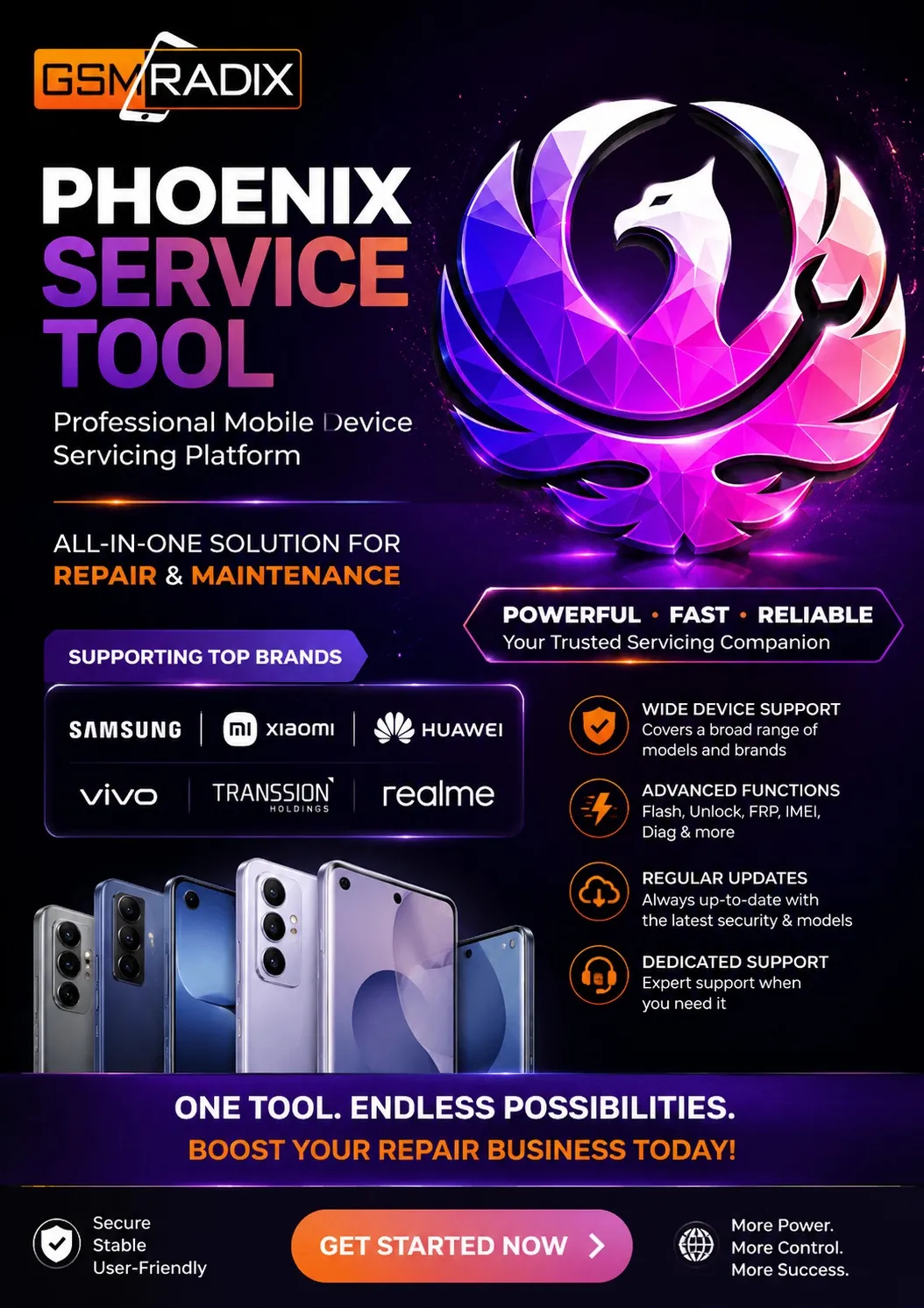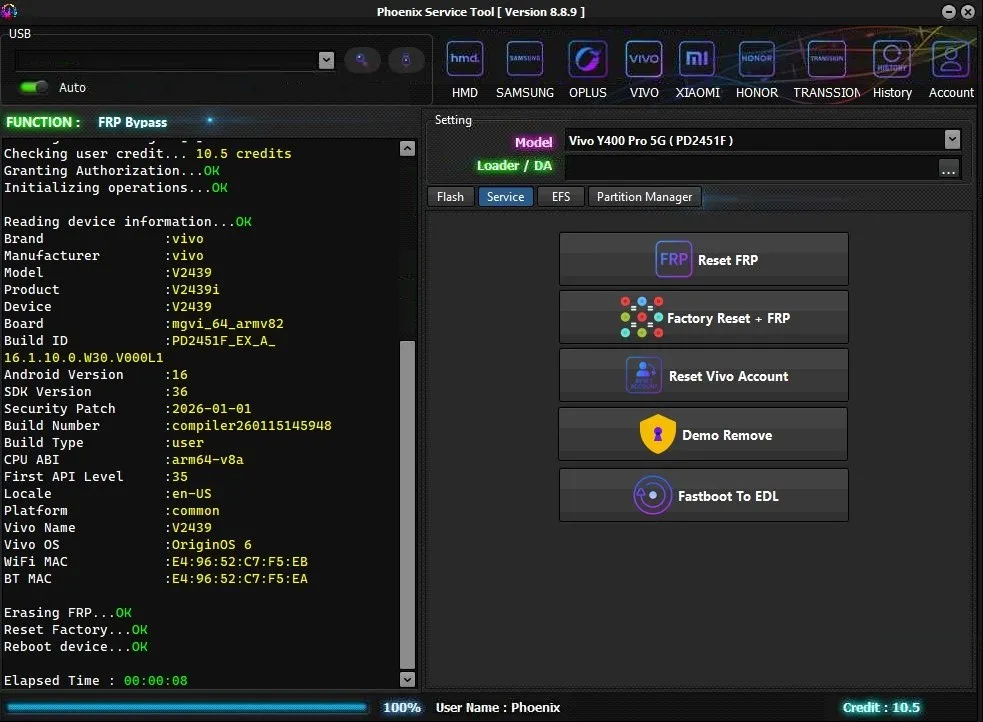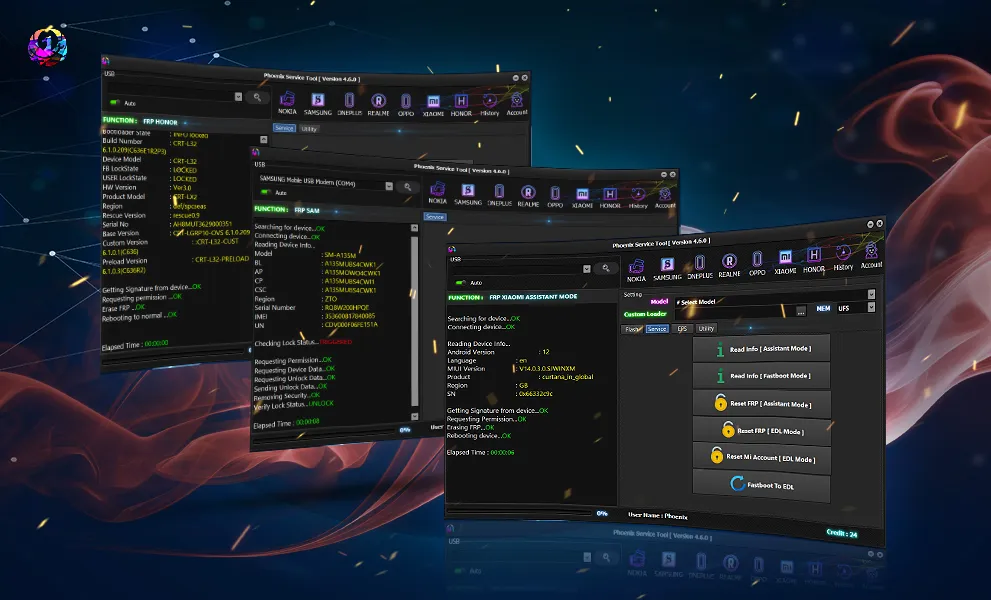
The Phoenix Service Tool V8.1.0 Update has quickly become one of the most discussed mobile repair and flashing tools in 2025. Whether you run a professional repair shop, work as a technician, or are an individual user who wants to unlock or repair their phone at home, the latest Phoenix update brings a powerful combination of speed, usability, and reliability.
In this long-form guide, you will learn everything about the Phoenix Service Tool V8.1.0 Update—from features to installation, from troubleshooting to pricing. You’ll also find download tips, activation guidance, supported models, IMEI repair help, and much more.
This article is optimized to help you rank in Google for:
Phoenix Service Tool latest version
Phoenix Service Tool update download
Phoenix Service Tool V8.1.0 new features
Phoenix Service Tool bug fix update
Mobile unlock program
Phone unlock app
Best Phoenix Service Tool V8.1.0 Update 2025
Let’s begin.
What is Phoenix Service Tool V8.1.0 Update and Why Is It Needed?
The Phoenix Service Tool V8.1.0 Update is a professional software utility designed for mobile technicians, repair shops, and power users who regularly need services like:
Phone unlocking
IMEI repair
Flashing & firmware upgrade
FRP bypass
Network unlock
Security patch downgrade
Diagnostic testing
System recovery
This version (V8.1.0) focuses on speed, stability, device compatibility, and critical bug fixes. Earlier versions had issues related to activation errors, device detection, and slow processes. The V8.1.0 Update improves all of these.
Why the Update Was Required
New security patches introduced by brands demand updated tools.
Users requested faster flashing and more stable performance.
Many older versions struggled with new Android versions (11–14).
Technicians needed better support for new chipsets like MediaTek & Qualcomm.
Regular bug fix updates ensure smooth workflow for repair shops.
Simply put—if you want professional-grade mobile repair performance, the Phoenix Service Tool V8.1.0 Update is essential.
Key Features of Phoenix Service Tool V8.1.0 Update (Latest Version)
The latest update brings several performance and feature upgrades. Below are the most important ones:
1. Faster Device Detection
The tool now detects Qualcomm and MediaTek devices 2× faster, reducing waiting time for technicians.
2. Updated IMEI & Network Repair Functions
Improved IMEI write/repair section
Better compatibility with MTK basebands
Fixed NV data issues
Faster QCN restore
3. FRP Bypass Enhancements
Supports FRP unlock for:
Samsung (new patch levels)
Vivo
Oppo / Realme
Xiaomi
Nokia
Tecno / Infinix
The FRP bypass process is more stable and rarely fails compared to older versions.
4. Bug Fix Update
A huge focus of the Phoenix Service Tool V8.1.0 Update is stability:
Fixed licensing activation errors
Fixed device auto-disconnect issues
Fixed “wrong activation” warnings
Patched performance bugs
Enhanced server connectivity
5. New Firmware Flashing Module
Supports:
Scatter firmware (MTK)
Qualcomm EDL firmware
Samsung Odin-compatible files
Fastboot ROMs
A/B partition flashing
6. Improved User Interface
The dashboard layout is cleaner, faster, and easier for beginners. Professionals will appreciate quick-access buttons for repetitive tasks.
7. Extended Device & Brand Support
This version adds support for newer chipsets and models (see next section).
8. Auto Backup & Restore
The tool automatically saves:
OS data
QCN/NV
EFS partition
Boot image
Recovery data
This helps users avoid accidental data loss.
9. One-Click Operations
One-click unlock
One-click FRP
One-click reboot mode switch
One-click device info
Even non-technical users can use it.
10. Online & Offline Activation Options
You can activate via:
Email
License key
Admin login
Offline activation file
Supported Devices & Brands
The Phoenix Service Tool V8.1.0 Update supports a wide range of devices and brands:
Supported Chipsets
MediaTek (MTK)
Qualcomm
Spreadtrum (SPD)
Exynos (limited features)
Supported Brands
Samsung
Xiaomi / Redmi / Poco
Oppo / Realme
Vivo / iQOO
Tecno
Infinix
Nokia
Lenovo
LG
Huawei (basic services)
Motorola
Micromax
Lava
Itel
Many more…
More models are added with every major release.
Phoenix Service Tool V8.1.0 Update Download & Installation Process
Important: Only download from trusted sources or official distributors. Avoid cracked versions—they cause activation errors.
Step-by-Step Installation Guide
Follow the steps below:
Step 1: Download the Installer
Use the official download link provided by trusted distributors or your reseller.
Step 2: Disable Antivirus (Temporary)
Antivirus may flag phone repair tools as false positives because they modify system drivers.
Step 3: Extract the ZIP File
Use WinRAR or 7Zip.
Step 4: Run the Setup File
Right-click
“Run as Administrator”
Step 5: Install Required Drivers
Most importantly:
MTK USB drivers
Qualcomm HS-USB QDLoader
ADB/Fastboot
Samsung USB drivers
Step 6: Complete Installation
Follow on-screen instructions.
Step 7: Restart Your System
Key step for driver activation.
How to Register & Activate Phoenix Tool (For New Users)
Activation steps:
Step 1: Open Phoenix Service Tool
The app will show “Activation Required.”
Step 2: Click on “Register / Activate Now”
Step 3: Enter Your Details
Email
Password
License key (if provided)
Device ID (if offline activation)
Step 4: Submit for Verification
Activation takes 1–5 minutes normally.
Step 5: Restart the Tool
You are now ready to use the Phoenix Service Tool V8.1.0 Update.
How to Use Phoenix Service Tool V8.1.0 Update
Below is a simple yet complete guide for both individual users and professional technicians.
1. For Owners / Individual Users
You can perform:
FRP bypass
Software update
System repair
Bootloader unlock
Basic IMEI fixing (where legal)
Flashing stock firmware
Just follow on-screen instructions.
2. For Professional Technicians & Repair Shop
a) IMEI Repair
Steps:
Connect phone in Meta/Diag/EDL mode
Select chipset
Load NV/QCN backup
Enter IMEI slot 1 & 2
Click “Repair IMEI”
Reboot phone
b) Flashing
Choose brand
Load firmware
Select partition options
Start flashing
c) FRP Removal
Use one-click FRP based on device model.
d) Factory Reset / Pattern Unlock
Supports reset in:
ADB
Fastboot
Recovery
EDL
MTK Brom Mode
Comparison with Other Tools
Feature / Tool | Phoenix Service Tool V8.1.0 | MRT | UMT | Hydra Tool | NCK Pro |
|---|---|---|---|---|---|
IMEI Repair | ✔️ Strong | Limited | Good | Good | Moderate |
FRP Bypass | ✔️ Fast & Stable | Moderate | Good | Moderate | Good |
MTK Support | ✔️ Excellent | Good | Good | Excellent | Limited |
Qualcomm Support | ✔️ Strong | Limited | Excellent | Good | Moderate |
UI/Design | Modern & simple | Outdated | Complex | Advanced | Average |
Speed | Very fast | Medium | Fast | Medium | Medium |
Best For | All-round usage | MTK only | Qualcomm users | Pro technicians | Moderate users |
Phoenix stands out due to ease of use + wide compatibility.
Safety Tips & Legal Considerations
Mobile unlocking, IMEI editing, and firmware flashing require responsibility.
Do’s
Always back up NV/EFS/QCN.
Double-check IMEI legality in your country.
Use the original firmware.
Keep drivers updated.
Buy activation from genuine sellers.
Don’ts
Do not use stolen phones.
Do not modify IMEI illegally.
Avoid cracked versions—they may contain malware.
Do not interrupt flashing.
Troubleshooting Common Errors
Below are solutions to common Phoenix Service Tool V8.1.0 update issues.
1. Activation Failed / Wrong Activation
Contact your reseller
Re-enter license key
Check internet connection
Ensure system date/time is correct
2. Tool Not Opening
Run as Administrator
Install Visual C++ Redistributable
Disable antivirus temporarily
3. Device Not Detecting
Reinstall drivers
Use different USB cable
Try different port (USB 2.0 preferred)
For Qualcomm: check EDL mode
For MTK: use preloader/Brom mode
4. FRP Not Removing
Use updated patch
Reboot device
Switch cable
Try alternate method inside tool
Pricing & Subscription Plans (2025)
Approximate pricing—actual costs depend on your reseller.
Plan Type | Validity | Features | Approx. Price |
|---|---|---|---|
Basic Key | 1 Year | All standard functions | Affordable |
Pro License | Lifetime | All modules + priority updates | Higher |
Shop/Technician Pack | 1–3 Years | Multi-PC support | Premium |
Renewal | Annual | Updates + bug fixes | Moderate |
Contact your distributor for the latest pricing.
FAQs – Phoenix Service Tool V8.1.0 Update
1. Is this the official latest version of Phoenix Service Tool?
Yes, Phoenix Service Tool V8.1.0 is the latest stable (2025) update.
2. Does Phoenix Tool support IMEI repair?
Yes, but IMEI repair should be done only where legally permitted.
3. Can beginners use this tool?
Yes, it is beginner-friendly.
4. Does it work on Windows 10 & 11?
Yes, fully compatible.
5. Does it require activation?
Yes, you must register or activate using a valid license.
6. Is this better than MRT or UMT?
Phoenix is more user-friendly and supports more recent devices.
7. Does it support FRP bypass?
Yes, for most Android models.
8. Can it fix dead boot issues?
Yes, for certain chipsets like Qualcomm & MTK.
9. Where can I get support?
Through your reseller, WhatsApp/Telegram groups, or official support.
Final Thoughts + Download / Contact / Subscribe CTA
The Phoenix Service Tool V8.1.0 Update is one of the best mobile unlocking and flashing tools available in 2025. It is:
Fast
Reliable
Easy to use
Perfect for technicians and individual users
Frequently updated
Packed with powerful features
If you want a complete, professional-grade solution for IMEI repair, flashing, FRP unlocking, and device servicing, Phoenix Service Tool V8.1.0 is an excellent choice.
Why Buy from GsmRadix
100% genuine and verified firmware
Official download mirror of UnlockTool 3 months
Instant auto-delivery 24/7
Secure checkout with fast technical support

Share this article
About the author