If you work in mobile repairing, flashing, or FRP unlocking, you already know how frustrating locked devices can be—especially when free tools fail, crash, or create more issues.
Unlock Tool (3 Months Activation) offers a fast, reliable, and professional solution to handle everything from FRP removal and screen lock bypass to firmware flashing and fixing Android software problems—without the usual hassle.
In this guide, you’ll discover its key features, major benefits, supported devices, and why it’s a smart investment for anyone who wants quick, smooth, and error-free results.
Let’s get started :: BUY NOW 👇

Unlocktool
3Months
Why Choose Unlock Tool?
No dongle or hardware box needed
Fast cloud-based updates
Supports Windows 7, Windows 10, Windows 11
Large Android device support
Beginner and professional friendly interface
Unlocktool
6Months
How to Activate Unlock Tool
Create an account on the official Unlock Tool website
Login once to verify your account
Place order using same username and email
Complete payment via UPI, Razorpay, Card, or PayPal
Wait 1 to 3 hours for activation
Login and start using Unlock Tool
Unlocktool
12Months
How to Register & Use UnlockTool
Visit unlocktool.net
Click on Register Account from the menu
Enter your Username, Email, Password and complete the Captcha
Click Create Account to finish the registration
After registration, download and install the latest setup to begin using UnlockTool
1. What is Unlock Tool 3 Months Activation
Unlock Tool 3 Months Activation is a paid digital license that gives you full access to the Unlock Tool software for three months.
This is not a cracked or modified tool. It is an official license designed for mobile repair professionals who need stable and secure software.
With this activation, you can:
Remove Google FRP lock
Unlock screen locks
Flash firmware
Repair software issues
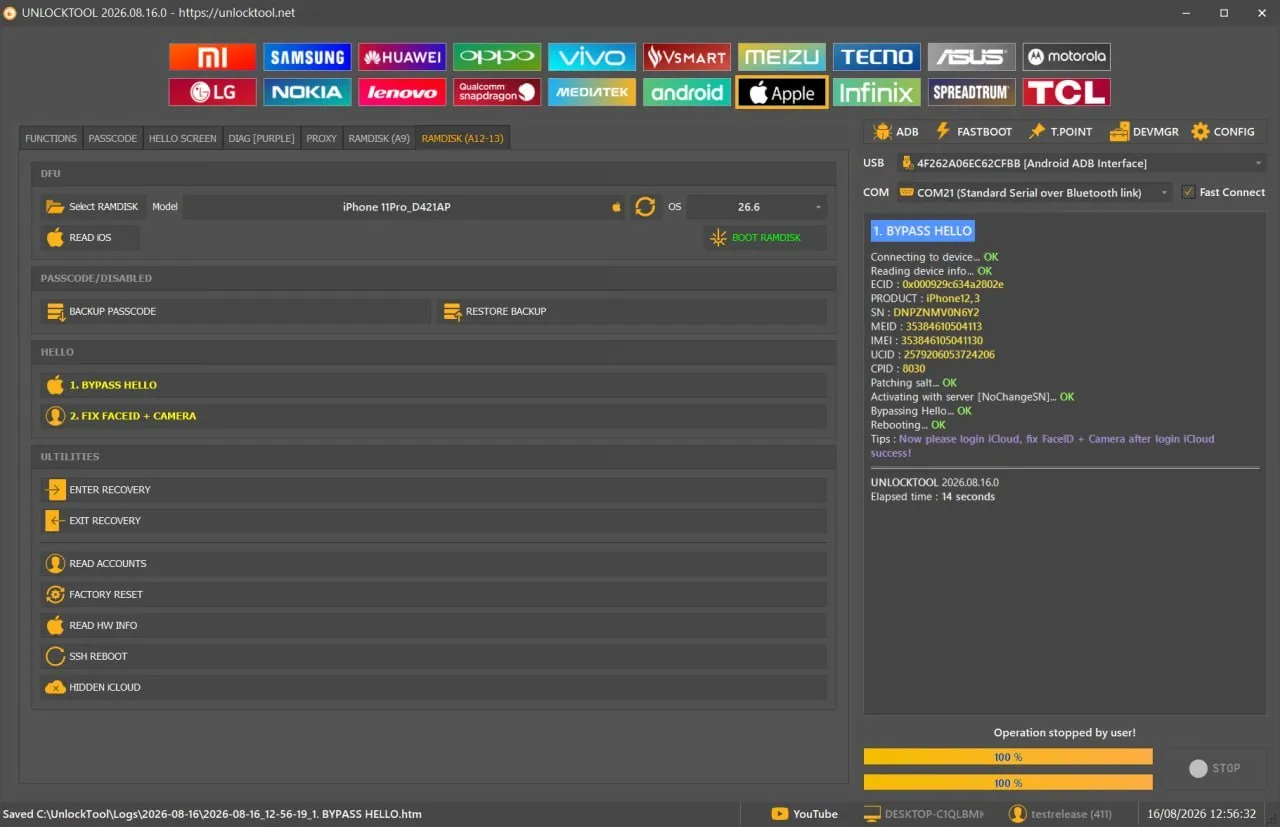
Work on multiple Android chipsets
The 3-month plan is perfect if you don’t want to invest in long-term licenses immediately.
2. Why Unlock Tool is Popular Among Mobile Technicians
In India, mobile repair technicians deal with FRP locks, forgotten passwords, and dead phones almost daily.
Unlock Tool is popular because:
It works on latest Android security patches
Regular updates keep it relevant
Clean and simple interface
Less error compared to free tools
For example, a local technician in Delhi handling Samsung and Xiaomi devices can solve most lock issues using one single tool.
This saves money and builds customer trust.
3. Key Features of Unlock Tool (Explained Simply)
Unlock Tool comes packed with professional features, but you don’t need to be an expert to use it.
Main Features:
Google FRP removal
Screen lock removal
Firmware flashing
EDL mode support
Backup & restore
Bootloader unlocking
Each feature is built for safe and legal repair work.
4. FRP Bypass Capability – How It Helps in Real Repair Jobs
FRP (Factory Reset Protection) is one of the most common problems after a phone reset.
With Unlock Tool 3 Months Activation, you can remove FRP lock from supported brands like:
Samsung
Xiaomi
Vivo
Oppo
Realme
Huawei
Real-Life Example:
A customer forgets their Google ID after reset.
Instead of rejecting the job, you can solve it within minutes using Unlock Tool.
This means more jobs + more income.
5. Screen Lock Removal for Android Devices
Forgotten screen locks are another daily issue.
Unlock Tool allows removal of:
PIN lock
Pattern lock
Password
Face lock (supported models)
This feature is extremely helpful for data access and repair purposes.
⚠️ Always use with owner consent.
6. Firmware Flashing Support (MTK, Qualcomm, UNISOC)
Unlock Tool supports major chipsets:
Supported Chipsets:
MediaTek (MTK)
Qualcomm Snapdragon
UNISOC / Spreadtrum
Flashing Modes:
Fastboot
EDL Mode
Recovery
This helps in:
Dead phone repair
Bootloop fixing
Software corruption repair
7. Bootloader Unlock & Account Repair Functions
Some phones require bootloader unlock before repair.
Unlock Tool supports:
Bootloader unlock on selected devices
Mi account repair
Software level account issues
This feature is especially useful for Xiaomi users.
8. Supported Brands and Android Devices
Unlock Tool supports a wide range of devices.
Popular Brands:
Samsung
Xiaomi / Redmi
Vivo
Oppo
Realme
Huawei
Tecno
Infinix
The supported list grows with updates.
9. How Unlock Tool 3 Months Activation Works (Step-by-Step)
Using Unlock Tool is simple:
Purchase Unlock Tool 3 Months Activation
Download official software
Login using provided credentials
Connect device via USB
Select required function
Start process and wait
No complicated setup required.

10. Unlock Tool 3 Months vs Free Unlock Tools
Feature | Unlock Tool | Free Tools |
|---|---|---|
Updates | Regular | Rare |
Success Rate | High | Low |
Security | Safe | Risky |
Support | Yes | No |
Virus Risk | No | High |
Free tools may look attractive, but they waste time and harm reputation.
11. Pros and Cons of Unlock Tool 3 Months License
Pros:
Professional grade software
Fast unlocking process
Multi-brand support
Affordable short-term plan
Cons:
Paid license required
Internet needed for login
Overall, benefits outweigh limitations.
12. Who Should Buy Unlock Tool 3 Months Activation
This tool is ideal for:
Mobile repair shop owners
Freelance technicians
Beginners in GSM repairing
Online service providers
If you want reliable results, this license is worth it.
1. What is Unlock Tool 3 Months Activation?
It is a digital license that gives access to Unlock Tool software for three months.
3. Can I use Unlock Tool worldwide?
Yes, it works globally with internet access.
3. How to register and Download Unlocktool ?
Unlocktool.net
CONCLUSION
Unlock Tool 3 Months Activation is a smart investment for anyone serious about Android mobile repairing. It offers professional-level features, wide device support, and reliable results without unnecessary complications.
If you want to grow your repair business, avoid risky free tools, and deliver faster solutions to customers, this 3-month license is a perfect start.

Share this article
About the author