Forgot your Google account after resetting your phone? Stuck on the verification screen that asks for the previous owner’s credentials? Don’t worry — this detailed guide will walk you through the Redmi Note 13 5G FRP Unlock 2025 process step by step.
This guide is designed for both individual users and professional technicians, explaining how to safely bypass the FRP (Factory Reset Protection) lock on Redmi Note 13 5G and Poco X6 Neo 5G — powered by the MediaTek Dimensity 700 (MT6833) chipset.
Whether you’re using an Android 14 build or handling multiple customer devices in your repair shop, this article will help you unlock FRP efficiently using trusted tools and updated methods for 2025.
What is Redmi Note 13 5G FRP Unlock 2025 and Why It Is Needed
FRP (Factory Reset Protection) is a security feature introduced by Google to protect user data. It automatically activates once a Google account is added to the phone and prevents unauthorized access after a factory reset.
However, if you forget your Google credentials or buy a second-hand device with FRP enabled, you’ll be locked out. That’s where Redmi Note 13 5G FRP Unlock 2025 comes in — it helps you:
- Bypass the Google verification screen.
- Reactivate your phone after a reset.
- Access your device without waiting for account recovery.
- Assist clients in repair shops professionally.
In short, this tool helps technicians and end-users remove FRP locks safely on MediaTek-based Xiaomi phones without complicated flashing or paid services.
Key Features of Redmi Note 13 5G FRP Unlock 2025 (Latest Version)
The 2025 edition of the Redmi Note 13 5G FRP Unlock solution comes with new updates for Android 14 and improved compatibility with MediaTek devices.
🔧 Highlights:
- ✅ Supports Android 14 and MIUI 14/15 firmware
- ✅ Works with MT6833 Dimensity 700 chipset
- ✅ No Auth Bypass Required (Xiaomi Auth-Free support)
- ✅ BROM & Preloader Mode Support
- ✅ Automatic DA File Detection
- ✅ FRP, Network Unlock, and IMEI Repair options
- ✅ Free and Paid versions available
- ✅ Fast unlock time (under 1 minute for most devices)
Supported Devices and Brands
While the main focus is Redmi Note 13 5G, this tool also supports a wide range of Xiaomi and Poco models that share similar chipsets.
| Brand | Model | Chipset | Status |
|---|---|---|---|
| Xiaomi | Redmi Note 13 5G | MT6833 Dimensity 700 | ✅ Supported |
| Poco | Poco X6 Neo 5G | MT6833 Dimensity 700 | ✅ Supported |
| Xiaomi | Redmi Note 12 5G | MT6833 Dimensity 700 | ✅ Supported |
| Redmi | Redmi 11 Prime 5G | MT6833 | ✅ Supported |
| Poco | Poco M6 Pro 5G | MT6833 | ✅ Supported |
Tip: Always confirm your phone’s chipset using tools like Device Info HW or MTK Droid Tools before starting the unlock process.

Download and Installation Process
Before you begin, make sure you have the latest MediaTek USB drivers, DA files, and Redmi Note 13 5G FRP Unlock 2025 tool on your PC.
Requirements
- Windows 7/10/11 (64-bit)
- MediaTek USB Drivers
- MT6833 DA & Auth Files
- Android Multi Tool v1.3.3.5 or similar
- USB Cable (original or high quality)
- Stable Internet connection (for registration/activation)
Step-by-Step Installation Guide
- Download the Tool
- Get the latest version of Redmi Note 13 5G FRP Unlock 2025 from the official source or trusted distributors.
(Tip: Use Telegram/WhatsApp link below for verified download links.)
- Get the latest version of Redmi Note 13 5G FRP Unlock 2025 from the official source or trusted distributors.
- Extract the Package
- Unzip the downloaded
.zipfile using WinRAR or 7Zip.
- Unzip the downloaded
- Install MediaTek USB Drivers
- Go to “Driver” folder → Run the setup file → Follow on-screen instructions.
- Open the Tool
- Right-click the tool executable → Run as Administrator.
- Select the Correct Model
- Choose Redmi Note 13 5G or Poco X6 Neo 5G in the model list.
- Load DA File (if required)
- Browse and select the Redmi Note 13 5G DA File if prompted.
- Connect Your Device
- Power off your phone → Connect it via USB (hold both Volume + and Volume – keys).
- Start FRP Unlock
- Click Start or Reset FRP → Wait for process completion.
- Reboot Device
- Once the success message appears, reboot the phone normally.
✅ In under 30 seconds, your Redmi Note 13 5G will boot without FRP lock!
How to Register and Activate
For first-time users, activation is required to unlock all features.
- Open the tool → Click on Register / Activate.
- Enter your name, email, and Telegram/WhatsApp number.
- You’ll receive an activation code instantly.
- Enter the code into the tool and click Activate Now.
Registered users get automatic updates and priority support.
How to Use Redmi Note 13 5G FRP Unlock 2025 (for Owners and Technicians
Whether you’re a regular smartphone owner or a repair professional, using this tool is straightforward. Here’s how to get the most out of it.
1. FRP Unlock Process
- Launch the tool and select your device.
- Click Reset FRP / Bypass FRP.
- Connect your phone in BROM Mode (Volume + and Volume – pressed).
- The tool automatically detects the port (e.g., COM122).
- It reads partition info, patches security, and writes modified FRP data.
- Once complete, reboot the phone — no Google lock!
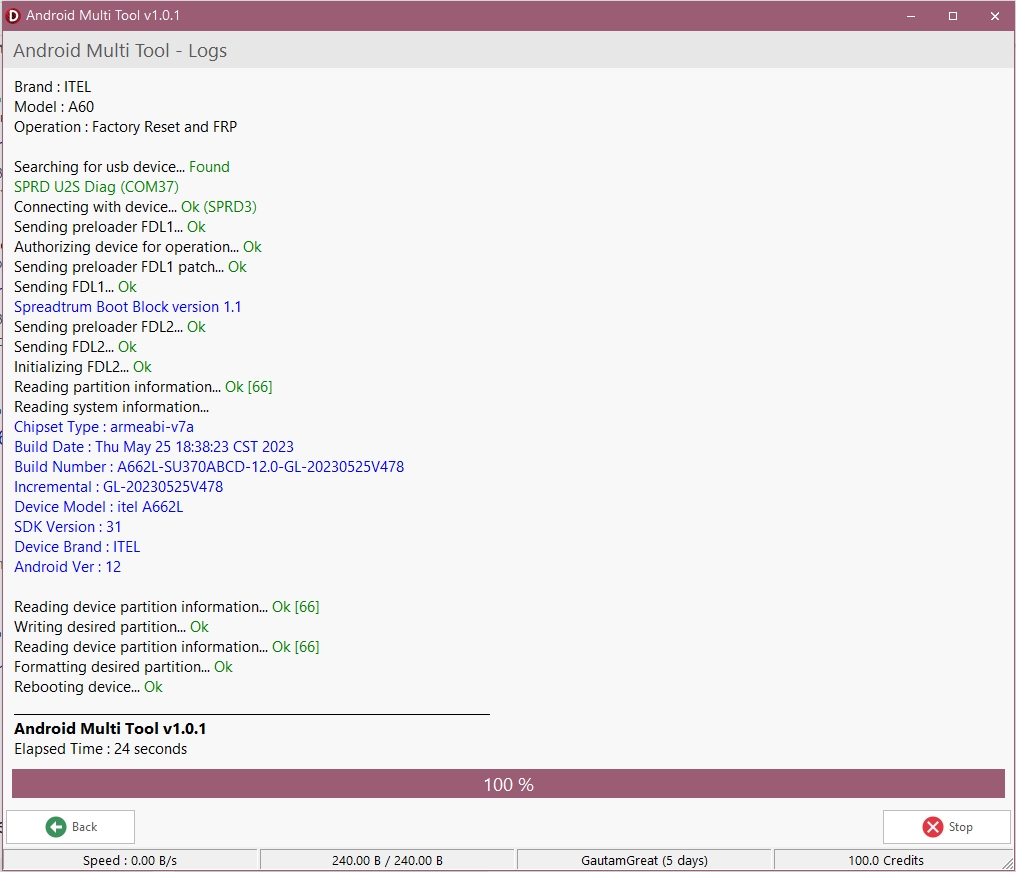
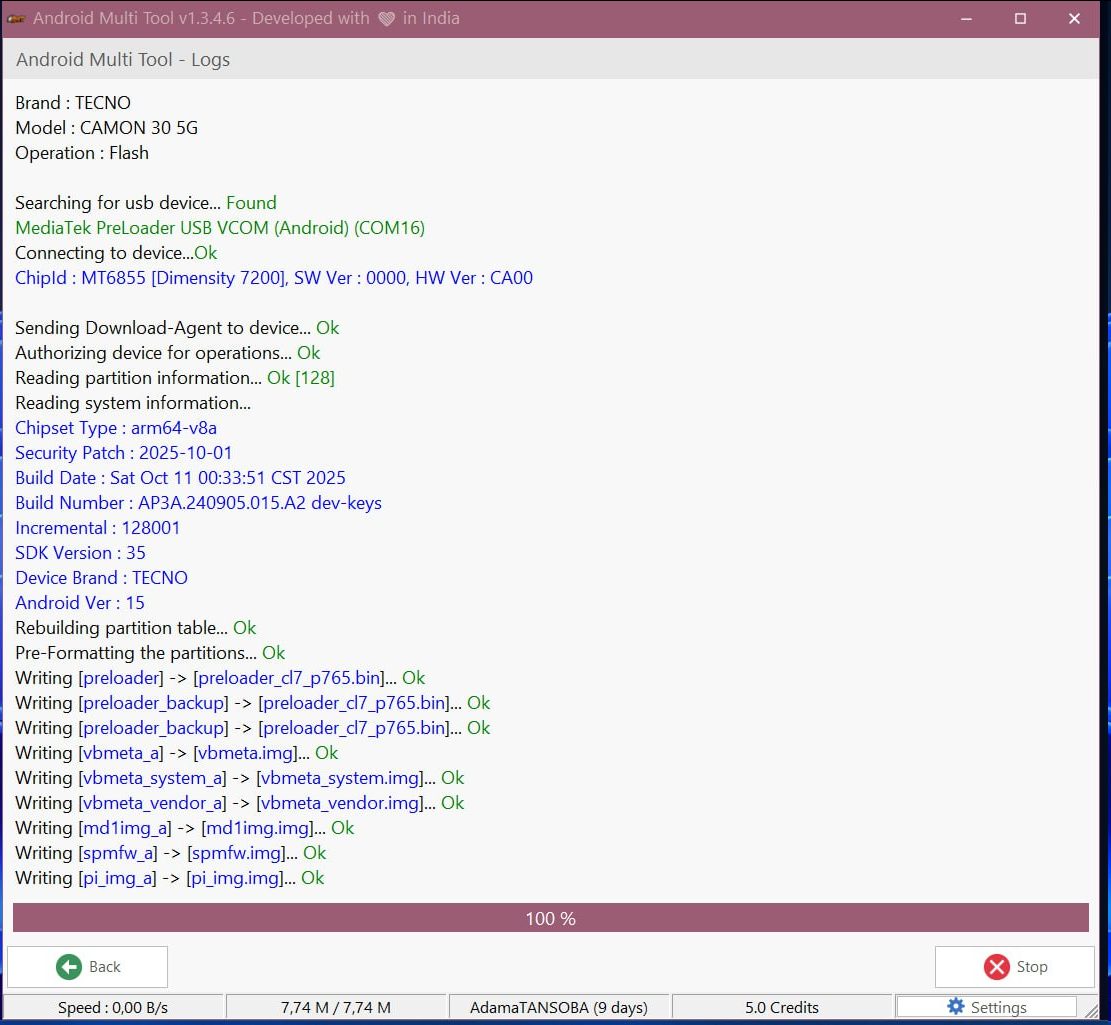
Log Example:
MediaTek USB Port (COM122)
ChipId : MT6833 [Dimensity 700 5G K6833]
Reading security data... Ok
Applying patches... Ok
Writing security data... Ok
Rebooting device... Ok
Elapsed Time : 27 seconds
2. Network Unlock (Optional)
For supported models, you can remove network restrictions:
- Select Network Unlock.
- Choose “Region Unlock” or “Carrier Unlock”.
- The process removes any carrier locks instantly.
3. IMEI Repair and Other Services
Advanced users can use the tool for:
- IMEI repair or restore (legally permitted regions only)
- Backup & restore NV data
- Flash firmware partitions
- Read/write security data
Comparison with Other Tools
| Feature | Redmi Note 13 5G FRP Unlock 2025 | SP Flash Tool | UnlockTool | Hydra MediaTek Tool |
|---|---|---|---|---|
| FRP Unlock (Android 14) | ✅ Yes | ⚠️ Partial | ✅ Yes | ✅ Yes |
| Auth Bypass | ✅ Not Required | ❌ Required | ✅ Auto | ✅ Manual |
| Supported Chipsets | MT6833, MT6765+ | MTK Only | MTK, Qualcomm | MTK Only |
| User Interface | Simple | Complex | Advanced | Moderate |
| Cost | Free + Premium | Free | Paid | Paid |
Tip: For quick FRP unlocks, the Redmi Note 13 5G FRP Unlock 2025 tool offers the best balance of speed, safety, and cost-efficiency.
Safety Tips and Legal Considerations
FRP Unlock tools are powerful, but misuse can violate privacy or data laws. Follow these best practices:
- Only unlock FRP on devices you own or have written customer consent for.
- Avoid using third-party cracked versions — they may contain malware.
- Always back up data before running any unlock operation.
- Maintain a customer record for every device you unlock (for repair shops).
Note: This guide is for educational and legal servicing purposes only. Unauthorized use is strictly prohibited.
Troubleshooting Common Errors
| Error Message | Cause | Solution |
|---|---|---|
| Device not detected (COM Port missing) | Drivers not installed properly | Reinstall MediaTek USB drivers |
| DA file mismatch | Wrong DA file | Use the Redmi Note 13 5G DA file |
| Auth required error | Preloader locked | Use “No Auth” version of the tool |
| FRP Reset Failed | Wrong mode selected | Connect in BROM mode, not Fastboot |
| Tool freezes during operation | Antivirus interference | Disable antivirus temporarily |
Pricing and Subscription Plans
| Plan | Features | Support | Price (USD) |
|---|---|---|---|
| Free | Basic FRP unlock (limited models) | Community Support | $0 |
| Premium | All models + Android 14 + Network Unlock | Telegram Support | $30 / Year |
| Technician Pro | Multi-device + Lifetime updates | Dedicated WhatsApp Support | $35 (One-time) |
Contact supporton WhatsApp or Telegram for activation keys, resellers, or business packages.
FAQs — Redmi Note 13 5G FRP Unlock 2025
Q1. Does this method work on Android 14 (MIUI 15)?
Yes, it fully supports Android 14 and MIUI 15 builds.
Q2. Can I use this tool without a PC?
No, you’ll need a Windows PC to perform the FRP unlock.
Q3. Is it safe to use this tool on my phone?
100% safe if downloaded from official sources and used properly.
Q4. Will unlocking FRP erase my data?
Yes, the process performs a secure reset — backup your files first.
Q5. How long does the process take?
Usually under 30 seconds once connected properly.
Q6. Does it support Poco X6 Neo FRP Unlock 2025?
Absolutely, both phones share the same chipset and process.
Q7. Can I use this for other Xiaomi or MediaTek phones?
Yes, many MT6833/MTK-powered devices are supported.
Q8. What should I do if the tool shows “Auth Required”?
Use the Xiaomi FRP Unlock 2025 Without Auth version included in the latest release.
Final Thoughts
The Redmi Note 13 5G FRP Unlock 2025 tool is one of the most efficient, safe, and updated solutions for bypassing FRP on Xiaomi and Poco phones running Android 14.
It’s lightweight, reliable, and designed for both personal use and repair shops. If you regularly work with MediaTek devices, this tool is a must-have addition to your technician toolkit.
Why Buy from GsmRadix
- 100% genuine and verified firmware
- Official download mirror of AMT 3 Months
- Instant auto-delivery 24/7
- Secure checkout with fast technical support