


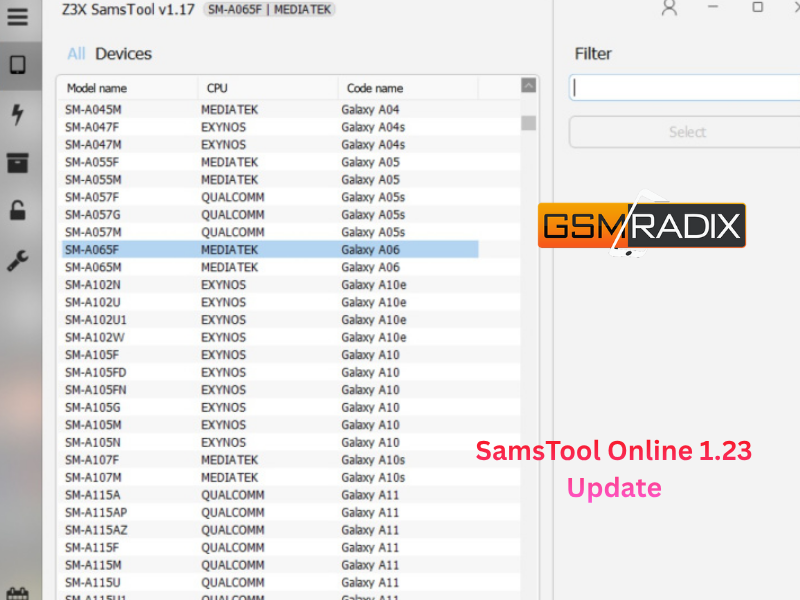
The SamsTool Online 1.23 Update marks another major milestone in Samsung servicing and unlocking technology. Known for its reliability and advanced mobile solutions, SamsTool has become a go-to choice for both individual users and professional technicians working in repair shops worldwide.
With this latest release, SamsTool 1.23 introduces a host of improvements — from new Read Codes support and updated BIT loaders to enhanced Mediatek patch compatibility and Exynos bug fixes. If you’re a technician looking to expand your service capabilities or an end-user interested in Samsung repair tools, this update is a must-know.
What is SamsTool Online 1.23 Update and Why It’s Needed
SamsTool Online is a professional software utility designed for unlocking, repairing, and maintaining Samsung smartphones. It enables users to perform essential services like:
- FRP Unlock
- Network Unlock
- IMEI Repair
- Read/Write Codes
- Patch CERT for Exynos and Mediatek devices
The 1.23 Update refines performance, adds new Samsung models, and enhances compatibility with the latest firmware builds — making it essential for mobile service centers and technicians handling 2024–2025 Samsung releases.
Key Features of SamsTool Online 1.23 Update (Latest Version)
This version introduces powerful new features and improvements designed to enhance speed, reliability, and security.
✅ Highlights of the 1.23 Update
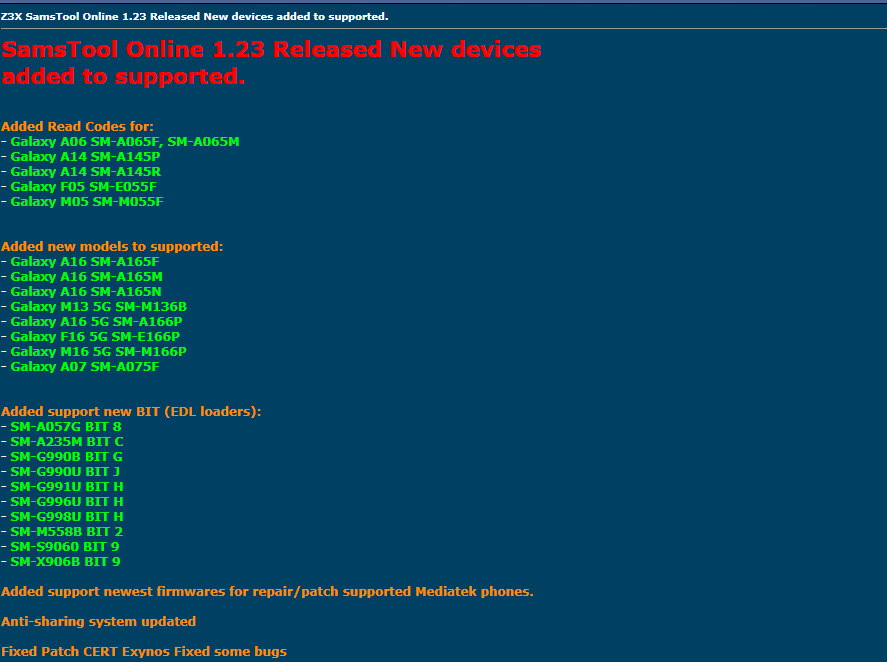
- Added Read Codes Support for New Models
- Galaxy A06 (SM-A065F, SM-A065M)
- Galaxy A14 (SM-A145P, SM-A145R)
- Galaxy F05 (SM-E055F)
- Galaxy M05 (SM-M055F)
- New Models Added to Supported List
- Galaxy A16 (SM-A165F / A165M / A165N)
- Galaxy A16 5G (SM-A166P)
- Galaxy F16 5G (SM-E166P)
- Galaxy M16 5G (SM-M166P)
- Galaxy M13 5G (SM-M136B)
- Galaxy A07 (SM-A075F)
- New BIT (EDL Loaders) Support Added
- SM-A057G BIT 8
- SM-A235M BIT C
- SM-G990B BIT G
- SM-G990U BIT J
- SM-G991U BIT H
- SM-G996U BIT H
- SM-G998U BIT H
- SM-M558B BIT 2
- SM-S9060 BIT 9
- SM-X906B BIT 9
- Support for Latest Mediatek Firmware Builds
Enhanced patching and repair capabilities for the latest MTK-powered Samsung models. - Anti-Sharing System Updated
Improved account protection to prevent unauthorized use and software piracy. - Patch CERT Exynos Fix
Addressed major issues with Exynos device patching to ensure smoother repair operations. - General Bug Fixes and Performance Optimization
Faster load times, smoother operations, and more stable connection handling during repair.
Supported Devices and Brands
SamsTool now supports a wide range of Samsung Galaxy series smartphones, including both Exynos and Mediatek chipsets.
Below is a quick overview of newly supported devices:
| Category | Model Name | Chipset / Series |
|---|---|---|
| Read Codes Added | Galaxy A06, A14, F05, M05 | Mediatek |
| Newly Supported | Galaxy A16, A07, F16 5G, M16 5G | Exynos / MTK |
| BIT Loader Support | G990B, G990U, G996U, G998U, X906B | Qualcomm / Exynos |
Getting started with SamsTool Online 1.23 is straightforward.
Follow these steps to download and install the software properly.
Step-by-Step Installation Guide
- Download the Latest Version
- Visit the official site or authorized distributor page.
- Ensure you’re downloading from a trusted source to avoid fake or modified versions.
- Extract the ZIP File
- Use tools like WinRAR or 7-Zip to unpack the installer.
- Run the Setup File
- Launch
SamsToolSetup.exeand follow the on-screen instructions.
- Launch
- Install Required Drivers
- Install Samsung USB drivers and Mediatek/Qualcomm drivers for full compatibility.
- Launch the Tool
- After installation, open SamsTool Online and proceed with registration or login.
How to Register and Activate
- Open the installed SamsTool Online application.
- Go to Account → Register New User.
- Enter your username, email, and activation key (received after purchase).
- Verify your account via email or SMS.
- Login and connect your device to start using the services.
For quick activation help, you can contact your reseller via WhatsApp or Telegram support.
How to Use SamsTool Online 1.23 Update
1. FRP Unlock
- Connect your Samsung device via USB.
- Select the correct model in SamsTool.
- Click FRP Remove.
- Wait until the process completes — the device will reboot automatically.
2. Network Unlock
- Works for both single-SIM and dual-SIM models.
- Allows unlocking carrier restrictions safely.
3. IMEI Repair and Other Services
- Repair IMEI, patch network, and fix signal issues.
- Compatible with both Exynos and Mediatek devices.
- Use only for legal repair purposes.
Comparison with Other Tools
| Feature | SamsTool 1.23 | UnlockTool | Z3X Box |
|---|---|---|---|
| Online Access | ✅ Yes | ✅ Yes | ❌ No |
| FRP Unlock | ✅ | ✅ | ✅ |
| Read Codes | ✅ (New Models) | Limited | ✅ |
| Mediatek Patch | ✅ Updated | Partial | ❌ |
| Anti-Sharing System | ✅ Enhanced | Basic | Basic |
| Regular Updates | ✅ Monthly | ✅ | ❌ |
SamsTool stands out due to its online system, anti-sharing protection, and continuous updates for the latest Samsung firmware.
Safety Tips and Legal Considerations
- Always use SamsTool for legitimate device repair.
- Avoid using pirated or cracked versions — they may compromise your PC security.
- Ensure device owner consent before performing unlock or IMEI repair operations.
- Follow regional telecom laws to avoid misuse.
Troubleshooting Common Errors
| Issue | Possible Fix |
|---|---|
| Tool Not Opening | Run as Administrator / reinstall dependencies |
| Device Not Detected | Reinstall Samsung USB drivers |
| FRP Unlock Failed | Use correct firmware or check model compatibility |
| Activation Error | Contact reseller or check internet connection |
| Login Timeout | Clear cache, update to latest version |
Pricing and Subscription Plans
SamsTool offers flexible subscription options depending on your usage:
| Plan Type | Duration | Ideal For |
|---|---|---|
| Basic | 1 Month | Individual Technicians |
| Professional | 6 Months | Repair Shops |
| Premium | 12 Months | Business Users / Teams |
Each license includes full access to all features, updates, and customer support.
FAQs — SamsTool Online 1.23 Update
Q1. What’s new in SamsTool Online 1.23 Update?
New device support, updated BIT loaders, Mediatek patch updates, and Exynos patch fixes.
Q2. Is SamsTool free to use?
No, it requires an activation key or subscription plan.
Q3. Can I use it on multiple PCs?
No, the Anti-Sharing system restricts use to registered hardware.
Q4. Does it support the latest Galaxy A16 and M16 5G models?
Yes, full Read Codes and repair support have been added.
Q5. How can I get activation help?
Contact your authorized reseller or support team via WhatsApp or Telegram.
Final Thoughts — Should You Upgrade?
If you’re serious about Samsung servicing, the SamsTool Online 1.23 Update is an essential upgrade.
With broader device support, faster performance, and advanced protection, it’s built for technicians who value reliability and results.
Ready to Get Started?
- Download: Get the latest version from the official distributor.
- Contact: Reach out via WhatsApp or Telegram for activation and support.
- Subscribe: Join our newsletter to receive the latest updates, tutorials, and promo codes.
Why Buy from GsmRadix
- 100% genuine and verified firmware
- Official download mirror of AMT 3 Months
- Instant auto-delivery 24/7
- Secure checkout with fast technical support
