In today’s fast-paced mobile repair world, having a reliable and up-to-date unlocking tool is crucial. TFM Tool Pro 3.2.0 Update emerges as a cutting-edge solution, designed for both professional technicians and individual users. Whether you are dealing with Samsung FRP locks, network restrictions, or IMEI issues, this tool simplifies complex procedures with speed and safety.
In this guide, we’ll cover everything you need to know about TFM Tool Pro 3.2.0 Update – from features and supported devices to installation, usage, and legal considerations.
What is TFM Tool Pro 3.2.0 Update and Why It Is Needed
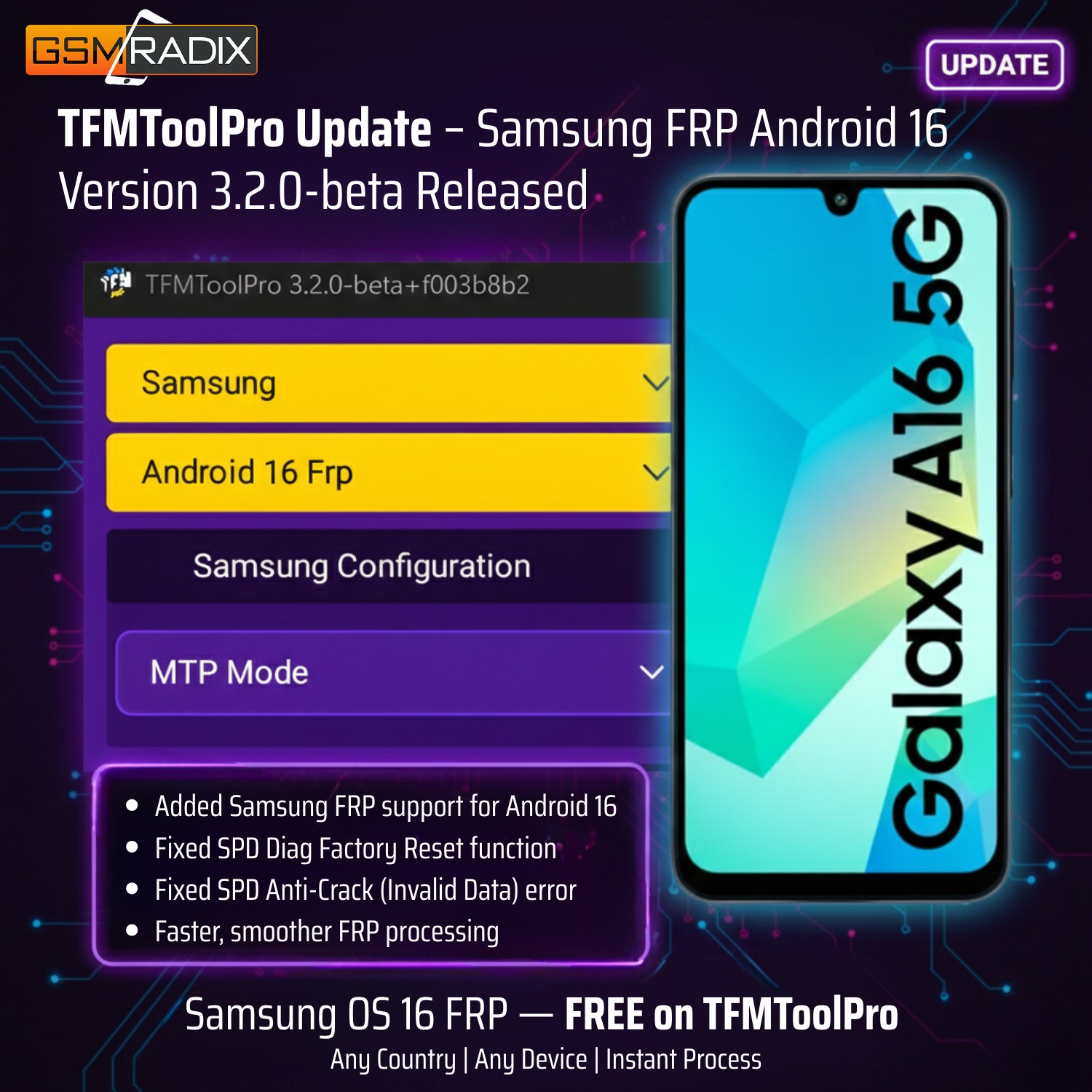
TFM Tool Pro 3.2.0 Update is the latest version of the popular TFMToolPro software suite. It is specifically optimized for Samsung devices running Android 16, enabling technicians and users to perform FRP unlocks, network unlocks, and IMEI repairs efficiently.
Why is this update essential?
- Supports latest Android versions: Many older tools fail with Android 16, but TFM Tool Pro 3.2.0 ensures compatibility.
- Enhanced security bypass methods: Handles Samsung FRP and security patches without damaging data.
- Faster operations: Optimized algorithms reduce processing time for unlocking and repairs.
- Beginner-friendly interface: Suitable for users with minimal technical knowledge.
This update is not just a version upgrade—it’s a comprehensive solution for modern Samsung device challenges.

Key Features of TFM Tool Pro 3.2.0 Update (Latest Version)
TFM Tool Pro 3.2.0 brings several improvements and powerful features:
Core Features
- Samsung FRP Unlock: Effortlessly bypass Google account locks on Samsung devices.
- Network Unlock: Remove carrier restrictions safely and permanently.
- IMEI Repair: Restore corrupted or blocked IMEI numbers without risking device integrity.
- Multi-language Support: Interface available in multiple languages for global technicians.
- OTA Compatibility: Works with the latest firmware updates on Android 16.
Advanced Features
- Device Auto-Detection: Automatically detects device model and firmware version.
- Batch Unlocking Mode: Process multiple devices at once for repair shops.
- Beta Tools Access: Includes TFM Tool Pro latest version 3.2.0 beta features for testing.
- Secure Logging: Maintain logs of all operations for accountability and troubleshooting.
This combination of features makes TFM Tool Pro 3.2.0 Update an indispensable tool for both professionals and individuals seeking hassle-free mobile solutions.
Supported Devices and Brands
TFM Tool Pro 3.2.0 Update supports a wide range of Samsung devices and firmware versions:
| Device Category | Supported Models / Series | Notes |
|---|---|---|
| Samsung Galaxy S | S10, S20, S21, S22, S23 | FRP & Network unlock supported |
| Samsung Galaxy Note | Note 10, Note 20, Note 21 | IMEI repair available |
| Samsung Galaxy A | A10–A73 | Android 16 supported |
| Samsung Galaxy M | M12, M32, M52 | FRP Unlock compatible |
| Tablets | Galaxy Tab S, Tab A series | Supports FRP & software fixes |
Tip: Always check the TFM Tool Pro database for the latest firmware support before unlocking.
Download and Installation Process
Getting started with TFM Tool Pro 3.2.0 Update is straightforward. Follow these steps:

Step-by-step Installation Guide
- Download the Tool: Get the official TFM Tool Pro 3.2.0 Update from the verified website. Avoid third-party downloads to prevent malware.
- Extract Files: Unzip the downloaded package to a folder on your PC.
- Run Installer: Open
setup.exeand follow on-screen instructions. - Install Drivers: The tool may prompt to install Samsung USB drivers for proper connectivity.
- Launch Software: Open TFM Tool Pro 3.2.0, ready for activation.
How to Register and Activate
- Click on the “Register/Activate” button in the tool interface.
- Enter the license key received after purchase.
- Complete the online verification through WhatsApp or Telegram.
- Once verified, your TFM Tool Pro 3.2.0 Update is ready for use.
Pro Tip: Keep your license information safe. Reinstallation or updates will require the same key.
How to Use TFM Tool Pro 3.2.0 Update (For Owners and Technicians)
TFM Tool Pro 3.2.0 is designed to make complex tasks accessible.
FRP Unlock
- Connect the Samsung device via USB.
- Enable Download Mode if required.
- Select FRP Unlock in the tool.
- Click Start, and wait for confirmation.
Works seamlessly with TFMToolPro Samsung FRP Android 16 devices.
Network Unlock
- Choose the Network Unlock tab.
- The software auto-detects carrier restrictions.
- Click Unlock, and the device will reboot without network limitations.
IMEI Repair and Other Services
- IMEI Repair: Correct invalid or blocked IMEI numbers.
- Backup & Restore: Save device settings before repair.
- Beta Tools: Access experimental utilities for troubleshooting specific Samsung models.
Comparison with Other Tools
| Feature | TFM Tool Pro 3.2.0 | Tool A | Tool B |
|---|---|---|---|
| Samsung FRP Unlock | ✅ | ✅ | ❌ |
| Android 16 Compatible | ✅ | ❌ | ❌ |
| Network Unlock | ✅ | ✅ | ✅ |
| IMEI Repair | ✅ | ❌ | ✅ |
| Beginner-Friendly UI | ✅ | ❌ | ✅ |
TFM Tool Pro 3.2.0 stands out with Android 16 support and a user-friendly interface, ideal for repair shops and individual users.
Safety Tips and Legal Considerations
- Only unlock devices you own or have permission to repair.
- Avoid illegal redistribution of license keys.
- Backup all important data before performing FRP or IMEI operations.
- Follow regional laws regarding IMEI repairs and network unlocking.
Safety first: Misuse of these tools can lead to permanent device issues or legal penalties.
Troubleshooting Common Errors
| Error Message | Solution |
|---|---|
| Device not detected | Reinstall USB drivers; use official Samsung cable |
| FRP Unlock failed | Enable OEM Unlocking and USB Debugging |
| IMEI repair unsuccessful | Check network connectivity and try again |
| License verification error | Contact support via WhatsApp/Telegram for key issue |
Tip: TFM Tool Pro 3.2.0 Update comes with detailed logs to help troubleshoot issues quickly.
Pricing and Subscription Plans
TFM Tool Pro 3.2.0 Update offers flexible pricing:
- Monthly License: Access all features for 30 days.
- Annual License: Cost-effective plan for technicians.
- 2 Year License: One-time purchase with unlimited updates.
Contact via WhatsApp or Telegram to get exclusive discounts and instant activation.
Frequently Asked Questions (FAQs)
Q1: Can I use TFM Tool Pro 3.2.0 Update on Android 16 devices?
A: Yes, it is fully optimized for Samsung FRP Android 16 models.
Q2: Is TFM Tool Pro suitable for beginners?
A: Absolutely. Its user-friendly interface guides non-technical users.
Q3: Can I repair IMEI without losing data?
A: Yes, IMEI repair in TFM Tool Pro is safe and preserves user data.
Q4: How do I get support if the tool fails?
A: Contact official support via WhatsApp or Telegram.
Q5: Is the license transferable to another PC?
A: Licenses can be re-verified on another PC but may require reactivation.
Final Thoughts
TFM Tool Pro 3.2.0 Update is more than just a software update—it’s a complete solution for Samsung FRP unlock, network unlock, and IMEI repair on Android 16 devices. Whether you’re a professional technician or an individual user, this tool offers speed, reliability, and ease of use.
Download, Register, and Subscribe
- Download: Official TFM Tool Pro 3.2.0 Update
- Register & Activate: Follow in-app instructions or contact support.
- Contact for Support: WhatsApp / Telegram
- Subscribe for Updates: Join our newsletter for latest tools and firmware support.
Don’t let FRP locks or network restrictions slow you down—upgrade to TFM Tool Pro 3.2.0 Update today!
Why Buy from GsmRadix
- 100% genuine and verified firmware
- Official download mirror of UnlockTool 3 months
- Instant auto-delivery 24/7
- Secure checkout with fast technical support