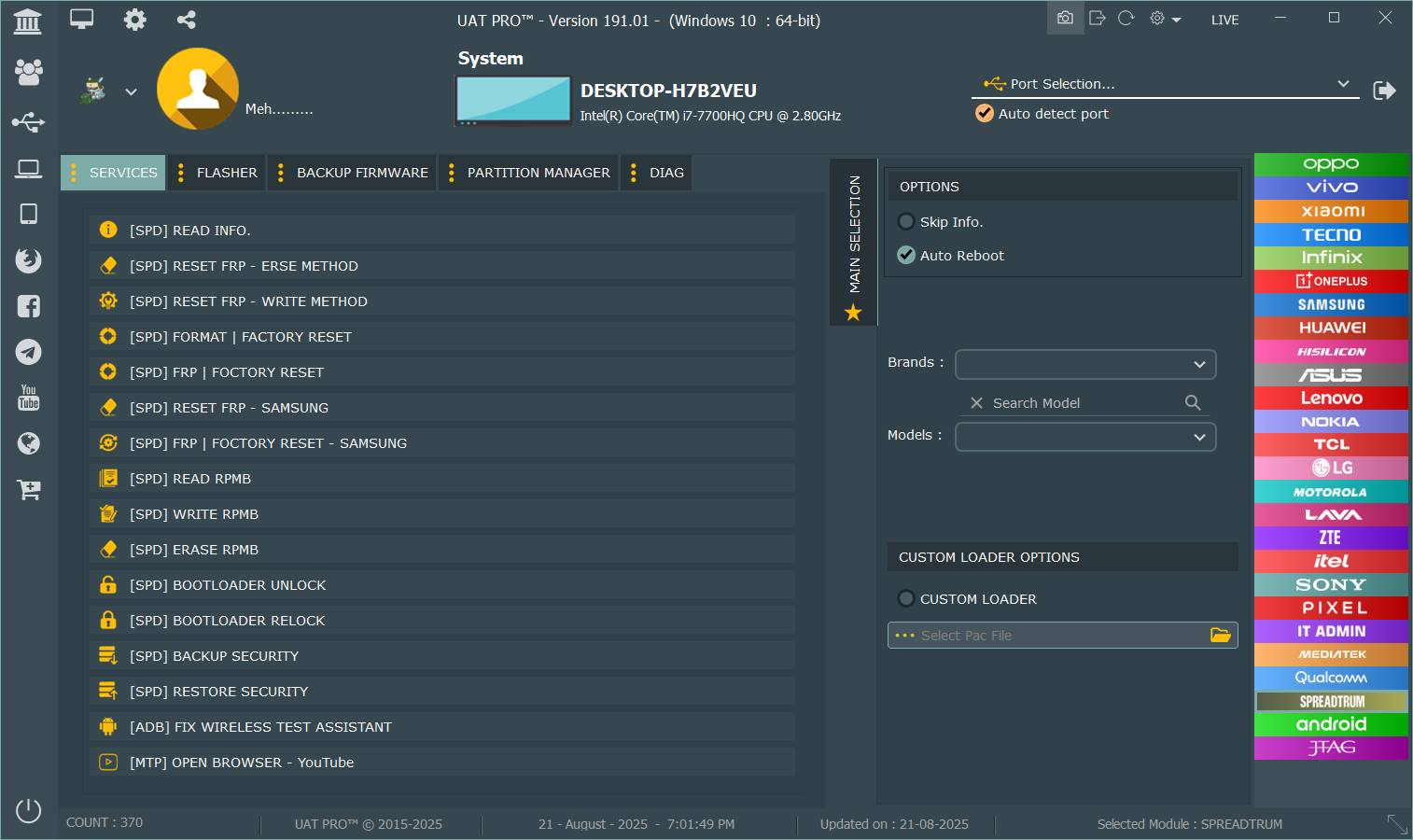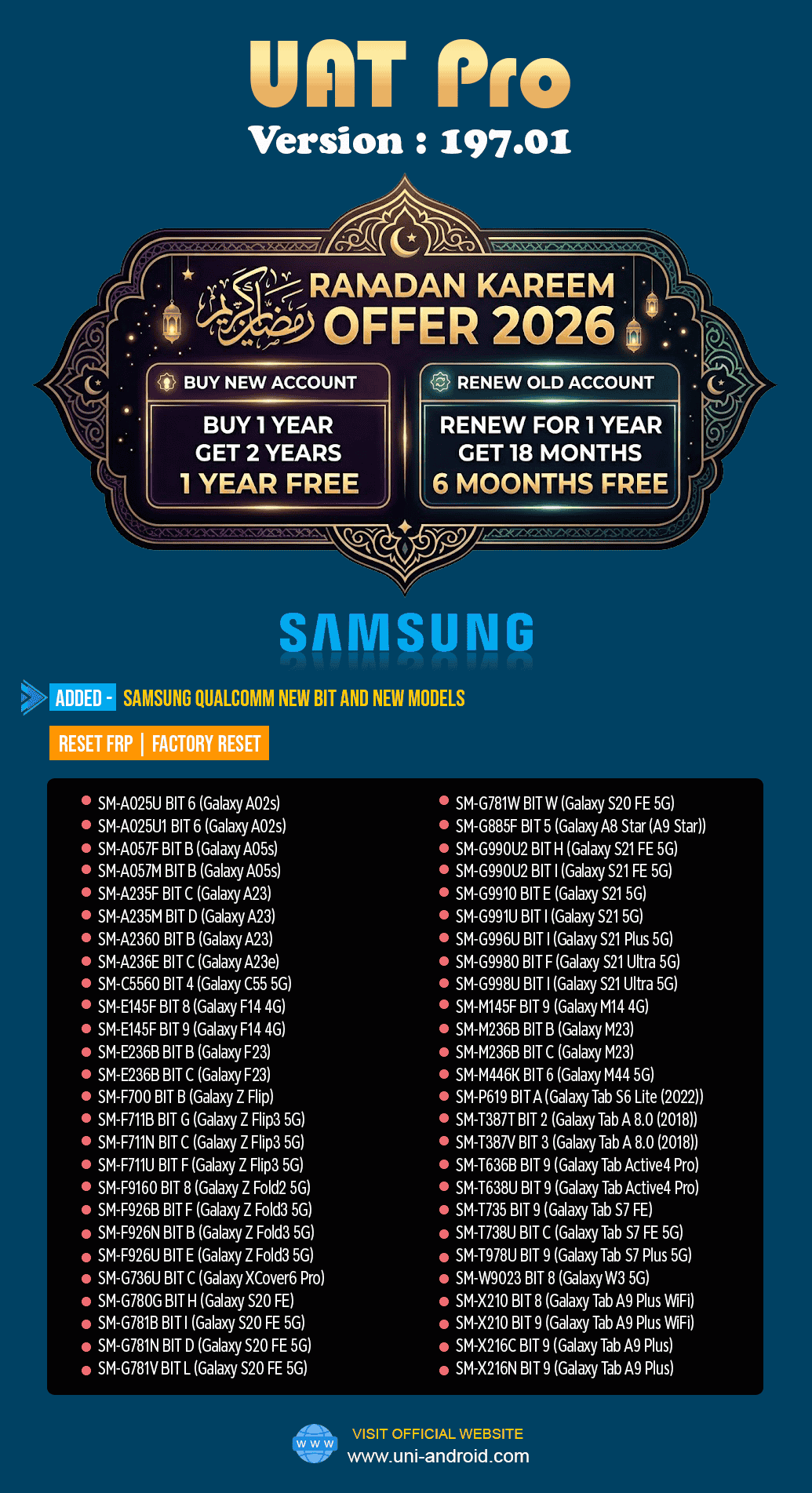
The UAT PRO V197.01 Samsung Qualcomm Update introduces new Samsung Qualcomm models, updated bit support, and improved features like FRP reset and factory reset. This update helps technicians and repair shops handle the latest devices and security patches more efficiently. In this guide, you will learn about its features, supported models, and download process.
What is UAT PRO V197.01 Samsung Qualcomm Update and Why It Is Needed
The UAT PRO V197.01 Samsung Qualcomm Update is the latest version of the Uni-Android Tool Pro software used by mobile technicians and service centers worldwide.
This software functions as a mobile unlock program and phone unlock app, allowing technicians to perform advanced operations on smartphones including:
- FRP reset
- Factory reset
- Software repair
- Security patch bypass
- Device servicing
- System-level maintenance
With smartphone manufacturers constantly introducing new firmware and security patches, older service tools quickly become outdated. The UAT PRO V197.01 Samsung Qualcomm Update solves this problem by adding support for new Samsung Qualcomm devices and higher security bits.
Why this update is important
The latest update brings:
- Support for newly released Samsung devices
- Compatibility with newer Qualcomm chipsets
- Updated security patch handling
- Improved FRP reset process
- Faster factory reset functions
These improvements make the UAT PRO V197.01 Samsung Qualcomm Update essential for repair shops and professional technicians.
Key Features of UAT PRO V197.01 Samsung Qualcomm Update
The newest version introduces several improvements that enhance performance and compatibility.
Samsung Qualcomm New Bit Support
One of the most important highlights of the UAT PRO 197.01 New Models Added update is expanded bit compatibility. Many Samsung devices previously unsupported due to security upgrades can now be serviced.
This includes support for new bit versions across multiple Galaxy series.
FRP Reset Function
The UAT PRO V197.01 Samsung Qualcomm FRP Reset feature allows technicians to bypass Google account verification on supported devices.
Benefits include:
- Fast FRP removal
- Compatibility with latest firmware
- Support for Qualcomm-based Samsung devices
Factory Reset Service
The UAT PRO Samsung Qualcomm Factory Reset Update improves the reset process for locked or malfunctioning phones.
This function is helpful when:
- A device is locked
- User forgot password
- System crashes occur
- Device cannot boot normally
Expanded Device Compatibility
The update adds support for several Galaxy models including:
- Galaxy A series
- Galaxy S series
- Galaxy Z foldable devices
- Galaxy tablets
- Enterprise models
Improved Performance
The UAT PRO V197.01 Samsung Qualcomm Update also includes performance optimizations such as:
- Faster device detection
- More stable communication
- Reduced operation time
- Improved reliability
Supported Devices and Brands
The UAT PRO V197.01 Samsung Qualcomm Update mainly focuses on Samsung devices powered by Qualcomm chipsets.
Supported Galaxy Series
| Series | Example Models |
|---|---|
| Galaxy A Series | A02s, A05s, A23 |
| Galaxy S Series | S20 FE, S21, S21 Plus, S21 Ultra |
| Galaxy Z Series | Z Flip, Z Flip3, Z Fold2, Z Fold3 |
| Galaxy M Series | M14, M23, M44 |
| Galaxy Tablets | Tab S6 Lite, Tab S7 FE, Tab A9 Plus |
Major Supported Devices
Some important devices supported by UAT PRO 197.01 Galaxy S21 S20 FE Support include:
- Galaxy S20 FE
- Galaxy S21
- Galaxy S21 Plus
- Galaxy S21 Ultra
- Galaxy Z Flip 3
- Galaxy Z Fold 3
- Galaxy Tab S7 FE
This update significantly increases compatibility across modern Samsung smartphones.
Download UAT PRO V197.01 Latest Update
To begin using the software, users must first download and install the latest version.
Requirements
Before downloading the Download UAT PRO V197.01 Latest Update, ensure that your system meets these requirements:
- Windows 10 or Windows 11
- Stable internet connection
- Activated UAT PRO account
- Compatible USB drivers installed

Step-by-Step Installation Guide
Follow these steps to install the UAT PRO V197.01 Samsung Qualcomm Update correctly.
Step 1: Download the Software
Download the latest version from the official source.
Step 2: Extract the Files
After downloading, extract the ZIP file to a folder on your computer.
Step 3: Install the Application
Run the installer and follow the setup instructions.
Step 4: Install USB Drivers
Make sure Samsung USB drivers are installed.
Step 5: Launch the Software
Open the UAT PRO tool and log in using your credentials.
How to Register and Activate
Activation is required to use the full features of the UAT PRO V197.01 Samsung Qualcomm Update.
Activation Process
- Purchase a valid license
- Receive login credentials
- Log into the software
- Activate the account online
Most technicians choose yearly subscription plans.

How to Use UAT PRO V197.01 Samsung Qualcomm Update
The software interface is simple enough for beginners but powerful enough for professionals.
Basic Usage Steps
- Connect the device using USB cable
- Open UAT PRO tool
- Select Samsung Qualcomm module
- Choose the desired service
- Start the operation
The UAT PRO V197.01 Samsung Qualcomm Update automatically detects compatible devices.
IMEI Repair and Other Services
Although primarily used for unlocking and resetting, the software also supports several service functions including:
- Device information reading
- Bootloader interaction
- System repair
- Data reset operations
- Software maintenance
Technicians often combine these features for advanced repair work.
Comparison with Other Mobile Service Tools
| Feature | UAT PRO | Other Tools |
|---|---|---|
| Samsung Qualcomm Support | Yes | Limited |
| FRP Reset | Yes | Partial |
| Factory Reset | Yes | Yes |
| New Bit Support | Excellent | Moderate |
| Updates | Frequent | Slower |
The UAT PRO V197.01 Samsung Qualcomm Update stands out due to its consistent updates and wide device compatibility.
Safety Tips and Legal Considerations
Mobile service tools should always be used responsibly.
Important Safety Tips
- Only service devices you legally own or are authorized to repair
- Do not use unlocking tools for illegal activities
- Always backup important data
- Follow manufacturer regulations
Using the UAT PRO V197.01 Samsung Qualcomm Update responsibly protects both technicians and customers.
Troubleshooting Common Errors
Even professional tools sometimes encounter issues.
Device Not Detected
Possible causes:
- Missing drivers
- Faulty USB cable
- Incorrect device mode
Login Error
Possible reasons:
- Expired license
- Server connection issue
- Incorrect credentials
Operation Failed
Solutions include:
- Restart software
- Reconnect device
- Update drivers
Pricing and Subscription Plans
The UAT PRO V197.01 Samsung Qualcomm Update typically requires a paid activation.
Common Plans
| Plan | Duration |
|---|---|
| Basic License | 1 Year |
| Renewal | 12 Months |
| Promotional Offers | Up to 18 Months |
Many resellers provide promotional deals during festivals and seasonal sales.
Frequently Asked Questions (FAQs)
What is UAT PRO used for?
UAT PRO is a mobile service software used by technicians for device servicing including FRP reset, factory reset, and software repair.
Is UAT PRO safe to use?
Yes, when used correctly by professionals and authorized technicians.
Does this version support Samsung S21?
Yes, the UAT PRO 197.01 Galaxy S21 S20 FE Support update includes compatibility with multiple Galaxy S21 variants.
Can beginners use this software?
Yes, the interface is beginner-friendly but advanced features are mainly used by technicians.
Where can I download the latest version?
You can get the Download UAT PRO V197.01 Latest Update from official sources or authorized resellers.
Final Thoughts
The UAT PRO V197.01 Samsung Qualcomm Update is a powerful and essential upgrade for technicians working with Samsung devices. With expanded Qualcomm support, new model compatibility, and improved FRP and factory reset features, this version strengthens the tool’s reputation in the mobile repair industry.
Whether you are a beginner learning smartphone repair or a professional technician running a service center, the UAT PRO V197.01 Samsung Qualcomm Update provides reliable solutions for modern mobile devices.