In 2025, mobile repair and unlocking software remains essential for users and technicians alike. The Unlock Tool 2025 offers a powerful solution for bypassing locks, repairing software issues, and managing multiple brands and chipsets. This guide explains what it is, how it works, supported devices, installation steps, usage tips, pricing, safety and legal notes, and how to contact support or subscribe via WhatsApp/Telegram—helping you decide if it’s the right tool for your needs.
What is Unlock Tool 2025 Download and Why It Is Needed
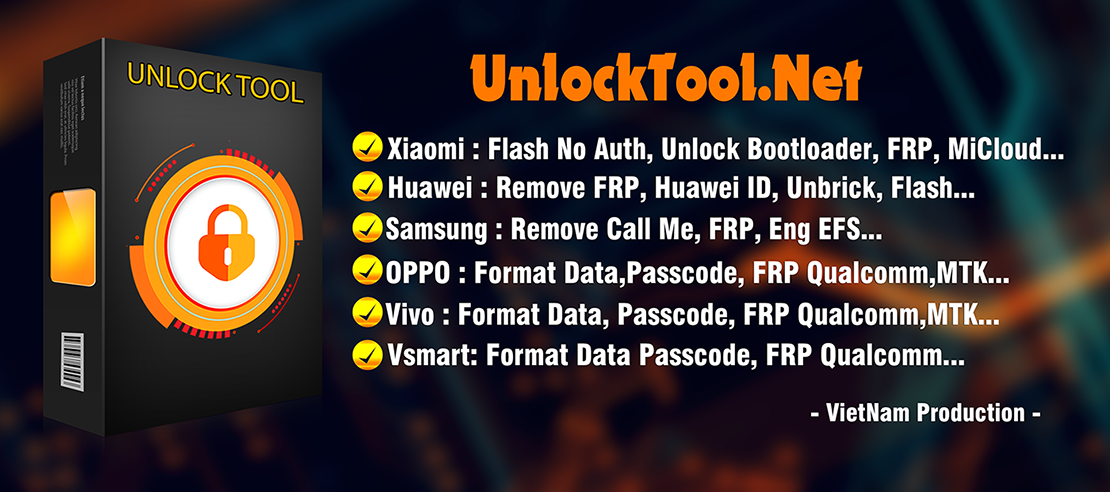
The term “Unlock Tool 2025 download” refers to the latest edition of a professional-grade mobile unlocking software (often simply called “Unlock Tool”) that enables a variety of device repair and unlocking operations: FRP bypass, bootloader unlock, network/carrier unlock, IMEI repair, flashing, EFS/NVRAM management, etc.
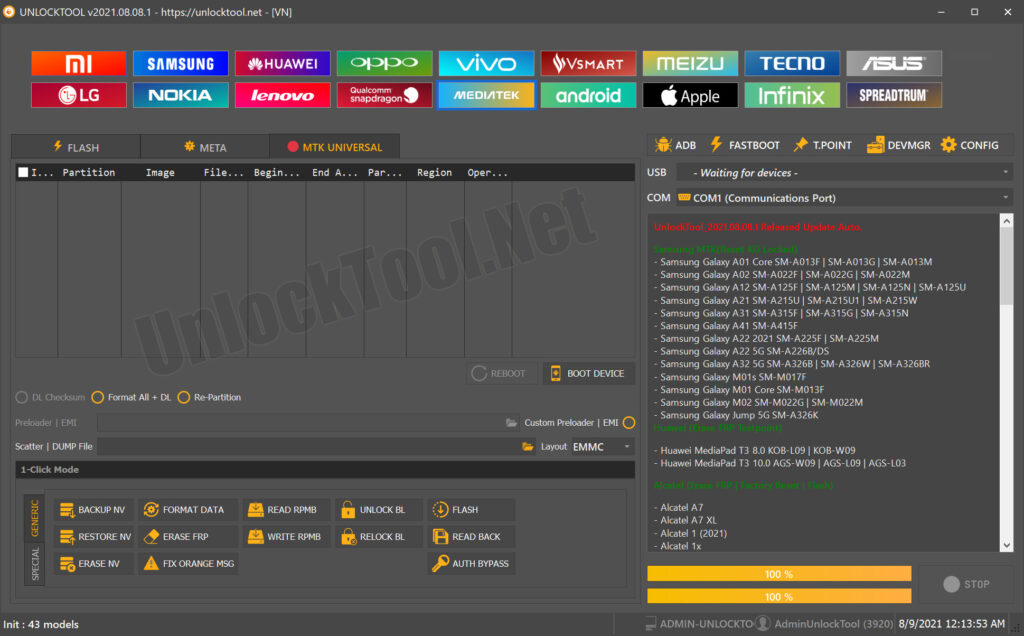
Why it’s needed
- Many smartphones are locked by manufacturers (bootloader locked, FRP enabled, carrier locked) which restricts full access or repair capabilities.
- For individual users: If you’ve forgotten a Google account lock (FRP), purchased a second-hand phone that’s carrier-locked, or need to reset a bricked device, a tool like this can save you effort and cost.
- For repair shops/technicians: Efficient unlocking across multiple brands and chipsets (Qualcomm, MTK, etc.) is a business requirement. A tool offering broad compatibility speeds up service and brings more clients.
Key benefit summary
- One interface to handle multiple tasks (FRP, network unlock, IMEI repair) for many brands.
- Latest version supports 2025 devices and chipsets — meaning less “unsupported model” headaches
- Both individual users and professionals can use it (though professionals get more value through volume and variety).
If you’re searching for “unlock tool download free”, this article will help you determine if it’s realistic, legitimate, and how to proceed safely.
Key Features of Unlock Tool 2025 Download (Latest Version)
Here are the standout features of the latest version of the tool — the “Unlock Tool 2025 download” edition:
| Feature | Description |
|---|---|
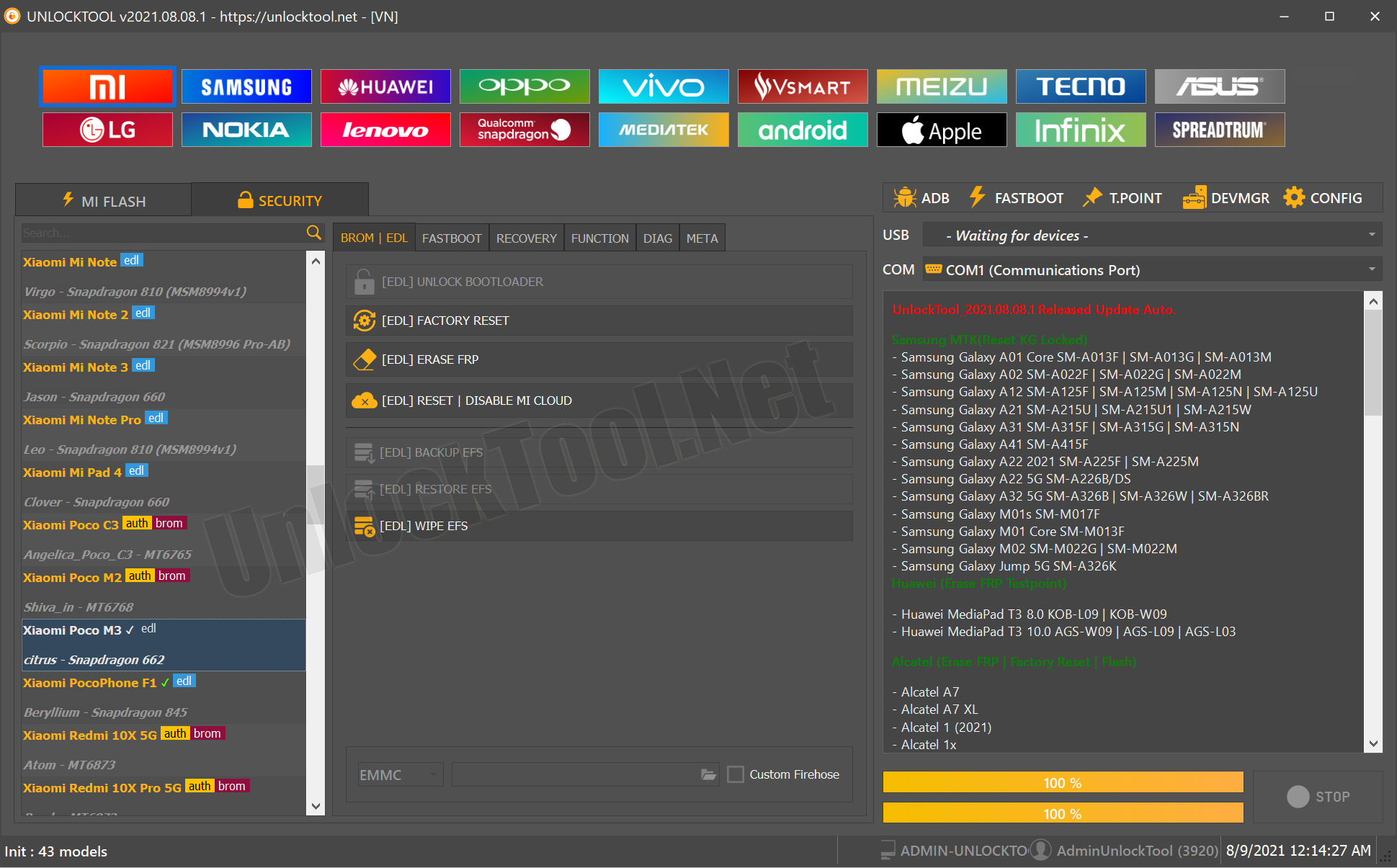
| FRP Bypass | Remove or bypass Google’s Factory Reset Protection on many Android devices (Samsung, Xiaomi, Oppo, etc). |
| Bootloader Unlock & Flashing | Unlocking the bootloader, flashing firmware, custom ROM support for advanced users. |
| Network/Carrier Unlock | Unlock the phone from a carrier network so that SIMs from any provider can work. |
| IMEI Repair / EFS-NVRAM Management | For Qualcomm/MTK devices, repair the IMEI/EFS partition which is often required after flashing or unlocking. |
| Wide Chipset & Brand Support | Supports Qualcomm, MediaTek (MTK), Spreadtrum chipsets and many brands. |
| Regular Updates for New Models | The “2025” edition indicates support for newly released models (so fewer unsupported devices). |
| User-friendly Interface (for technicians) | While some technical knowledge is required, the tool aims to be accessible for shops and advanced users. |

These features make “Unlock Tool 2025 download” a comprehensive solution for unlocking and mobile device repair tasks.
Supported Devices and Brands
When evaluating the Unlock Tool 2025 download, compatibility matters — both for chipsets (Qualcomm, MTK, Spreadtrum) and brands (Samsung, Oppo, Infinix, etc). According to available documentation:
- It supports major brands including Samsung, Xiaomi, Huawei, OPPO, Vivo, Infinix, Realme and more.
- Chipsets: Qualcomm (for Samsung, etc), MTK (for many budget phones), Spreadtrum (for lesser-known brands) are listed.
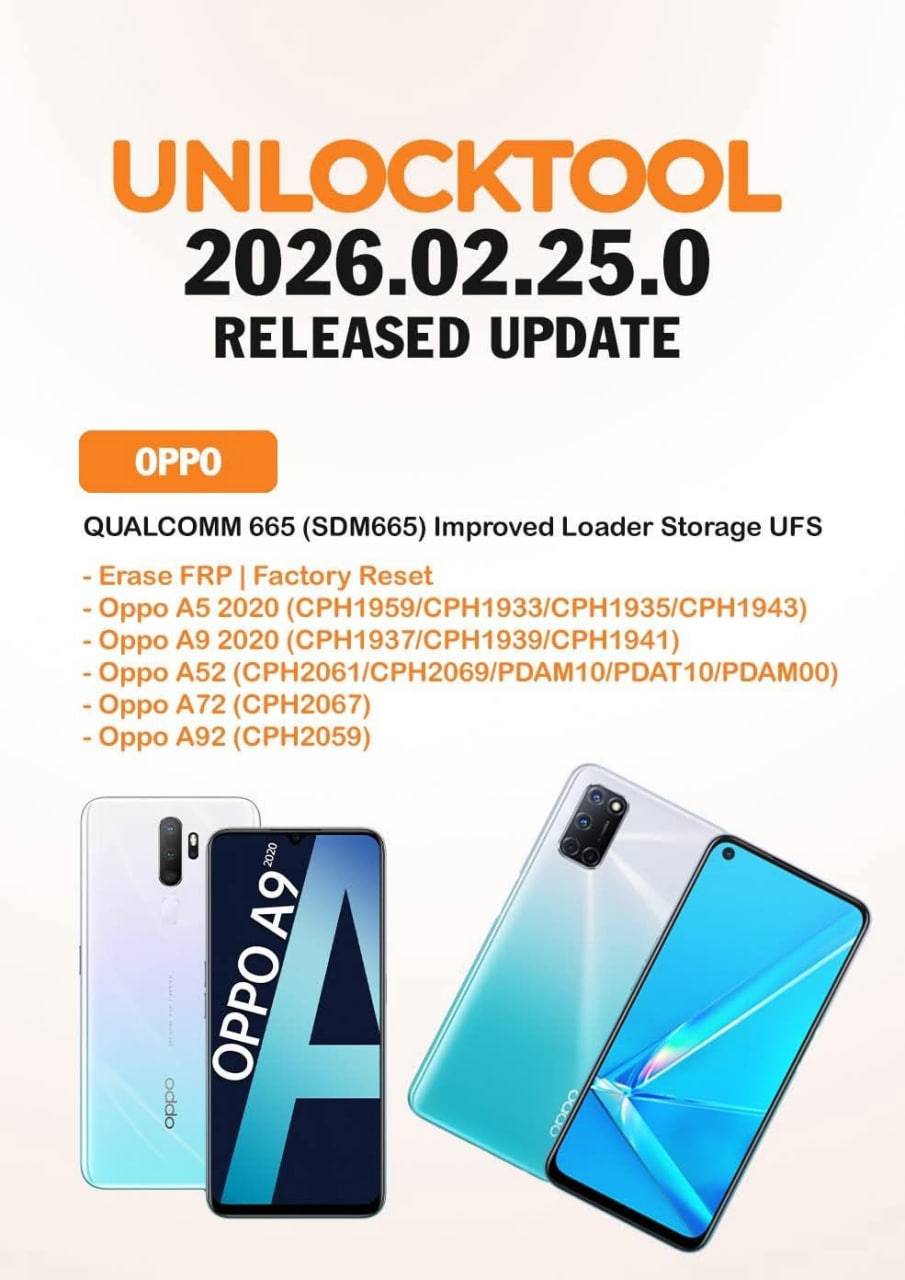
- Example models: Samsung Galaxy A23 5G (SM-A236M) BIT9; Galaxy M52 5G SM-M526B; Xiaomi Redmi 13C (gale) etc.
Specifically, the tool covers tasks such as FRP unlock, network unlock, IMEI repair for brands like:
- Samsung (various S, A, M series)
- Xiaomi / Redmi / Poco
- Oppo / Realme / Infinix / Tecno
- Others with MTK/Qualcomm SoCs
For both individual users (who may have a simpler model) and repair shops (who handle many models), this breadth of compatibility is essential.
Download and Installation Process
Before diving into how to use this tool, you’ll need to download and install it. This section covers both individual users and technicians, step by step.
Step-by-step Installation Guide
- Visit the official site or verified distributor page for the tool (check the URL carefully to avoid fake versions).
- Download the latest version labelled something like “Unlock Tool 2025.xx.xx” (for example version 2025.02.14.0) from a trusted source.
- On your PC (Windows 7/8/10/11), locate the downloaded installer (.exe or .zip) and extract if required.
- Run the installer as Administrator. During installation you might be asked to install drivers (USB/ADB/EDL) relevant to mobile devices.
- After installation, open the software.
- Accept any prompts, and ensure your PC remains connected to the internet (for activation or updates).
- Connect your target phone via USB, and install any additional drivers if the tool requests them.
How to Register and Activate
- After installation you’ll often need to register an account (username/email/password) on the tool’s portal.
- Then you will need to Activate a license. Many versions operate on paid licenses or subscriptions (e.g., 1-month, 3-month, lifetime access).
- For technicians: After purchase you might get a license key or activation code. Enter it into the tool and complete license binding (often linked to your machine or account).
- Once activated, you should see the tool status change (e.g., “Licensed until [date]” or “Unlimited access”).
Tip for users & shops: Always confirm you’re using a legal and official version of the software. Download links from unknown sources may include malware or unstable variants.
How to Use Unlock Tool 2025 Download (for Owners and Technicians)
Once installed and activated, the next step is using the tool. Whether you’re an individual user or technician/repair shop, the functions are largely the same — it’s just the scale and throughput that differ.
FRP Unlock
- Connect the locked Android device via USB in the correct mode (ADB, Download, Fastboot, EDL depending on model).
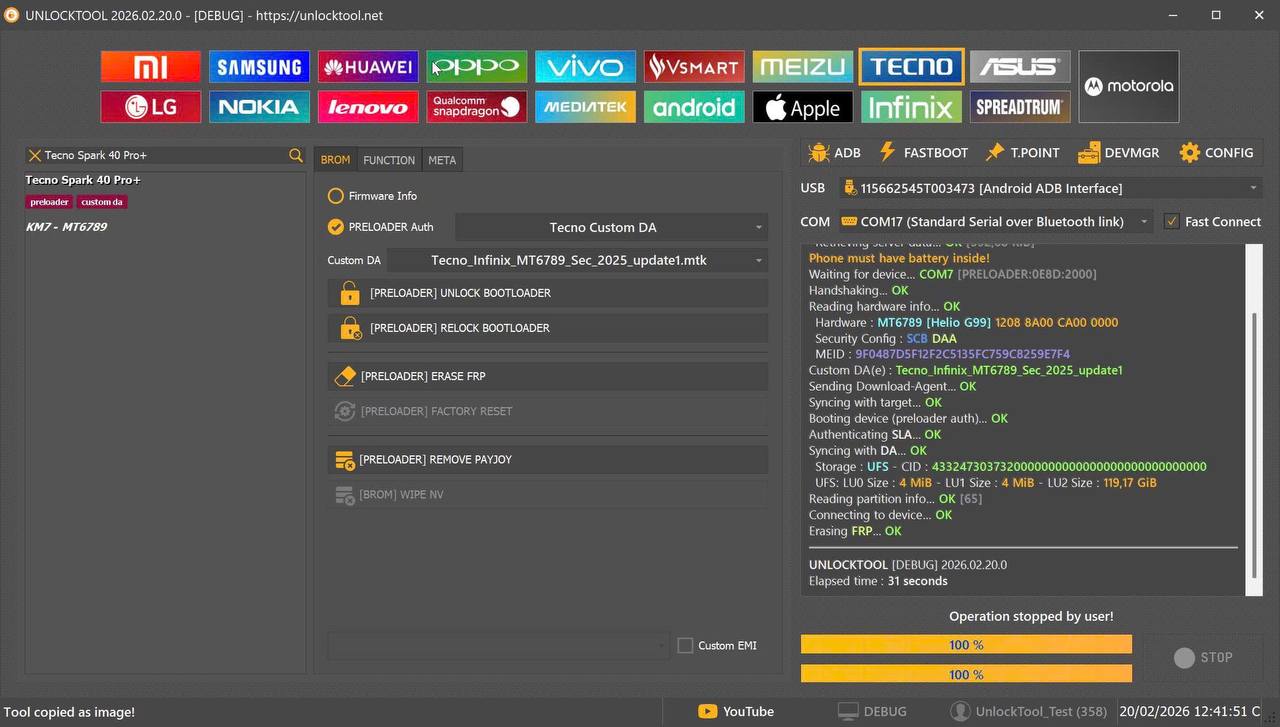
- In the software select the FRP Unlock or Erase FRP option.
- Choose the correct brand/model/bit version or chipset.
- Click Start and wait for the tool to process. After completion, the device normally restarts and you’ll be able to set up a new account.
- One documented example: For Samsung A12 (SM-A12), Enter Download Mode, choose “Erase FRP” in the tool, connect, and run.
Network Unlock
- For carrier-locked phones: Choose “Network Unlock” (sometimes labelled “SIM Unlock”).
- The tool will send unlock commands to the phone; follow on-screen prompts.
- After unlock, test with a SIM from another network to verify.
IMEI Repair and Other Services
- In the menu select “IMEI Repair” or “EFS/NVRAM Restore”.
- Select chipset brand (Qualcomm/MTK) and model.
- Enter or load the correct IMEI (note: you must follow local legal rules regarding IMEI repair).
- Confirm and execute. The tool may require booting device into specific mode (like EDL).
- Other services include Bootloader Unlock, Flashing firmware, Backup/Restore EFS, etc.
For technicians, workflow might involve:
- Batch unlocking multiple devices
- Keeping a local “model list” database
- Using the tool in conjunction with other hardware tools/boxes for advanced repairs
For individual users, keep in mind:
- Follow manufacturer’s instructions and ensure you back up any important data before executing unlocking/repair.
- Some operations may void warranty or risk data loss — proceed accordingly.
Comparison with Other Tools
To give you perspective, here’s a table comparing the Unlock Tool 2025 download with common competitor tools:
| Tool | Coverage & Functions | Beginner-friendly | Pricing |
|---|---|---|---|
| Unlock Tool 2025 | Wide brand & chipset support (Samsung, Xiaomi, MTK, Qualcomm, Spreadtrum) + FRP, IMEI repair, flashing. | Intermediate (some technical knowledge required) | Subscription / license based (1-month / 3-month / lifetime) |
| Tool X (simpler) e.g., a home-user tool | Limited brand coverage, simple FRP unlock only | Beginner-friendly | Often cheaper or free trial |
| Professional Box/Tool (hardware + software) | Very advanced (chip-level) | For experienced technicians only | Higher cost |
Summary: If you are a professional technician/repair shop, Unlock Tool 2025 offers more breadth and flexibility compared to basic tools. If you’re a single phone owner with minimal technical knowledge, a simpler tool might suffice — but you’ll pay for less capability.
Safety Tips and Legal Considerations
When dealing with unlocking software like “Unlock Tool 2025 download”, it’s essential to observe safety best-practices and understand the legal implications.
Safety Tips
- Always download from the official source and verify the SHA-256 or MD5 checksum if provided. Unverified sources may include malware.
- Back up your device’s data before performing any unlock/repair operation (there is always a risk of data loss).
- Use correct drivers for your device; incorrect drivers may brick the phone or cause connection failures.
- Disable antivirus only if absolutely necessary and ensure your system is otherwise protected. Some anti-virus programs flag unlocking tools.
- Make sure the PC you use is stable (no power interruptions) during flashing/unlock processes.
Legal Considerations
- Unlocking a phone you do not own or have proper rights to may be illegal in your country. Always verify the phone’s ownership and status.
- IMEI repair or changing IMEI may be illegal in many jurisdictions unless you have explicit permission or ownership.
- Unlocking carrier-locked phones may violate contract terms with the carrier; proceed with caution.
- Using the tool for stolen phones or unauthorized devices is illegal and unethical — many tool authors explicitly disclaim this. YouTube
Bottom line: Use such tools responsibly — for your own devices or those legitimately under your service purview, and always within the local legal framework.
Troubleshooting Common Errors
Even the best tools sometimes encounter issues. Here are common problems and how to resolve them:
- Device Not Detected / Driver Failure
→ Verify USB cable and port, install correct drivers, try a different PC port. - Tool Fails to Recognize Model or Bit Version
→ Ensure you selected the correct brand/model/bit in the interface; check if your device is newly released and whether the version supports it. Some updates (2025) include newly supported models. - Activation/License Invalid Error
→ Check internet connection, login credentials, ensure license period is valid. Re-bind license if required. - Bricked Phone / Stuck in Bootloop After Unlock/Flash
→ Boot into recovery/fastboot/EDL mode and restore stock firmware. Always keep a firmware backup. - FRP or Network Unlock Not Working
→ Double-check device state (bootloader status, version), driver status, and use correct module in the tool. Confirm the device isn’t blacklisted or locked at the server level. - “Server Data… Failed” or Tool Hangs
→ Sometimes caused by anti-virus/firewall blocking. Try disabling firewall temporarily or run as admin. Check if tool version is out of date and update to latest version.
Including these troubleshooting steps helps both beginners and technicians avoid common pitfalls.
Pricing and Subscription Plan
The price structure for “Unlock Tool 2025 download” can vary depending on license type, region, promotions, and whether you’re a shop or individual user. Typical tiers include:
- 1-Month License – smaller fee for short-term usage.
- 3-Month License – mid-term option.
- 6-Month or 12-Month License – more economical for frequent use.
- Lifetime License – one-time fee for unlimited future access (may require a higher up-front cost).
When comparing tools, factor in:
- Number of devices you’ll unlock/repair per month.
- Support and update frequency (new phones/models are released constantly).
- Reliability and reputation of the tool’s vendor (support, documentation, forum feedback).
- Legal/regional compliance and any hidden costs (activation support, driver packages).
Technicians who handle many devices may find the higher-tier or lifetime license more cost-effective in the long run.

FAQs
Q1: Is the Unlock Tool 2025 download free?
A: Most official versions are not fully free — they work on a license/subscription model. Some versions may offer free trials with limited features.
Q2: Can I use the tool on my own phone as a novice?
A: Yes, you can. But you should follow instructions carefully, backup your data, and ensure you have correct drivers and model support. Beginners may face a learning curve.
Q3: Will using the tool void my phone’s warranty?
A: Possibly — performing bootloader unlock, flashing firmware, or bypassing carrier locks can void manufacturer or carrier warranties. Always check your terms.
Q4: Does it work on iPhones or only Android?
A: The primary focus of the Unlock Tool (as described) is Android devices (Qualcomm, MTK, Spreadtrum). iPhone unlockers exist but typically via different specialized tools.
Q5: What chipsets and brands does it cover (especially for “unlock tool MTK Oppo Infinix” and “unlock tool FRP Samsung Qualcomm”)?
A: It supports MTK-based devices (Oppo, Infinix, Tecno) and Qualcomm-based devices (Samsung, etc). For example, new updates include Samsung Qualcomm BIT versions.
Q6: Is it legal to use?
A: It depends on your region and how you use it. Using it on your own device is typically legal; using it on stolen or unowned devices or altering IMEI illegally is not. Refer to local laws.
Final Thoughts + Download / Contact / Subscribe CTA
The Unlock Tool 2025 download offers a powerful, wide-ranging solution for mobile device unlocking and repair — making it valuable for both individual users and professional technicians/repair shops. With features like FRP bypass, network unlock, IMEI repair, and wide chipset support, it’s a top pick in the current era of smartphones.
If you’re ready to get started:
- Visit the official download page (verify URL) and download the latest version of Unlock Tool 2025.
- Install the software on your Windows PC, register and activate the license.
- Start by connecting one test device and running a simple unlock to familiarise yourself with the interface.
- For support, contact us via WhatsApp or Telegram (send us your license ID or query) and join our newsletter for future updates.
- Subscribe to our newsletter to receive updates on new versions, tips for “unlock tool setup 2025”, and repair-shop best practices.