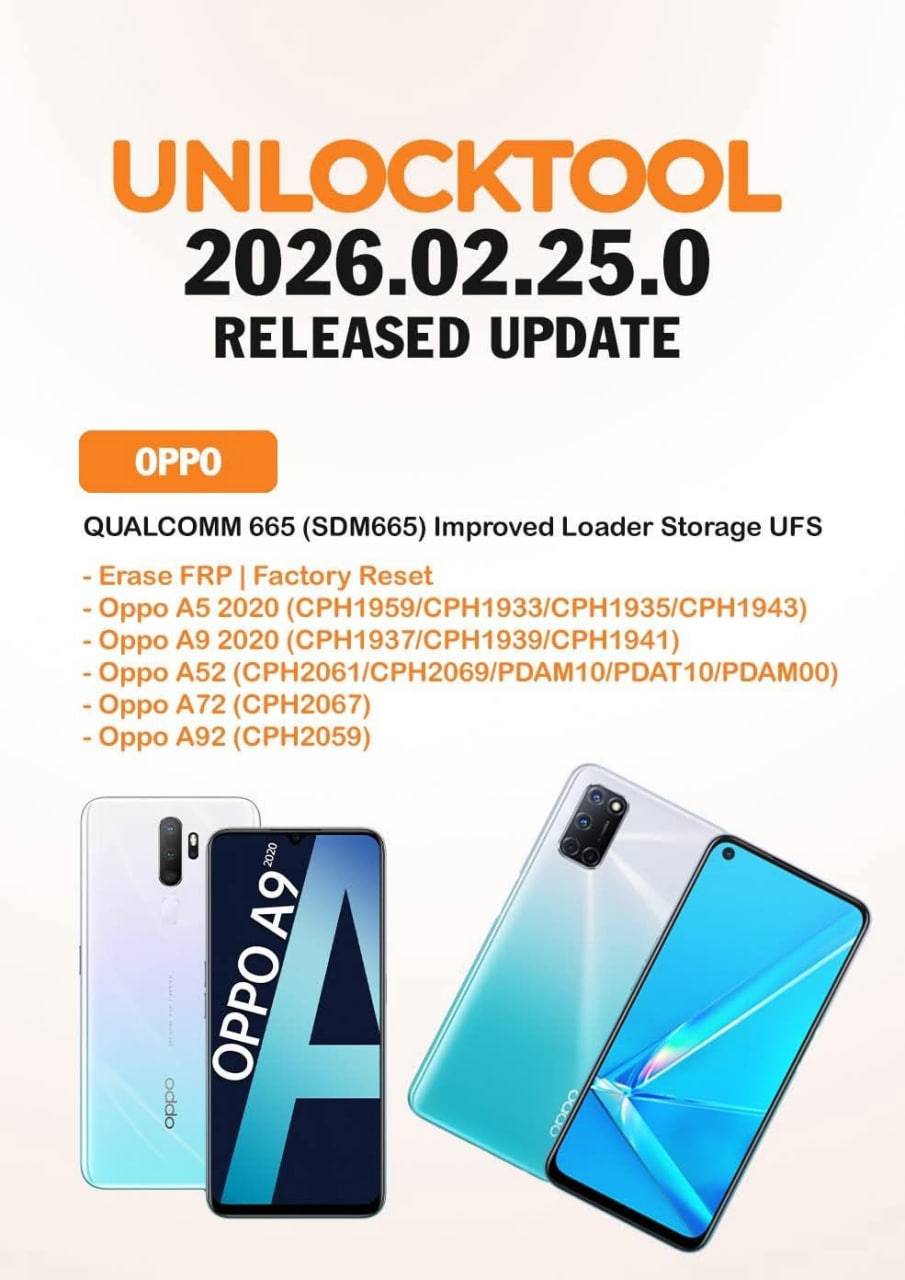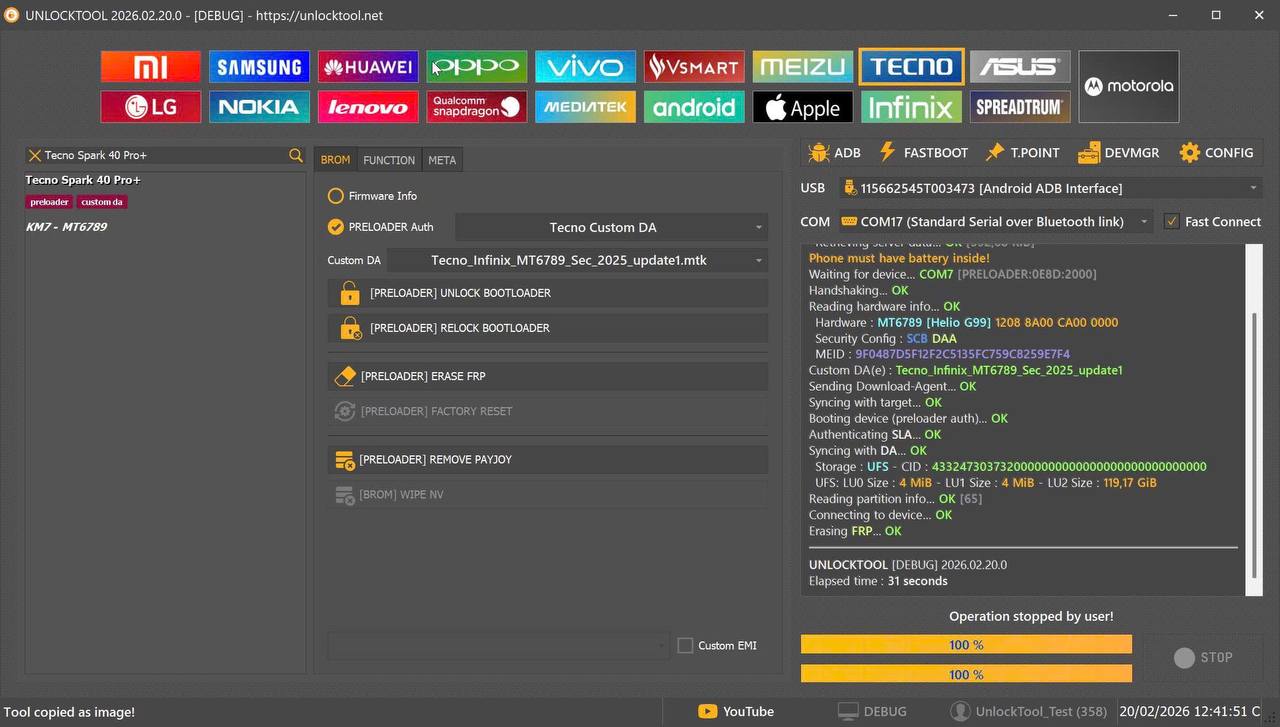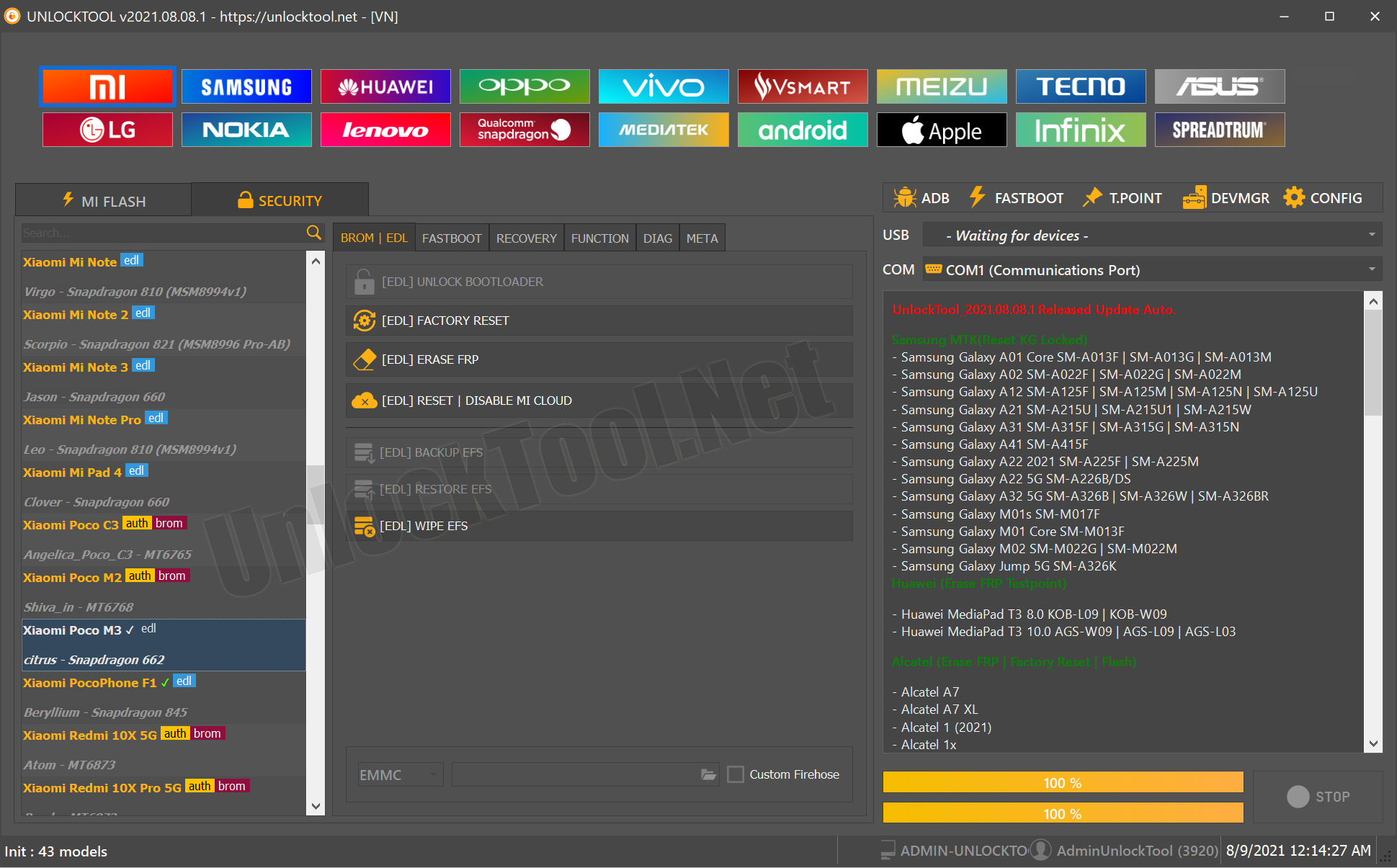
In today’s fast-moving mobile repair and servicing market, staying ahead with the right software tools can make the difference between a simple job and a major headache. Whether you’re an individual user locked out of your phone or a technician in a repair shop handling multiple devices per day, you need a solution that’s reliable, up-to-date and built for the latest hardware. That’s why the UnlockTool 2025.11.02.0 Update is a game-changer.
With this update, UnlockTool brings enhanced support for MTK devices, Android 15, and advanced chipsets such as Dimensity 6300, 7300 and 9000 series — especially for brands like Tecno and Infinix. If you’re looking for a tool that delivers on features like FRP unlock, Meta mode support, network unlock, and IMEI repair, this is it.
In this article we’ll explore what this update offers, why it matters, how to download and install, how to use it (whether you’re a non-technical user or a seasoned technician), compare it with other tools, address safety and legal aspects, troubleshoot common errors, outline pricing, answer FAQs, and end with a clear call-to-action for downloads, registration, WhatsApp/Telegram contact and newsletter subscription.
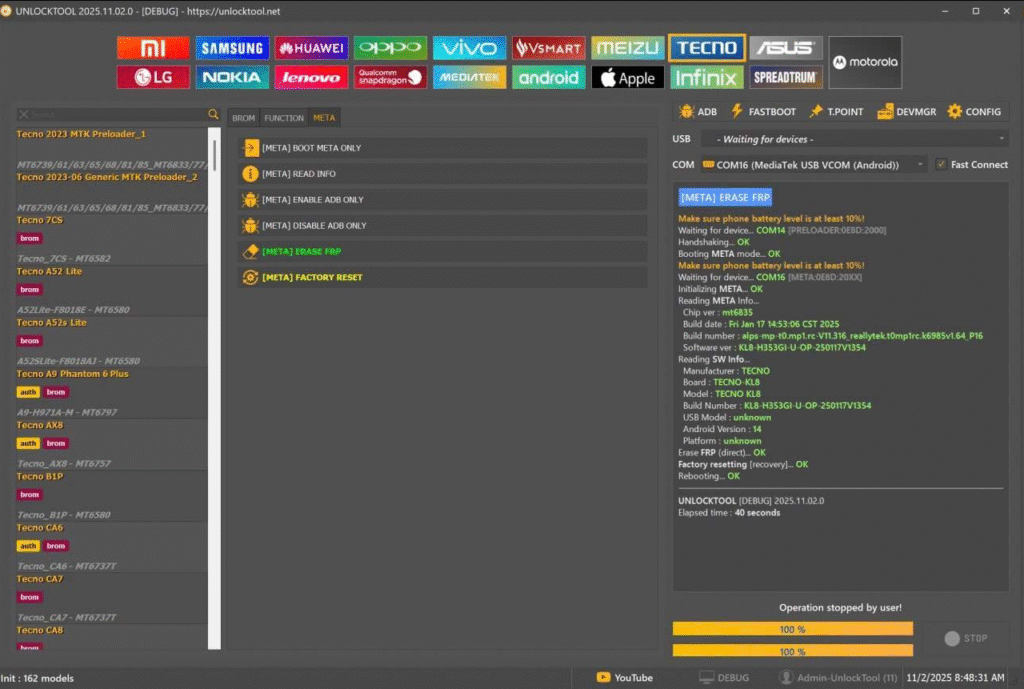
What is UnlockTool 2025.11.02.0 Update and Why It Is Needed
The UnlockTool 2025.11.02.0 Update is the latest version of the UnlockTool software designed for unlocking, servicing and repairing Android smartphones — with a particular focus on MTK (MediaTek) chipsets and newer Android 15 builds. It is needed for several reasons:
- Chipset evolution: Smartphones are increasingly built around advanced chips like Dimensity 6300, Dimensity 7300 Ultimate, Dimensity 9000/9000+ (MT6983) — the update adds support for these new chips.
- Brand-specific lock mechanisms: Brands like Tecno and Infinix have introduced Meta mode or advanced FRP/encryption schemes — this update explicitly mentions support for “TECNO/INFINIX CPU MTK Up to Android 15” and adds “new Auth to reboot META Mode use direct erase FRP”.
- Repair shop demands: Technicians servicing many devices need a unified tool that supports FRP unlock, network unlock and IMEI repair across newer models — this update steps in.
- Individual user recovery: If you’re locked out of your phone after a factory reset (FRP-locked) or cannot access your account, a tool updated for the latest security patches is essential.
- Competitive edge: For repair shops, offering service for the latest models (e.g., Dimensity series, Tecno/Infinix latest models) means staying ahead of competitors.
In short, the UnlockTool 2025.11.02.0 Update is the next-generation servicing solution built for modern devices, modern locks, and modern demands.
Key Features of UnlockTool 2025.11.02.0 Update (Latest Version)
Here are the standout capabilities of the update — whether you’re a technician or a DIY user:
- Expanded Chipset Support for MTK/Dimensity:
- Dimensity 6300 (MT6835) — tested support.
- Dimensity 6400 (MT683x).
- Dimensity 7300 Ultimate (MT6878V) & Dimensity 7300 (MT6878V).
- Dimensity 9000 & 9000+ (MT6983).
- Meta Mode Authentication & Direct Erase FRP: New authentication module to reboot devices into Meta mode and perform direct FRP erase — particularly for Tecno/Infinix devices.
- Support Up to Android 15: Ensures the tool remains relevant as devices upgrade to Android 15 and manufacturers apply newer security patches.
- Support for Realme MTK Devices: Including Realme C25s, C55, C65, C75, Narzo 30A, Narzo N55 and Realme Pad models with MT6768 chipset.
- Comprehensive Function Set:
- FRP Unlock / Remove.
- Network Unlock (carrier lock removal).
- IMEI Repair / Write (compatible devices).
- Factory Reset / Flash / Readback.
- User-friendly Interface: Easy for individual users to follow basic tasks; advanced features for technicians with more options.
- Regular Updates & Support via WhatsApp/Telegram: Ensures you stay ahead of the latest locks and models.
- Flexible Licensing & Subscription Options: Ideal for single users or full-service repair shops.
This feature-rich update positions UnlockTool as a go-to solution in 2025 for mobile servicing.
Supported Devices and Brands
With the new update, the range of supported devices and brands has grown significantly. Here’s a summary of what’s covered:
Brands Supported
- Tecno
- Infinix
- Realme
- Many MTK-based devices and Android 15 builds
Sample Supported Chipsets & Models
- Dimensity 6300, 6400, 7300 Ultimate, 7300, 9000/9000+ — for Tecno/Infinix devices.
- Realme MT6768 chipset models: C25s (RMX3195), C55 (RMX3710), C65 (RMX3910), C75 (RMX3941), Narzo 10A (RMX2020), Narzo 30A (RMX3171), Narzo 50A (RMX3430), Narzo N55 (RMX3710), Realme Pad (RMP2102/RMP2103).
- Both global and region-specific firmware builds up to Android 15.
- Devices requiring Meta mode / authentication type unlocking for FRP removal, particularly for Tecno and Infinix.
Note: Always check the exact model, firmware version and security patch date of your device before using the tool — this ensures compatibility and the best success rate.
Download and Installation Process
Step-by-step Installation Guide
- Visit the official UnlockTool website or authorized reseller link (check for authenticity).
- Download the UnlockTool 2025.11.02.0 Update package for Windows PC.
- Extract the ZIP file to a secure folder (e.g., C:\UnlockTool2025_1102).
- Install required USB drivers for MTK/Qualcomm as per your device’s chipset.
- Run the setup file and install the application.
- Launch the software as administrator.
- Connect your phone via a quality USB cable and confirm it’s detected.
- Ensure the device is in the correct mode (Meta mode if specified for Tecno/Infinix).
- Choose the function you need (FRP unlock, network unlock, IMEI repair) and click “Start”.
How to Register and Activate
- After installation, navigate to Registration / License tab.
- Enter your license key (provided at purchase) or choose the subscription plan you’ve purchased.
- Link your WhatsApp/Telegram contact for live support and update alerts.
- The software will authenticate online — ensure your PC has internet access.
- Once activated, you’ll have access to all modules covered by your license and will receive update notifications when new patches arrive.
How to Use UnlockTool 2025.11.02.0 Update (For Owners and Technicians)
FRP Unlock
- Ideal for individuals locked out of their devices or technicians servicing client phones with FRP lock.
- Process: Connect phone → Select brand (Tecno/Infinix) → Choose chipset/family (e.g., Dimensity 9000) → Select “Erase FRP” → Follow instructions (e.g., reboot into Meta mode) → Wait for completion → Reboot phone.
- For Meta mode required phones, the tool’s new auth to reboot Meta mode feature makes the process smoother.
Network Unlock
- Remove carrier locks on supported models.
- Steps: Connect phone → Choose “Network Unlock” module → Select region/carrier → Tool processes unlock → Insert new SIM, reboot.
- Ideal for multi-SIM enabling or servicing imported devices.
IMEI Repair and Other Services
- For repair shops: Use “IMEI Repair / Write” module to fix corrupted IMEI numbers or write valid IMEI where supported.
- Use the “Factory Reset / Flash / Readback” module for repairing bricked phones, software issues, or firmware updates.
- The tool’s advanced interface helps technicians work with many devices efficiently (batch mode, logs, device history).
From this comparison it’s clear that UnlockTool 2025.11.02.0 offers superior value in both breadth and depth of support — making it a strong choice for owners and repair professionals alike.
Safety Tips and Legal Considerations
Comparison with Other Tools
| Feature | UnlockTool 2025.11.02.0 Update | Generic All-Brand Unlock Tools |
|---|---|---|
| Latest MTK/Dimensity chipset support | ✅ Covers Dimensity 6300/6400/7300/9000+ | ❌ Often lags for latest chipsets |
| Tecno/Infinix Meta mode support | ✅ Explicitly added “new Auth to reboot META Mode” | ⚠ May not support Meta mode yet |
| Android 15 build support | ✅ Up to Android 15 covered | ⚠ Partial or delayed support |
| Technician-friendly features | ✅ IMEI repair, network unlock, batch mode | ❌ May only cover basic FRP unlock |
| User-friendly for individuals | ✅ Simple UI + owner use case | ⚠ May be complex or too technical |
Safety Tips
- Download the tool only from official/reseller sources to avoid malware. Tools in the mobile-service area can carry risks if obtained from unofficial sources.
- Backup your device data before using the tool. Many operations (FRP erase, factory reset) will wipe user data.
- Use a good USB cable and stable PC power supply — interruptions mid-process can brick devices.
- Confirm correct model, chipset and firmware version — selecting incorrect device may lead to errors.
- Keep the software updated to the latest version so that new security patches are supported.
Legal Considerations
- Using FRP removal or unlock tools on a device you own or are authorized to service is generally legal in many jurisdictions.
- Using the tool on devices without legal ownership or authorization (e.g., lost/stolen phones) is illegal and may result in criminal charges.
- For repair shops, it’s best practice to maintain proof of client authorization before unlocking or writing IMEI.
- Note: Laws vary by country — technicians and users should verify local regulations before offering unlock/IMEI services.
By following safe practices and ethical standards, you can use UnlockTool 2025.11.02.0 Update confidently and responsibly.
Troubleshooting Common Errors
Here are some typical problems and how to solve them:
- Phone not detected by the tool
- Ensure USB debugging or proper mode (Meta/EDL) is enabled.
- Try a different USB cable/port.
- Install correct chipset drivers (MTK/Qualcomm).
- Check PC’s firewall/antivirus is not blocking the tool.
- Unsupported model or firmware version
- Check the model and firmware version match the supported list for the update.
- If your device is very new or has a custom patch, check for pending tool updates.
- Unlock process stalls or fails at 90%
- Reboot both PC and phone and retry.
- Disconnect other USB devices to reduce interference.
- Switch to Meta mode or alternate mode if available.
- Contact WhatsApp/Telegram support with error log.
- After FRP unlock, device still asks for Google account
- Make sure brand (Tecno/Infinix) and chipset were correctly selected.
- Run the “Erase FRP” option again or select “Factory Reset” then reboot.
- Check if there is a corporate/MDM lock that standard FRP remove may not handle.
- Network unlock fails / no signal after unlock
- Ensure the IMEI is valid and not blacklisted.
- Verify the correct carrier/region setting was used.
- After unlock, reboot phone + reset network settings.
If you face unresolvable issues, we recommend contacting the official support channel (provided with your license) for assistance.
Pricing and Subscription Plans
The UnlockTool 2025.11.02.0 Update typically comes with flexible pricing suitable for different users:
- Single-Device License: Ideal for individual users unlocking their own phone.
- Technician/Shop License: Multi-device or unlimited device license for repair shops.
- Annual Subscription: Includes updates for 12 months.
- Lifetime License: One-time payment covering all future updates.
- Support Add-On: Priority WhatsApp/Telegram support, module downloads, device support queue.
Pricing may vary depending on your region (for example, India/Mumbai vs international). It’s best to contact the official reseller for current rate, promotional offers, and payment options.
FAQs
Q1: Is UnlockTool 2025.11.02.0 Update safe to use on my phone?
Yes — when downloaded from the official source and used on a phone you legally own or are authorized to service, it is safe. As always, backup your data before proceeding.
Q2: Will this update help unlock FRP on Tecno or Infinix phones with Android 15?
Absolutely. One of the highlighted features of the update is support for “TECNO/INFINIX CPU MTK Up To Android 15” and Meta mode authentication for FRP unlock.
Q3: Do I need technical knowledge to use this tool?
For basic FRP unlock on a single phone, the tool is user-friendly and suitable for non-technical users. For advanced features (IMEI repair, batch servicing) a technician background helps.
Q4: Will using the tool void my phone’s warranty or affect official updates?
It depends on brand and warranty terms. In many cases FRP unlock via such tools may void warranty; repairing shops should inform clients accordingly. Official OTA updates may work but always verify after unlock.
Q5: What if my device is not listed in the supported devices for this update?
If your exact model/chipset isn’t listed yet, you can wait for the next module update or contact support to request model addition. Always verify version compatibility.
Final Thoughts + Download / Contact / Subscribe CTA
The UnlockTool 2025.11.02.0 Update is a robust, up-to-date solution for anyone dealing with modern Android devices — whether you’re locked out of a phone or manage a repair shop servicing dozens of devices weekly. With extended support for MTK/Dimensity chipsets, Android 15 builds, Meta mode for Tecno/Infinix, Realme MTK models, and full service features (FRP un
Why Buy from GsmRadix
- 100% genuine and verified firmware
- Official download mirror of UnlockTool 3 Months
- Instant auto-delivery 24/7
- Secure checkout with fast technical support