Whether you’re an individual trying to bypass a locked phone or a professional technician/repair shop owner looking for a powerful mobile unlock program, UnlockTool GsmRadix is designed to serve both audiences. In this long-form article, we’ll explain what the tool is, why it’s needed, how to install and use it (including for devices like the Samsung A12), compare it to alternatives, share legal & safety advice, offer troubleshooting help, pricing details, and frequently asked questions. Let’s dive in.
Introduction
In today’s mobile-repair world, you’ll often encounter issues like FRP locks, network carrier locks, IMEI issues or bootloader problems. For example, the popular Samsung A12 FRP Bypass or SM-A125F FRP Unlock Tool scenario is just one of many. That’s where UnlockTool GsmRadix comes into play. This tool provides both network unlock and FRP unlock capabilities, along with other repair functions, making it useful for individual users and service-centres alike.
With the mobile market evolving fast (Android 12, Android 13, 2025 hardware), you need a reliable mobile unlock program that receives timely updates. This guide will show you how UnlockTool GsmRadix meets that need, how to install and register it, use it for tasks like “Samsung A12 FRP Reset Android 12”, and how to leverage it in your repair shop.
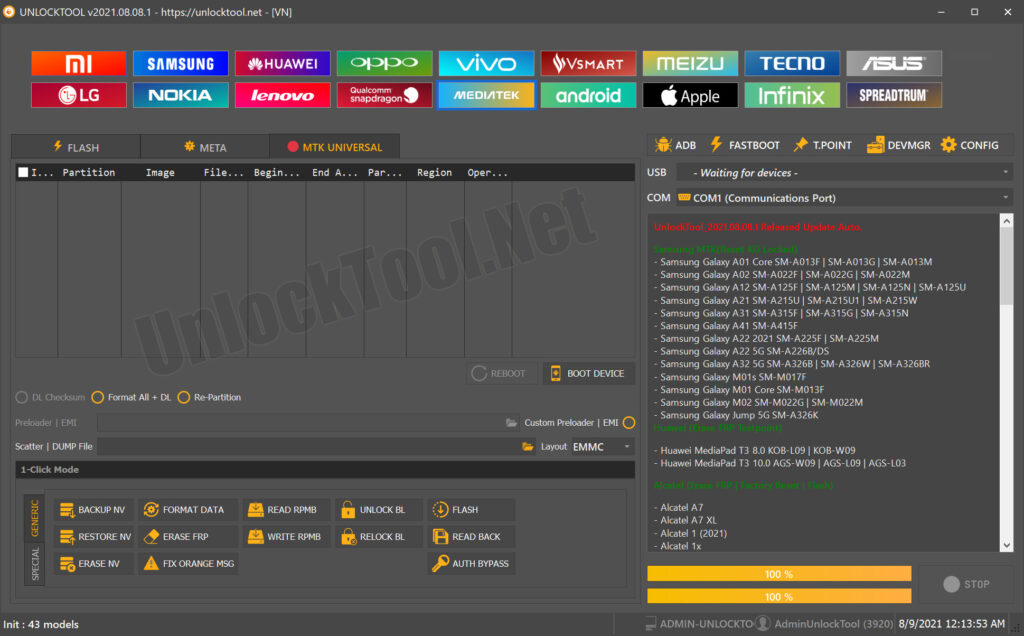
What is UnlockTool GsmRadix and Why It Is Needed
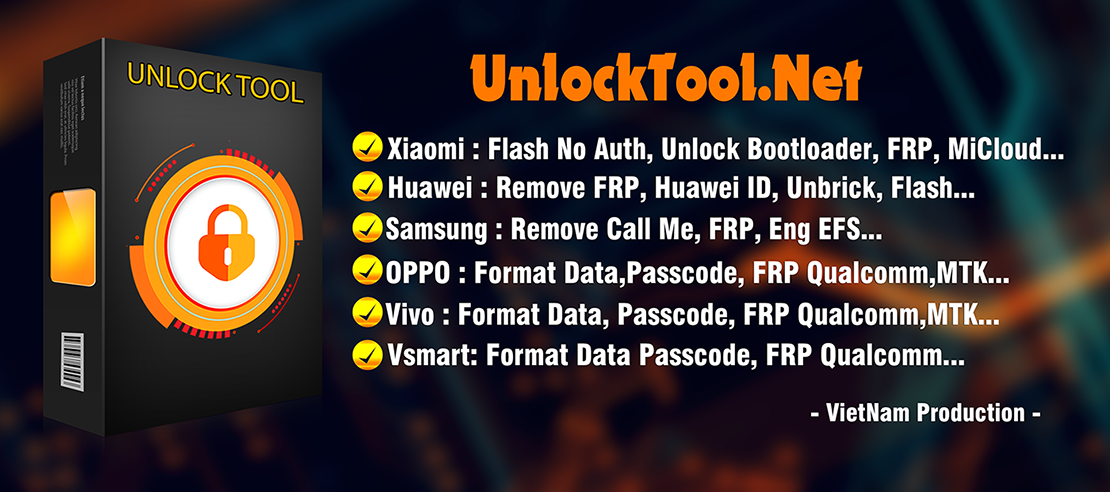
At its core, UnlockTool GsmRadix is a software application (sometimes called a “phone unlock app” or “mobile unlock program”) offered through GsmRadix. It allows users and technicians to perform tasks such as:
- FRP unlock (Factory Reset Protection) – for example unlocking Samsung A12 when it’s stuck at Google account lock.
- Network unlock – remove carrier-lock so the phone works on any network.
- IMEI repair and other phone repair functions.
- Flashing, bootloader unlock, and firmware operations (in some cases) as described on the official site.
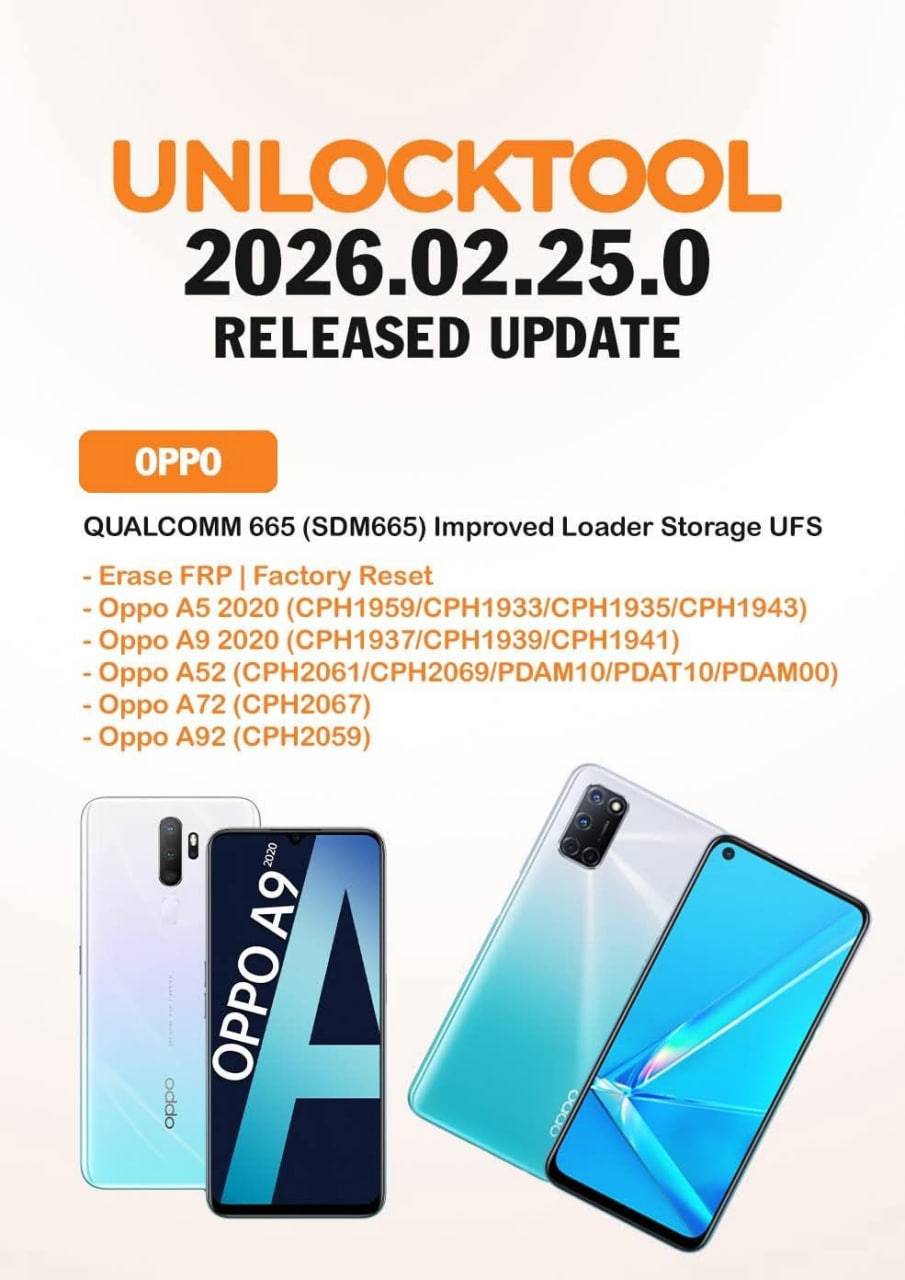
- Regular updates (e.g., “UnlockTool 2025.10.18.0 update”).
Why it is needed
- Many phones (especially Samsung, Xiaomi, Tecno, etc) come locked either by Google Account (FRP) or by carrier network. Without proper tools, bypassing them can be difficult or risky.
- For technicians: Having a one-stop tool that supports a wide range of models saves time and increases service capability.
- For individual users: If you’ve legitimately purchased a phone but it is locked (e.g., second-hand device), you may need a trusted tool to unlock it.
- Keeping up with new OS versions (Android 12, Android 13, Android 14, 15) means older tools may fail — so UnlockTool GsmRadix update capability is important for success.
In short: If you’re dealing with devices like the Samsung A12 needing FRP bypass, or other Android phones needing network unlock, unlocking or repair, this tool is a viable option.
Key Features of UnlockTool GsmRadix (Latest Version)
Here’s a breakdown of what makes this tool noteworthy, especially in the latest 2025 versions.
Main Features
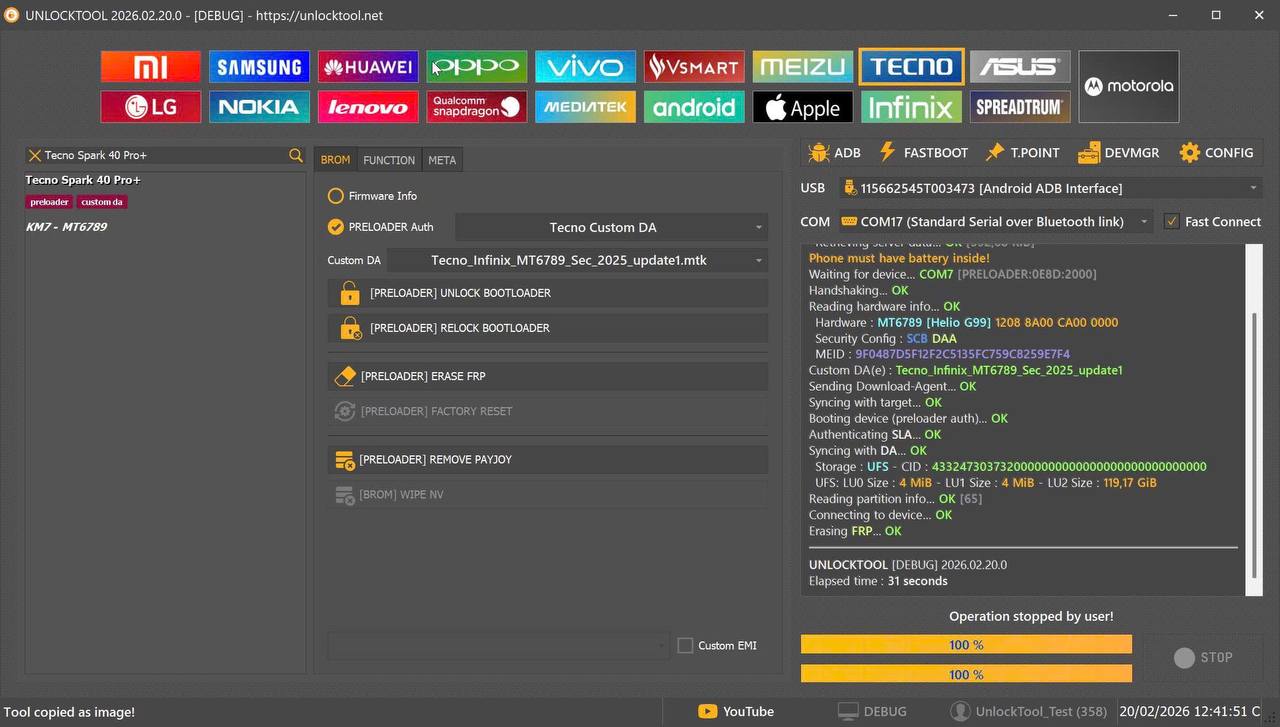
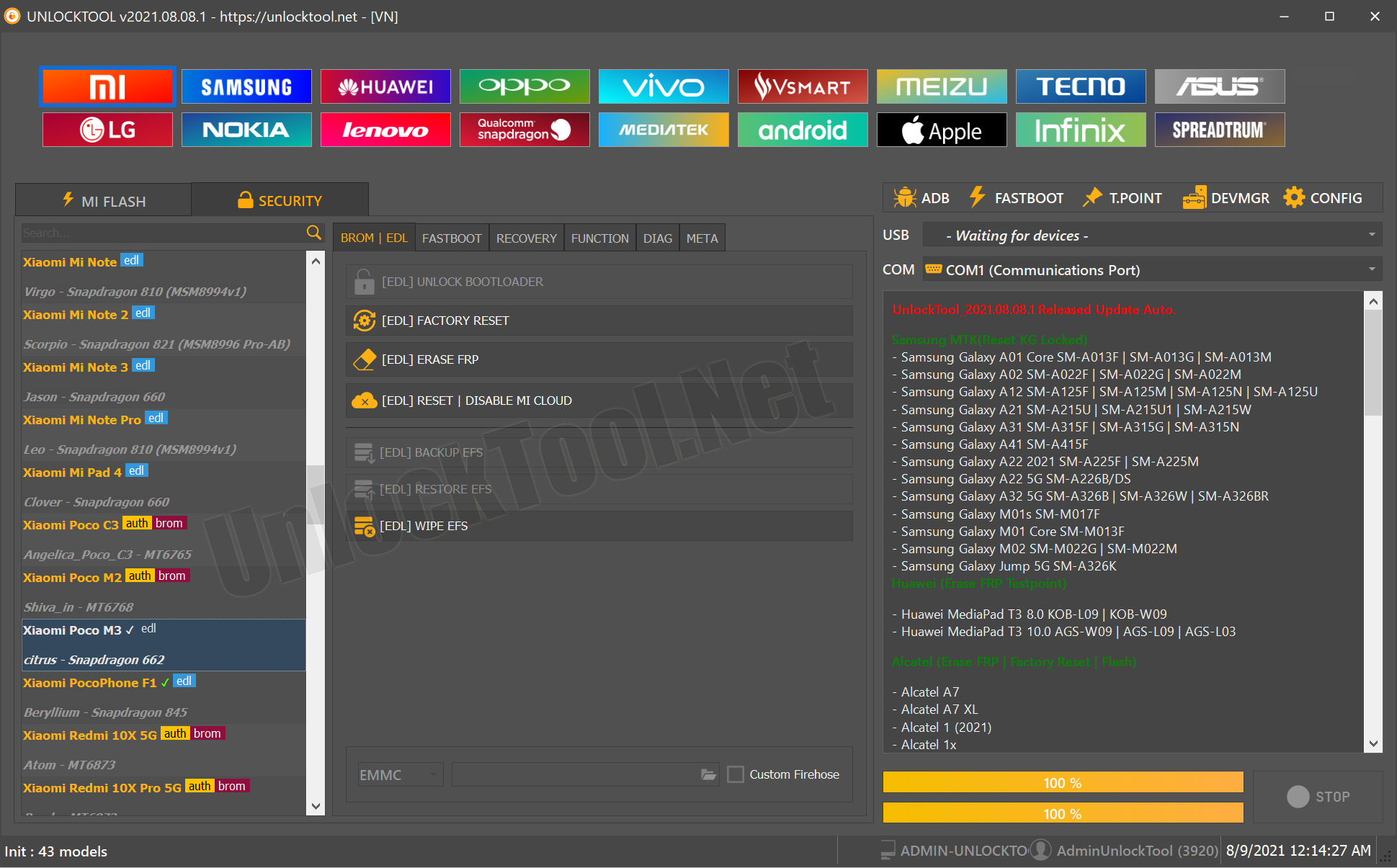
- FRP Unlock: Supports many devices. For example, the update notes mention support for “Factory Reset | Erase FRP | Readback | Flash” on Samsung models.
- Network unlock: Remove carrier locks on supported brands.
- IMEI Repair: Under “Other Services” the tool supports IMEI repair, helping technicians with deeper repair jobs. � citing general description.
- Model/Brand Support: Wide brand coverage (Samsung, Xiaomi/Redmi/Poco, Infinix, Tecno, Oppo/Realme, Huawei/Honor)
- Regular Updates: The blog describes version “UnlockTool 2025.10.18.0” and newer updates.
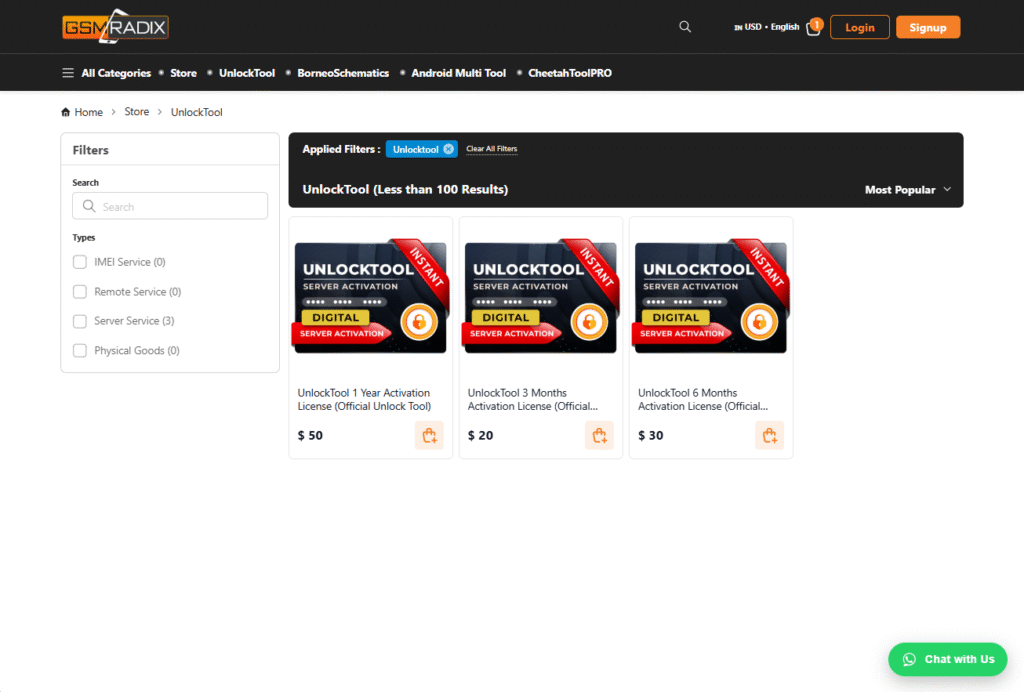
- Easy Activation & Licensing: The official site lists 3-month or 1-year licenses for users.
- User-friendly interface: Enables both non-technical users and technicians to work with the tool.
- Flash, Bootloader Unlock, MiCloud Reset, etc – offers more advanced features beyond just unlock.
Why these matter
- For individual users: If you have a locked device (e.g., Samsung A12 FRP lock) you need something that works reliably, supports your model, and is safe.
- For repair shops: Workflow, update frequency, brand support, licensing flexibility, and IMEI/Network unlock support make a big difference in profitability and speed.
Supported Devices and Brands
Compatibility is one of the biggest concerns for any unlock tool. Here’s how UnlockTool GsmRadix handles it.
Brands & Supported Models
According to the official blog:
- Samsung: Major models supported including S21 series (SM-G991U, SM-G996U, SM-G998U) via Qualcomm/BIT-H.
- Xiaomi/Redmi/Poco: Example “Redmi 15 (Creek)”, “Poco M7 4G (Creek)” listed. blog.gsmradix.com
- Tecno/Infinix: Example MTK up to Android 15.
- Oppo/Realme, Huawei/Honor, Motorola, Itel/Lava/Micromax – broad coverage (from description).
- Many older and well-known models (Samsung A12 → SM-A125F) would typically be covered if the license supports it (check supported list).
- The official download page and store list for UnlockTool via GsmRadix.
Why check for your device
- Some models may require extra steps or different chipsets.
- Region-locked or bootloader-locked phones may have specific methods.
- Always check the latest version’s “Supported Devices” list on the official site.
- Example: For a “Samsung A12 FRP Reset Android 12” scenario, ensure the tool supports the SM-A125F variant and Android 12 build before proceeding.
Download and Installation Process
Here’s how to get started with UnlockTool GsmRadix—both installation and activation for individual users and technicians.

Step-by-Step Installation Guide
- Visit the official website of GsmRadix and locate the “UnlockTool” product.
- Download the installer file for the latest version (e.g., UnlockTool 2025.x.x).
- (Optional) Disable antivirus temporarily if it blocks the installer—ensure you’re on a trusted source.
- Run the installer as Administrator on your Windows PC.
- Follow on-screen prompts: Accept license agreement, choose install folder.
- When completed, restart your PC if prompted.
- Launch the tool; it should ask for activation/license.
How to Register and Activate
- In the tool, click Register or Login (depending on version).
- If you don’t have a license key, purchase one from the GsmRadix store. For example: “Official UnlockTool 3 Months Activation License” listed.
- Enter the license key in the activation field, click Activate.
- The tool will verify server connection, license status, and unlock functionality.
- After successful activation, you will have full access to unlock, repair, IMEI tools, etc.
- Keep a record of your license and login credentials (for renewals).
- (Tip) If you run a repair shop, consider a longer-term license (6-months or 1-year) for cost-effectiveness.
This installation + activation ensures you’re ready to perform unlock operations confidently.
How to Use UnlockTool GsmRadix (for Owners and Technicians)
Once installed and activated, you can use the tool for various tasks. Below we detail tasks for device owners and technicians.
For Individual Owners (e.g., Samsung A12 FRP Bypass)
- Connect the locked phone (e.g., Samsung A12, model SM-A125F) to your PC via USB cable.
- Ensure USB Debugging / OEM Unlock is enabled if required (some operations may require this).
- In UnlockTool, select brand “Samsung”, model “A12 (SM-A125F)”.
- Choose the function “FRP Unlock” or “Samsung A12 FRP Reset Android 12”.
- Follow on-screen instructions (e.g., put the phone into Download mode or connect in Odin mode).
- Wait for the tool to complete the process — it may reboot the device.
- After reboot, check that the Google account lock is removed and you can set up the phone.
- For network unlock: In the tool select “Network Unlock” → choose chipset/carrier.
- Once completed, remove SIM restrictions, insert other network SIM to confirm.
For Technicians / Repair Shops (IMEI Repair & Other Services)
- Use the “Services” tab in UnlockTool to access IMEI repair, bootloader unlock, flash or firmware operations.
- Connect device via supported mode (e.g., EDL, Meta, Download mode) depending on brand/chipset.
- For example, if a Samsung has invalid IMEI or “Network locked” error, select “IMEI Repair – Samsung”, follow the prompts.
- Keep proper customer consent documentation (see legal section).
- Use the tool’s built-in logs or report function to record which operations were performed for service history.
- Make sure you update the tool regularly (see “unlocktool gsmradix update” section) to support latest devices for your repair business.
By serving both owners and professionals, UnlockTool GsmRadix delivers on versatility and practical value.
Comparison with Other Tools
Here’s a quick comparison table of UnlockTool GsmRadix vs other popular unlock tools (for example purposes only):
| Feature | UnlockTool GsmRadix | Competitor A | Competitor B |
|---|---|---|---|
| FRP Unlock Support | Yes – wide brand/device coverage | Partial / limited device models | Yes but fewer updates |
| Network Unlock | Yes | Limited or network-specific | Yes but expensive |
| Updates Frequency | Very frequent (2025 versions) | Less frequent | Moderate |
| License Options | 3-mo, 6-mo, 1-year – affordable. | Higher cost | Similar cost |
| Ease for Non-Technicians | Designed for owners + techs | Mostly for techs | Mixed |
| IMEI Repair & Extra Services | Included | Often separate add-ons | Included with higher cost |
Conclusion: For many users and repair shops, UnlockTool GsmRadix offers a strong balance of features, pricing and usability. It may be the best unlocktool gsmradix 2025 solution for those looking to cover broad devices and tasks.
Safety Tips and Legal Considerations
Using phone unlock tools can be very useful — but there are important safety and legal factors to keep in mind:
- Always download UnlockTool GsmRadix from official sources (e.g., the GsmRadix website) to avoid malware or cracked versions.
- Use the tool only on devices you own or have customer consent for — unlocking a phone without permission may violate local laws.
- For repair shops: Maintain proper customer consent forms and service logs, especially when performing IMEI repair or network unlock.
- Avoid pirated or “free crack” versions: These may carry security risks, void warranties, and introduce liability.
- Backup all data before performing FRP unlock, network unlock, or any repair, as some operations may erase user data.
- Keep your software license valid and updated — outdated unlock methods may fail or harm devices.
- Stay informed about your country’s regulations regarding IMEI modifications, network unlocking and device repairs.
By following these precautions, you mitigate risk and maintain a professional service environment.
Troubleshooting Common Errors
Here are some typical problems you may encounter with UnlockTool GsmRadix—and how to fix them:
| Error Message | Possible Cause | Solution |
|---|---|---|
| “Activation Failed” | Wrong or expired license key | Verify license, purchase or renew with GsmRadix |
| “Update Not Installing” | Previous version not uninstalled or antivirus blocking | Uninstall old version, disable antivirus temporarily |
| “FRP Unlock Not Working” | Model unsupported or wrong mode selected | Check supported list for your model, update tool version |
| “Network Unlock Failed” | Poor internet or outdated version | Update tool, check internet connection, retry |
| “Login Error” | Wrong credentials or server down | Reset password, check server status with support |
These common fixes will help both beginners and technicians to resolve issues without prolonged downtime.
Pricing and Subscription Plans
Understanding cost is key whether you’re an individual user or a repair shop.
- 3-Months License: Entry-level option, ideal for individual users.
- 6-Months License: Balanced option for occasional use or small repair shops.
- 1-Year License: Best value for professionals and busy repair shops.
(Prices are listed on GsmRadix store; variations may apply)
Tip for repair shops: Purchase a longer license period to reduce cost per use and ensure you’re always supported with updates — making your investment in the tool more cost-efficient.
FAQs
Here are some Frequently Asked Questions about UnlockTool GsmRadix:
Q1: What is UnlockTool GsmRadix?
A: It’s a mobile unlock program (software) provided by GsmRadix that supports FRP unlock, network unlock, IMEI repair, flashing and more.
Q2: Is it safe to use?
A: Yes — if you download from the official source and use it within legal bounds. Avoid cracked versions.
Q3: Which devices are supported?
A: A wide range across major brands (Samsung, Xiaomi/Redmi, Tecno/Infinix, Huawei/Honor, etc). Always check the “Supported Devices” list.
Q4: Will it work for “Samsung A12 FRP Bypass”?
A: Yes — if your specific model (e.g., SM-A125F) is listed in the supported devices and you’ve installed the latest version of the tool.
Q5: How often are updates released?
A: Frequently — the blog shows version updates for 2025, which include new device support and bug fixes.
Q6: Do I need to pay for updates?
A: No — updates are included during your subscription period. After that you’d renew the license.
Q7: Can I use it in a repair shop environment?
A: Absolutely. There are licensing options and features geared for professional technicians and repair services.
Q8: What if the tool fails on my device?
A: Check your version, model compatibility, correct mode (Download/EDL/Meta), USB drivers, and also your license status. Use the troubleshooting table above.
Final Thoughts + Download / Contact / Subscribe CTA
Final Thoughts:
UnlockTool GsmRadix is a compelling solution for both everyday users and repair professionals. With strong support for devices like the Samsung A12 (SM-A125F) FRP unlock, regular updates, network unlock and IMEI repair capabilities, it positions itself as one of the best unlocktool gsmradix 2025 options available. If you’re serious about device unlocking, repair workflows or service-centre productivity, this tool deserves your attention.