


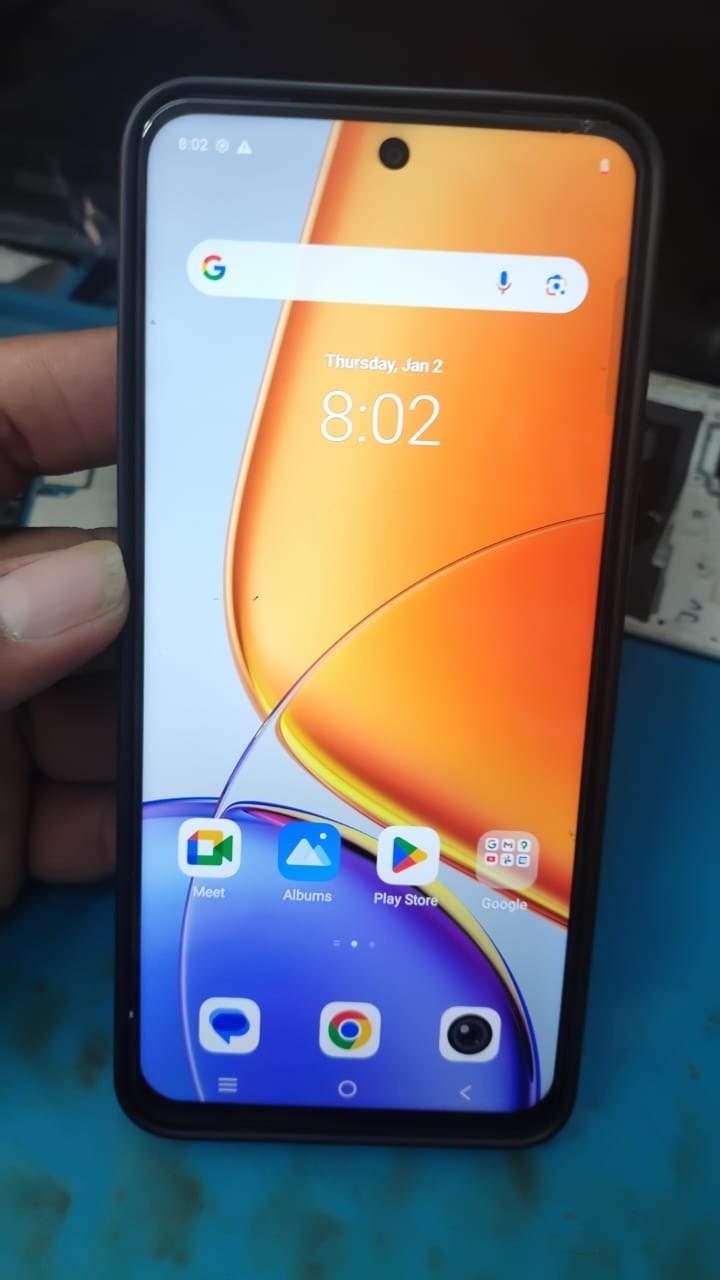
Factory Reset Protection (FRP) has become one of the most important security features on modern Android smartphones. While FRP helps protect devices from unauthorized access, it can also create major issues for users who forget their Google account credentials after resetting their phone. This is where Vivo t4x Frp Remote solutions become extremely useful.

What is Vivo t4x Frp Remote and Why Is It Needed?
Understanding FRP Lock on Vivo Devices
FRP stands for Factory Reset Protection. It is a built-in Android security system that activates automatically when a Google account is added to a device.
After a factory reset, the phone asks for the previously synced Google account before allowing access. This helps prevent stolen phones from being reused.
However, there are many legitimate situations where users need a Vivo T4x Google Account Remove solution:
- Forgot Google account credentials
- Purchased a second-hand device
- Device stuck on verification screen
- Account sync issue after reset
- Unable to recover Gmail password
- Business or repair shop servicing phones
This is why Vivo t4x Frp Remote services are becoming highly popular among both regular users and professional technicians.
Why Vivo t4x Frp Remote Is Popular in 2025
The latest Best Vivo t4x Frp Remote 2025 solutions provide:
- Fast online unlocking
- Remote access support
- No advanced technical knowledge required
- Support for latest Android security patches
- Safe and professional unlocking
- Technician-friendly workflow
- Time-saving remote process
Compared to traditional methods, modern Vivo T4x FRP Unlock Online services are quicker, safer, and more convenient.
Key Features of Vivo t4x Frp Remote (Latest Version)
Advanced FRP Unlock Technology
The newest Vivo t4x Frp Remote update includes improved unlocking algorithms designed for newer Vivo security systems.
Main Features
1. Remote FRP Unlock
Users can unlock their Vivo T4x remotely without visiting a physical repair center.
2. Fast Google Account Removal
Quickly perform Vivo T4x Google Account Remove operations within minutes.
3. Latest Android Support
Compatible with newer Android versions and security patches.
4. User-Friendly Interface
The mobile unlock program is designed for both beginners and professional technicians.
5. Secure Server-Based Processing
Remote unlock requests are processed through secure servers.
6. Technician Dashboard
Professional GSM repair shops can manage multiple customer devices efficiently.
7. USB and Remote Modes
Supports both direct USB unlocking and online remote unlock service.
8. Multi-Service Functionality
Some versions also include:
- Screen lock removal
- Account reset
- Bootloader-related functions
- Device information reading
Supported Devices and Brands
Although primarily designed for Vivo models, many professional phone unlock app platforms also support additional brands.
Vivo Models Supported
Popular Vivo Devices
- Vivo T4x
- Vivo T3 Series
- Vivo Y Series
- Vivo V Series
- Vivo X Series
- Vivo iQOO models
Other Supported Brands
Depending on the software provider, additional support may include:
| Brand | Supported Services |
|---|---|
| Xiaomi | FRP Unlock |
| Samsung | Google Lock Remove |
| Oppo | Remote FRP Service |
| Realme | Account Unlock |
| Motorola | FRP Bypass |
| Tecno | Pattern & FRP Unlock |
Vivo T4x FRP Unlock Online vs Offline Methods
Remote Online Unlock
Advantages
- No physical visit required
- Faster support
- Real-time technician help
- Safe server processing
- Ideal for beginners
Disadvantages
- Requires internet connection
- Paid service in most cases
Offline Unlock Methods
Advantages
- Works without internet
- Useful for advanced technicians
Disadvantages
- Risk of software damage
- Complex procedure
- Limited success rate on latest updates
For most users, Vivo T4x Remote Unlock Service is the safest and easiest option.
Download and Installation Process
Requirements Before Installation
Before installing the mobile unlock program, make sure you have:
- Windows PC or Laptop
- USB Cable
- Stable Internet Connection
- Updated USB Drivers
- Vivo T4x Device
- Remote Support Software (if required)

Step-by-Step Installation Guide
Step 1 – Download the Tool
Download the latest Vivo t4x Frp Remote setup package from the official website or authorized reseller.
Recommended Download Package Includes:
- Main unlocking software
- USB drivers
- Activation module
- User guide
Step 2 – Disable Antivirus Temporarily
Some unlocking tools trigger false antivirus alerts due to advanced device communication protocols.
Temporarily disable:
- Windows Defender
- Third-party antivirus
Step 3 – Install USB Drivers
Install required drivers:
- Vivo USB Drivers
- ADB Drivers
- Fastboot Drivers
Restart the PC after installation.
Step 4 – Install the Software
Run the installer and follow the setup instructions.
Installation Tips
- Run as Administrator
- Avoid installing in system folders
- Ensure stable internet during setup
How to Register and Activate
Account Registration Process
Most professional Phone unlock app platforms require account activation.
Registration Steps
- Create account
- Verify email
- Purchase activation
- Login to software
- Connect device
Activation Methods
Common Activation Types
| Plan | Validity |
|---|---|
| Trial | Limited |
| Monthly | 30 Days |
| Quarterly | 90 Days |
| Annual | 365 Days |
How to Use Vivo t4x Frp Remote
For Individual Users
Basic FRP Unlock Procedure
Step 1
Open the software.
Step 2
Connect Vivo T4x via USB.
Step 3
Enable required modes if prompted.
Step 4
Select:
- Vivo T4x FRP Unlock
- Vivo T4x FRP Bypass
- Google Account Remove
Step 5
Click “Start Unlock.”
Step 6
Wait for completion.
The device should reboot successfully.
Vivo T4x Google Account Remove Process
Removing the Google account safely is one of the primary functions.
Supported Methods
Online Server Method
Best for:
- Beginners
- Updated security patch devices
- Fast unlock requests
USB Manual Method
Best for:
- Professional repair shops
- Offline servicing
- Multiple devices
Vivo T4x FRP Bypass Without Technical Knowledge
Modern tools are designed to simplify the process.
Benefits for Non-Technical Users
- One-click operation
- Guided instructions
- Remote technician support
- Faster completion
- Reduced risk
How Technicians Use Vivo t4x Frp Remote
Benefits for Repair Shops
Professional technicians benefit greatly from remote unlocking solutions.
Advantages
- Faster customer handling
- More service offerings
- Reduced repair time
- Better profit margins
- High success rates
IMEI Repair and Other Services
Some advanced platforms may also support:
Additional GSM Services
- IMEI Repair
- Network Unlock
- Pattern Unlock
- Boot Repair
- Device Information Reading
- Firmware Flashing
- Screen Lock Reset
Comparison with Other Tools
| Feature | Vivo t4x Frp Remote | Generic FRP Tools |
|---|---|---|
| Remote Unlock | Yes | Limited |
| Latest Vivo Support | Yes | Partial |
| Beginner Friendly | Yes | Medium |
| Online Activation | Yes | Varies |
| Technician Features | Advanced | Basic |
| Live Support | Available | Limited |
| Security Patch Support | Updated | Often outdated |
Safety Tips and Legal Considerations
Use Only Legitimate Services
Always use trusted unlocking providers.
Avoid:
- Cracked software
- Malware-infected tools
- Fake activation sellers
- Unknown Telegram links
Legal Usage Guidelines
FRP unlock services should only be used:
- On personally owned devices
- With customer authorization
- For legitimate repair purposes
Unauthorized unlocking of stolen devices may violate local laws.
Troubleshooting Common Errors
1. Device Not Detected
Solutions
- Reinstall drivers
- Change USB cable
- Use different USB port
2. Unlock Failed Error
Solutions
- Check internet connection
- Update tool version
- Restart device and software
3. Authentication Failed
Solutions
- Verify account activation
- Contact support team
- Renew expired license
4. FRP Lock Still Active
Solutions
- Retry process
- Use latest Vivo t4x Frp Remote update
- Contact remote technician
Pricing and Subscription Plans
Pricing depends on provider, supported features, and validity.
Common Pricing Models
| Plan | Ideal For | Estimated Cost |
|---|---|---|
| Daily Access | Single Users | Low |
| Monthly Plan | Small Shops | Medium |
| Annual License | Professional Technicians | High |
| Lifetime Plan | Large Businesses | Premium |
Best Vivo t4x Frp Remote 2025 Recommendations
When choosing a service provider, check:
Important Factors
- Latest update support
- Real customer reviews
- Active support team
- WhatsApp availability
- Telegram community
- Fast activation delivery
- Reliable server uptime
FAQs – Vivo t4x Frp Remote
What is Vivo t4x Frp Remote?
It is a remote unlocking solution used to remove FRP locks and Google account verification from Vivo T4x devices.
Is Vivo T4x FRP Unlock safe?
Yes, if you use trusted and authorized tools or professional technicians.
Can beginners use Vivo T4x FRP Unlock Online tools?
Yes. Most modern tools include easy step-by-step guidance.
Does Vivo T4x FRP Bypass require a PC?
Some methods require a PC, while certain remote services can be completed with technician assistance.
Is internet required for Vivo t4x Frp Remote?
Yes, most remote unlock services need an active internet connection.
Can repair shops use this commercially?
Yes. Many GSM technicians and repair businesses use these tools daily.
Suggested Internal Links
Add internal links to improve SEO and engagement:
- Android FRP Unlock Guide
- Best GSM Repair Tools 2025
- Vivo USB Driver Download
- Remote Unlock Services
- Android Flashing Tutorial
- Google Account Recovery Guide
Recommended Schema Marku
1. FAQPage Schema
Use FAQ structured data for all FAQ sections.
2. HowTo Schema
Apply HowTo schema to:
- Installation process
- FRP unlock steps
- Activation guide
3. SoftwareApplication Schema
Recommended for:
- Download pages
- Tool overview pages
Improve User Experience
Best Practices
- Use short paragraphs
- Add screenshots
- Include tables
- Use bullet points
- Optimize page speed
- Make website mobile-friendly
Final Thoughts
The demand for reliable FRP unlocking solutions continues to grow, especially among Vivo users and mobile repair technicians. A trusted Vivo t4x Frp Remote solution can help users regain device access safely while allowing professional repair businesses to offer high-value services efficiently.
A lot of users don’t realize how strict FRP protection has become on newer Android versions, so guides like this are useful for understanding the recovery process before attempting a reset. It would also be helpful to include a section about common mistakes during setup or verification that can cause the unlock process to fail.