Phoenix Service Tool V10.0.0
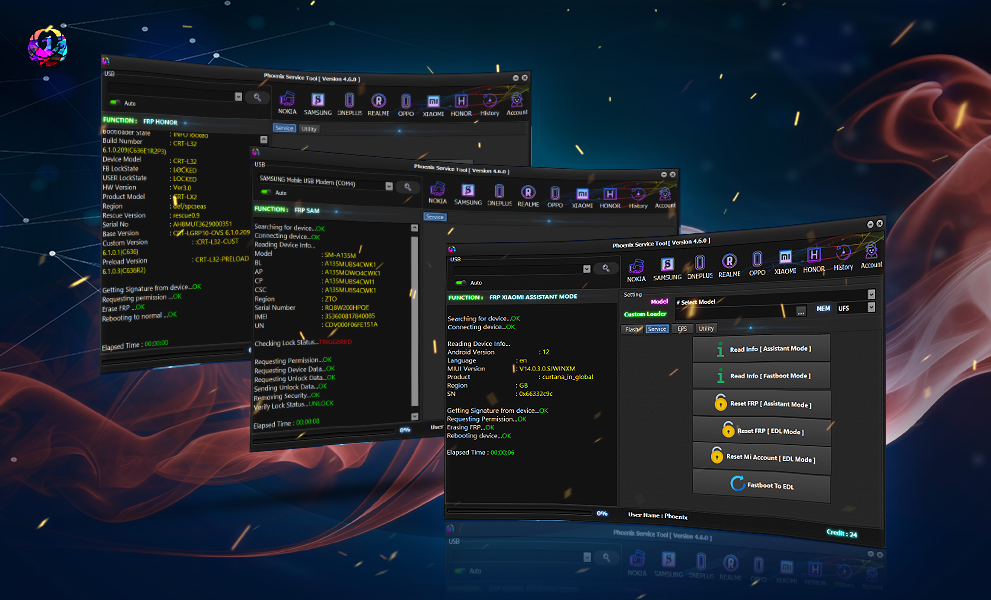
Phoenix Service Tool V10.0.0 is a powerful mobile servicing software with new Vivo Auth Service support for MTK, QLM, and Unisoc devices. It offers FRP reset, firmware flashing, demo unlock, EFS backup, and Fastboot operations in one professional solution.
What is Phoenix Service Tool V10.0.0 and Why Is It Needed?
Phoenix Service Tool V10.0.0 is a professional mobile unlock program and phone unlock app designed for Android servicing and repair operations. It allows users to perform advanced tasks on smartphones using Fastboot and authorized service modes.
The latest Phoenix Service Tool update introduces Vivo Auth Tool Download support, enabling secure communication with Vivo devices for advanced servicing functions.
Why Technicians Need Phoenix Service Tool V10.0.0
Modern smartphones include strict security protections that prevent unauthorized modifications. Technicians often face problems such as:
- FRP lock after reset
- Bootloop issues
- Forgotten passwords
- Demo mode restrictions
- Corrupted firmware
- Partition damage
- EFS corruption
- Fastboot lock limitations
Phoenix Service Tool V10.0.0 solves these problems efficiently through authorized service methods.
Why Individual Users Use It
Even non-technical users can benefit from:
- Factory reset solutions
- Device recovery
- Firmware flashing
- Fastboot information reading
- Demo unlock services
- Backup and restore functions
Because of its beginner-friendly interface, Phoenix Service Tool V10.0.0 is becoming popular among smartphone enthusiasts and repair shop owners alike.
Key Features of Phoenix Service Tool V10.0.0
The newest version introduces several powerful capabilities that make it one of the Best Phoenix Service Tool V10.0.0 2025 releases available today.
1. Vivo Auth Service Support
The highlight of Phoenix Tool Vivo Auth Service is official support for Vivo authorization-based operations.
Supported Chipsets
- MTK Devices
- QLM Devices
- Unisoc Devices
This allows secure communication with modern Vivo smartphones.
2. Factory Reset + FRP Unlock
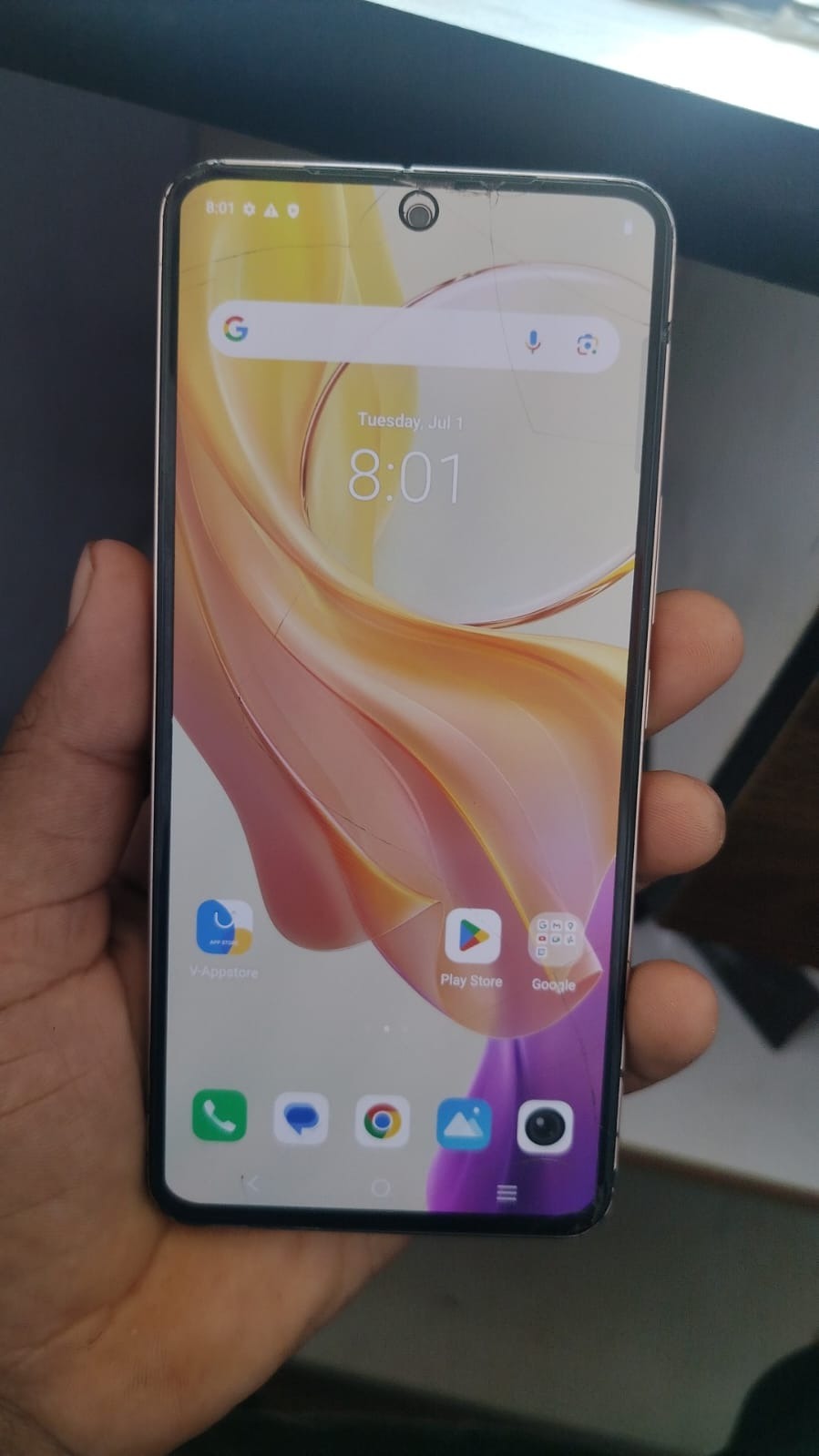
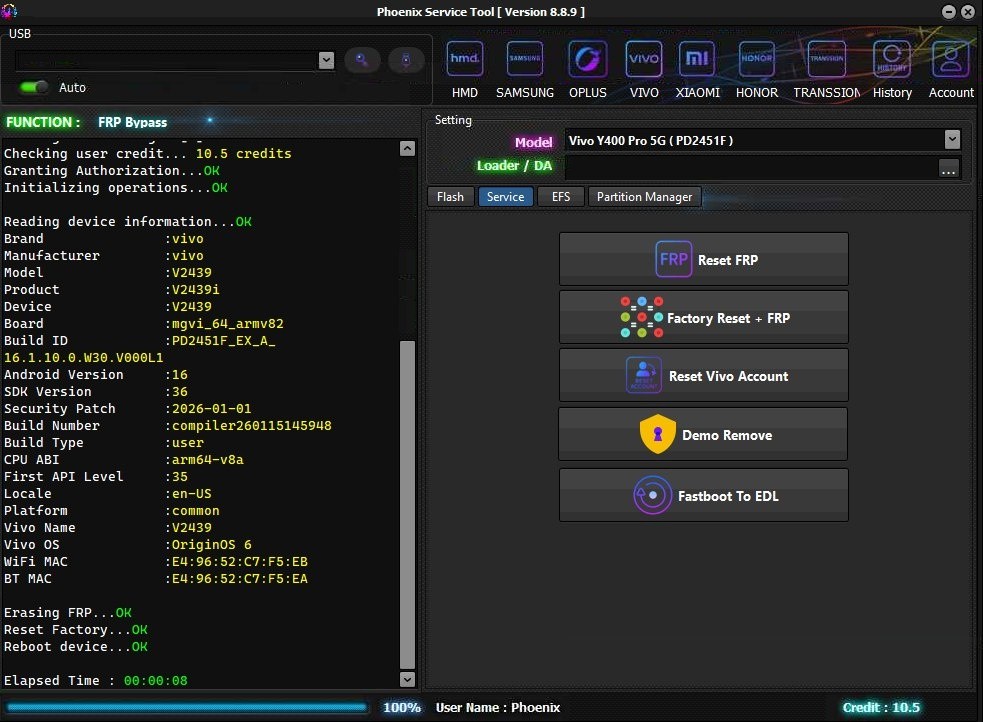
One of the most demanded features is Vivo Fastboot FRP Unlock support.
Users can:
- Remove FRP lock
- Reset device safely
- Restore factory settings
- Unlock forgotten accounts
This feature is especially useful for technicians handling locked customer devices.
3. Flashing Firmware
Phoenix Service Tool V10.0.0 update allows users to:
- Flash stock ROMs
- Repair boot issues
- Restore dead phones
- Downgrade or upgrade firmware
The flashing process is optimized for speed and reliability.
4. Demo Unlock
Retail demo devices can now be converted into normal working devices using demo unlock support.
Benefits include:
- Remove demo restrictions
- Enable SIM functionality
- Access full Android features
5. Partition Manager
Advanced users and technicians can manage:
- Device partitions
- System partitions
- Vendor partitions
- User data partitions
This feature helps in deep-level repairs.
6. EFS Backup and Restore
EFS corruption may cause:
- No network
- IMEI loss
- Baseband issues
Phoenix Service Tool V10.0.0 allows secure EFS backup and restore operations to protect important device data.
7. Fastboot Mode Information
Users can:
- Read device information
- Detect model number
- Verify bootloader status
- Identify firmware compatibility
This simplifies troubleshooting.
Supported Devices and Brands
Phoenix Tool MTK QLM Unisoc support covers a wide range of Android smartphones.
Supported Brands
Vivo
- Vivo Y Series
- Vivo V Series
- Vivo X Series
- Vivo iQOO Models
Other Android Brands
Support may vary depending on chipset compatibility.
Supported Chipsets
| Chipset Type | Supported |
|---|---|
| MTK | Yes |
| QLM | Yes |
| Unisoc | Yes |
Download and Installation Process
Installing Phoenix Service Tool V10.0.0 is simple if the correct steps are followed.
System Requirements
Before installation, ensure your PC meets these requirements:
| Requirement | Minimum |
| OS | Windows 10/11 |
| RAM | 4GB |
| Storage | 2GB Free |
| Drivers | USB Drivers Installed |
| Internet | Required for Activation |
Step-by-Step Installation Guide
Step 1 – Download the Tool
Download the latest Phoenix Service Tool V10.0.0 package from an authorized source.
Step 2 – Disable Antivirus Temporarily
Some service tools may trigger false antivirus warnings.
Step 3 – Extract ZIP File
Use:
- WinRAR
- 7-Zip
Extract files to desktop or preferred folder.
Step 4 – Install Drivers
Install:
- MTK Drivers
- Fastboot Drivers
- Vivo USB Drivers
Step 5 – Run Setup
Open setup file and follow installation wizard instructions.
Step 6 – Launch Tool
After installation:
- Open Phoenix Service Tool V10.0.0
- Login or activate license
- Connect device

How to Register and Activate
Activation is necessary for using premium features.
Registration Process
- Purchase activation plan
- Receive login credentials
- Login inside software
- Verify internet connection
- Start using tool
Activation Benefits
- Full feature access
- Regular updates
- Vivo Auth Service support
- Priority servicing
How to Use Phoenix Service Tool V10.0.0
The interface is designed for both beginners and professionals.
Basic Usage Steps
Step 1 – Boot Device into Fastboot Mode
Power off device and use Fastboot key combination.
Step 2 – Connect Device
Use original USB cable for stable connection.
Step 3 – Read Device Information
The software detects:
- Model
- Chipset
- Security level
Step 4 – Select Required Operation
Choose:
- FRP Reset
- Flash Firmware
- Demo Unlock
- EFS Backup
- Partition Repair
Step 5 – Wait for Completion
Do not disconnect device during operation.
IMEI Repair and Other Services
Professional technicians often use Phoenix Service Tool V10.0.0 for advanced servicing operations.
Supported Services
- IMEI Repair
- Baseband Repair
- Boot Repair
- FRP Unlock
- Firmware Flashing
- Device Recovery
Note: Always comply with local laws before performing IMEI-related operations.
Comparison with Other Tools
| Feature | Phoenix Service Tool V10.0.0 | Other Tools |
| Vivo Auth Support | Yes | Limited |
| MTK Support | Yes | Yes |
| QLM Support | Yes | Partial |
| Unisoc Support | Yes | Limited |
| Fastboot FRP Unlock | Yes | Varies |
| EFS Backup | Yes | Limited |
| Demo Unlock | Yes | Rare |
| Beginner Friendly | Yes | Medium |
Phoenix Service Tool V10.0.0 stands out because of its modern Vivo authorization support and multi-chipset compatibility.
Safety Tips and Legal Considerations
Using professional service software requires responsibility.
Safety Tips
- Always backup important data
- Use original USB cables
- Avoid interrupting flashing process
- Download firmware from trusted sources
- Keep PC drivers updated
Legal Considerations
Users should:
- Operate only on owned or authorized devices
- Follow regional repair laws
- Avoid misuse of IMEI functions
- Respect manufacturer policies
Professional technicians should maintain customer consent before performing repairs.
Troubleshooting Common Errors
Even advanced tools may occasionally encounter issues.
1. Device Not Detected
Solution
- Reinstall drivers
- Change USB port
- Use original cable
2. Fastboot Connection Failed
Solution
- Reboot device
- Enter Fastboot correctly
- Update Fastboot drivers
3. Authorization Error
Solution
- Verify internet connection
- Check license status
- Re-login account
4. Flashing Failed
Solution
- Download correct firmware
- Ensure battery above 50%
- Use compatible files
5. Login Error
Solution
- Reset password
- Disable firewall temporarily
- Contact support
Pricing and Subscription Plans
Phoenix Service Tool V10.0.0 typically offers flexible activation plans.
Common Plans
| Plan | Duration |
| Trial | Limited |
| Monthly | 1 Month |
| Quarterly | 3 Months |
| Half-Yearly | 6 Months |
| Annual | 12 Months |
Who Should Buy It?
Recommended for:
- Mobile repair shops
- Unlocking professionals
- Firmware technicians
- Smartphone enthusiasts
- Software resellers
Frequently Asked Questions (FAQs)
What is Phoenix Service Tool V10.0.0 used for?
It is used for Android servicing tasks like FRP unlock, firmware flashing, EFS backup, Fastboot operations, and Vivo Auth servicing.
Does Phoenix Service Tool support Vivo devices?
Yes, the latest Phoenix Service Tool update adds Vivo Auth Service support for MTK, QLM, and Unisoc devices.
Is Phoenix Service Tool beginner friendly?
Yes. The interface is designed for both beginners and professional technicians.
Can I use Phoenix Service Tool for FRP unlock?
Yes, Vivo Fastboot FRP Unlock is one of the main features.
Does it support firmware flashing?
Yes. Users can flash firmware, repair bootloops, and restore devices.
Is activation required?
Yes. Premium features require active license registration.
Which operating system is supported?
Windows 10 and Windows 11 are recommended.
Final Thoughts
Phoenix Service Tool V10.0.0 is one of the most advanced mobile servicing solutions currently available for Vivo and Android devices. With powerful Vivo authorization support, Fastboot servicing features, flashing capabilities, EFS management, and multi-chipset compatibility, it provides exceptional value for both beginners and professional technicians.