


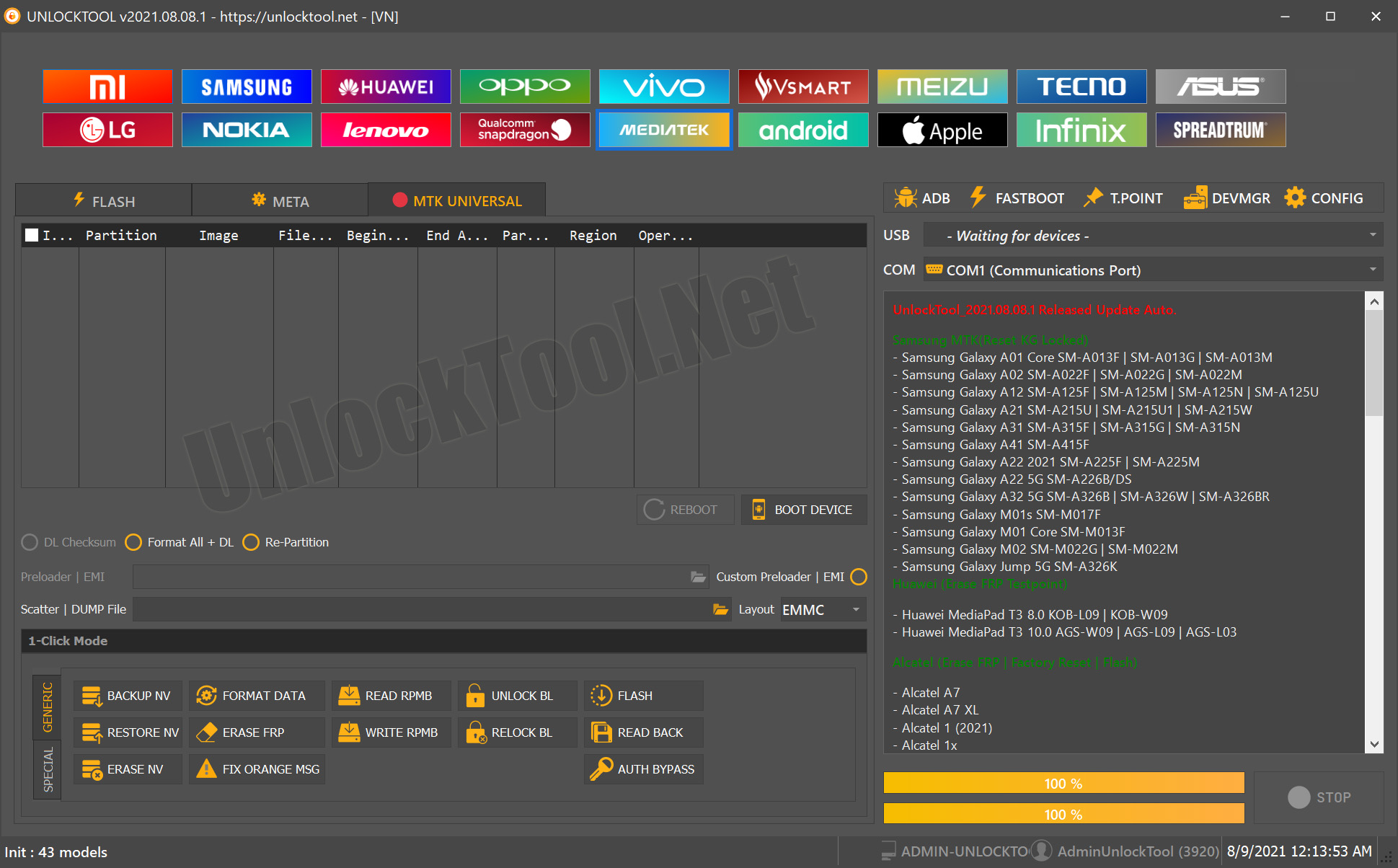
UnlockTool has once again raised the bar for mobile repair and unlocking professionals with its 2025.10.15.0 Update. This latest release brings cutting-edge improvements for TECNO, INFINIX (MTK Android 15) and Xiaomi Qualcomm-based smartphones, empowering technicians and users with faster, more secure unlocking, flashing, and FRP removal options.

Whether you are an individual phone repairer, a professional technician, or a mobile service shop owner, this update is a must-have. In this guide, we’ll walk through everything — from features and supported devices to installation, registration, usage, and troubleshooting — all optimized for the UnlockTool 2025.10.15.0 Update.
Buy UnlockTool Activation
• Official **UnlockTool Activation – Safe & trusted
• Instant access to FRP, flashing & unlocking
• No dongle needed – 100% online tool
• Supports multiple Android devices
• Regular updates & latest features
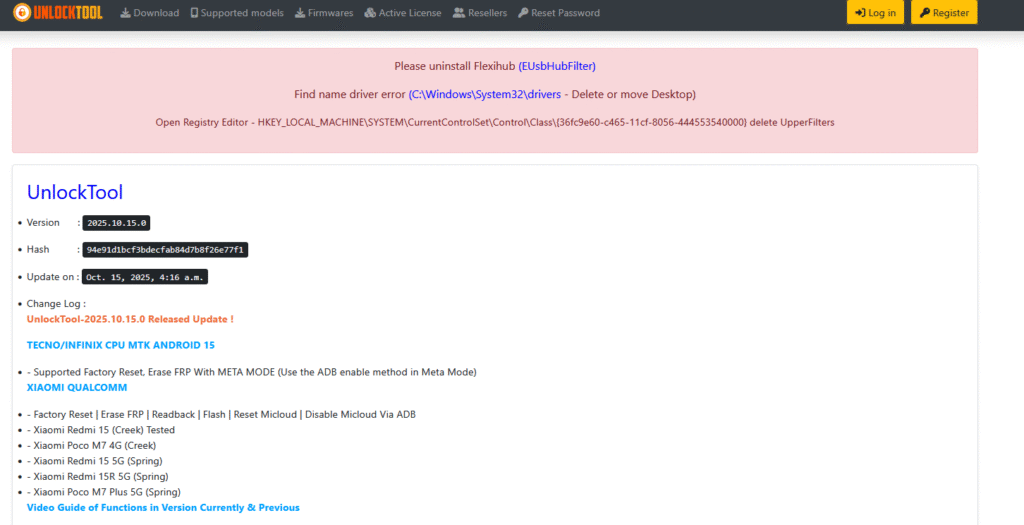
What is UnlockTool and Why It’s Needed?
UnlockTool is a professional Android unlocking and servicing software that supports multiple chipsets UnlockTool is a powerful and versatile mobile servicing solution that supports leading chipsets such as Qualcomm, MediaTek (MTK), Exynos, and Spreadtrum (SPD). It is designed for professionals who need reliable access to advanced device operations, including:
- FRP (Factory Reset Protection) removal
- Firmware flashing and custom ROM installation
- Network unlocking
- IMEI repair and patching
- Factory reset and bootloader unlocking
- Data read/write operations via ADB, Fastboot, and Meta modes
As smartphone security becomes increasingly sophisticated with every new Android release, having a dependable tool is more important than ever. UnlockTool stands out by enabling technicians to handle restrictions efficiently while maintaining safe and compliant servicing practices.
The latest UnlockTool 2025.10.15.0 update takes things even further, introducing enhanced support for Android 15 on MediaTek devices along with expanded compatibility for several Xiaomi Qualcomm models—making it an essential upgrade for modern mobile repair workflows.
Key Features of UnlockTool 2025.10.15.0 Update
This latest version is built for stability, wider compatibility, and technician-friendly usability. Below are the top features added in UnlockTool 2025.10.15.0 Update:
TECNO / INFINIX MTK Android 15 Support
- Factory Reset and FRP Erase via Meta Mode
- Compatible with Android 15-based MTK CPUs
- Use ADB enable method directly through Meta Mode
- Faster processing and reduced error rates
Xiaomi Qualcomm Enhancements
- Full support for:
- Factory Reset
- Erase FRP
- Readback
- Flash
- Reset MiCloud
- Disable MiCloud via ADB
- New devices tested and confirmed:
- Xiaomi Redmi 15 (Creek)
- Xiaomi Poco M7 4G (Creek)
- Xiaomi Redmi 15 5G (Spring)
- Xiaomi Redmi 15R 5G (Spring)
- Xiaomi Poco M7 Plus 5G (Spring)
Performance & User Interface Updates
- Improved operation speed with new threading system
- Enhanced error reporting and log analysis
- Updated driver compatibility for Windows 11 and 12
- Auto-update patch for latest device security levels
Supported Devices and Brands (2025 Edition)
UnlockTool is widely recognized for its multi-brand coverage. With the 2025.10.15.0 update, the support list expands even further:
| Brand | Chipset | Supported Operations |
|---|---|---|
| TECNO / Infinix | MTK (Android 15) | Factory Reset, FRP Erase, ADB Enable (Meta Mode) |
| Xiaomi / Redmi / Poco | Qualcomm | Flash, Readback, FRP, Mi Cloud Reset |
| Samsung | Exynos / Qualcomm | FRP Unlock, Network Unlock, IMEI Repair |
| Oppo / Realme / Vivo | MTK / Qualcomm | Flash, FRP, Pattern Reset |
| Huawei / Honor | Kirin / Qualcomm | Fastboot Unlock, FRP Erase, ID Bypass |
| Nokia / Lenovo / Motorola | Qualcomm / MTK | Factory Reset, FRP Unlock |
The UnlockTool team continuously adds more models via OTA updates, making it the best Android unlock software 2025.
Download and Installation Process
Downloading and installing the UnlockTool 2025.10.15.0 Update is straightforward if you follow each step carefully.
Step-by-Step Installation Guide
- Visit the official UnlockTool portal or authorized reseller.
- Download the latest setup file for Windows.
- Extract the .zip file to your desktop.
- Run the UnlockTool_Setup.exe as Administrator.
- Complete the installation following on-screen instructions.
- Launch the tool and wait for it to auto-update to 2025.10.15.0 version.
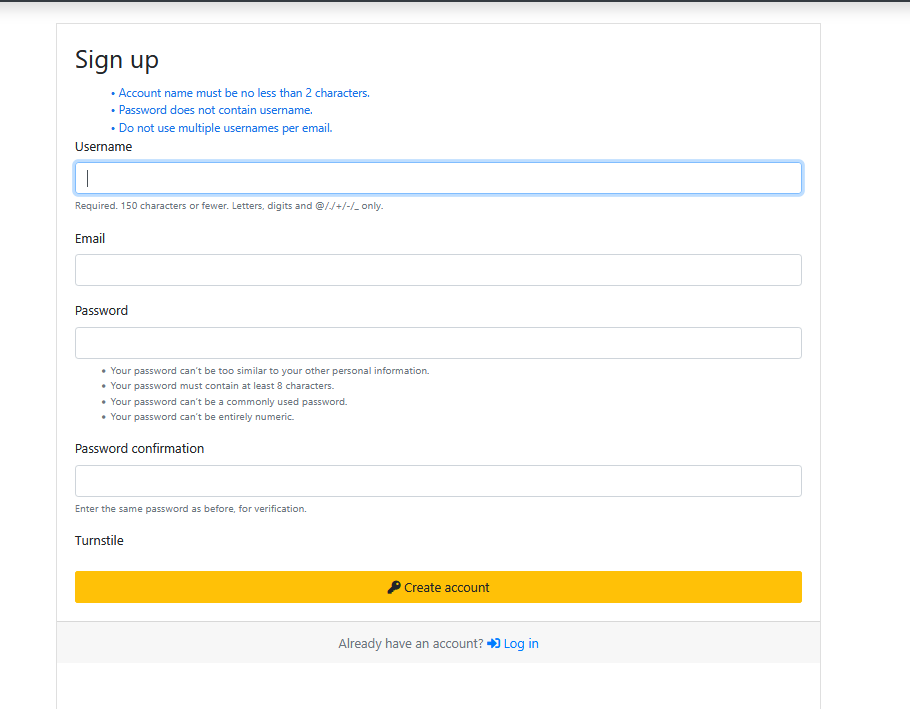
- Login or register your account to activate the license.
Tip: Make sure your antivirus is disabled temporarily during installation to avoid false detections.

How to Register and Activate UnlockTool
- Purchase a license from an authorized UnlockTool reseller.
- You’ll receive your Username and Password or Activation Key.
- Open the tool → Click “Login” → Enter credentials.
- The software will connect to the UnlockTool server for verification.
- Once activated, your license will be valid for the chosen duration (e.g., 3,6 month or 1 year).
How to Use UnlockTool 2025.10.15.0 (For Owners and Technicians)
UnlockTool is designed for ease of use, even for new technicians. Below is how you can utilize the latest features effectively.
FRP Unlock
- Connect the phone in Meta Mode (for MTK) or EDL/Fastboot Mode (for Qualcomm).
- Select the correct brand and model.
- Choose Erase FRP or Factory Reset.
- Click Start and wait until the process completes.
Supported FRP methods:
- ADB FRP Reset
- Meta Mode FRP Bypass
- Fastboot FRP Unlock
- Test Point-based FRP for Qualcomm
Network Unlock
- UnlockTool supports SIM network unlock for supported brands.
- Connect device → Select Network Unlock → Follow on-screen guide.
- The process removes carrier locks and enables global SIM usage.
IMEI Repair & Advanced Features
- IMEI Patch (MTK and Qualcomm)
- Read & Write QCN/Modem files
- Backup & restore NVRAM/NVDATA
- Unlock Bootloader or Relock (where applicable)
Comparison with Other Tools (2025)
| Feature | UnlockTool | UFI Box | Chimera Tool | MRT Dongle |
|---|---|---|---|---|
| Android 15 MTK Support | Yes | No | Yes | No |
| Xiaomi Qualcomm FRP | Yes | Yes | Yes | Yes |
| Server Activation (Online) | Yes | No | Yes | No |
| UI/UX Simplicity | High | Medium | Medium | Low |
| Price Flexibility | Affordable | High | Medium | Low |
| Regular Updates | Weekly | Rare | Monthly | Limited |
UnlockTool clearly stands out for faster updates, affordability, and wide device coverage.
Safety Tips and Legal Considerations
UnlockTool is a professional servicing utility, and users must follow ethical and legal usage guidelines:
- Only unlock or reset devices with owner consent
- Avoid using the tool for stolen or unauthorized devices
- Keep your license credentials private
- Use official firmware files and USB drivers to prevent bricking devices
Using UnlockTool responsibly helps maintain your reputation as a trusted mobile repair technician.
Troubleshooting Common Errors
| Error Message | Possible Cause | Solution |
|---|---|---|
| Login Failed | Server issue or expired license | Recheck internet or renew license |
| Driver Not Detected | USB drivers missing | Install latest MTK/Qualcomm drivers |
| Operation Failed (FRP) | Unsupported version | Try Meta Mode or ADB method |
| Device Not Found | Connection timeout | Use different USB port or cable |
| Update Error | Antivirus blocking files | Temporarily disable antivirus |
Pricing and Subscription Plans
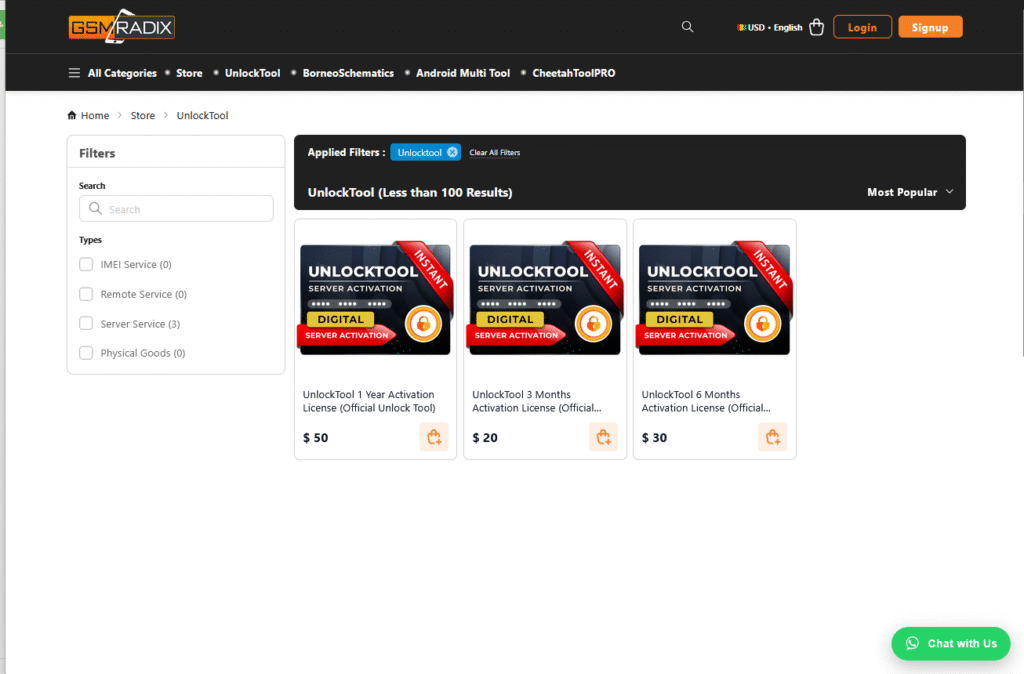
UnlockTool offers flexible pricing based on duration:
| Plan Type | Duration | Price | Features Included | Suitable For |
|---|
| Quarterly Plan | 3 Months | $19.99 | Full access + priority support & updates | Small service centers / startups |
| Half-Year Plan | 6 Months | $29.99 | Full access to all modules | Beginners / short-term users |
| Annual Plan | 12 Months | $49.99 | Full access + premium updates & support | Professional repair shops |
You can renew directly from the UnlockTool dashboard or via authorized Resellers.
Frequently Asked Questions (FAQs)
Q1: What’s new in UnlockTool 2025.10.15.0?
A: It adds Android 15 support for MTK-based TECNO and INFINIX devices, along with new Xiaomi Qualcomm models featuring FRP removal, flashing, and MiCloud reset.
Q2: Is UnlockTool safe to use?
A: Yes, it is safe when downloaded from the official UnlockTool server or trusted resellers.
Q3: Can I use UnlockTool offline?
A: No, an internet connection is required for activation and most operations.
Q4: Does UnlockTool support Android 15 devices?
A: Yes, especially MTK-based TECNO and INFINIX devices in the latest update.
Q5: How can I contact UnlockTool support?
A: You can reach support via official WhatsApp, Telegram, or the website contact page.
Final Thoughts + Download / Contact / Subscribe
The UnlockTool 2025.10.15.0 update brings improved Android 15 support, enhanced Qualcomm FRP features, and better overall performance—making it a powerful choice for mobile servicing.
For technicians and shop owners, upgrading helps save time and stay ahead of the competition.
Why Buy from GsmRadix
- 100% genuine and verified firmware
- Official download mirror of UnlockTool 12 Months
- Instant auto-delivery 24/7
- Secure checkout with fast technical support

We stumbled over here by a different page and thought I might check things out.
I like what I see so i am just following you. Look forward to going over your web page for a second time.
Thank you for the good writeup. It if truth be told used to
be a enjoyment account it. Look complex to more brought agreeable from you!
By the way, how could we keep in touch?
I am sure this post has touched all the internet people, its really really pleasant post on building up new
webpage.
My page; ultimateshop