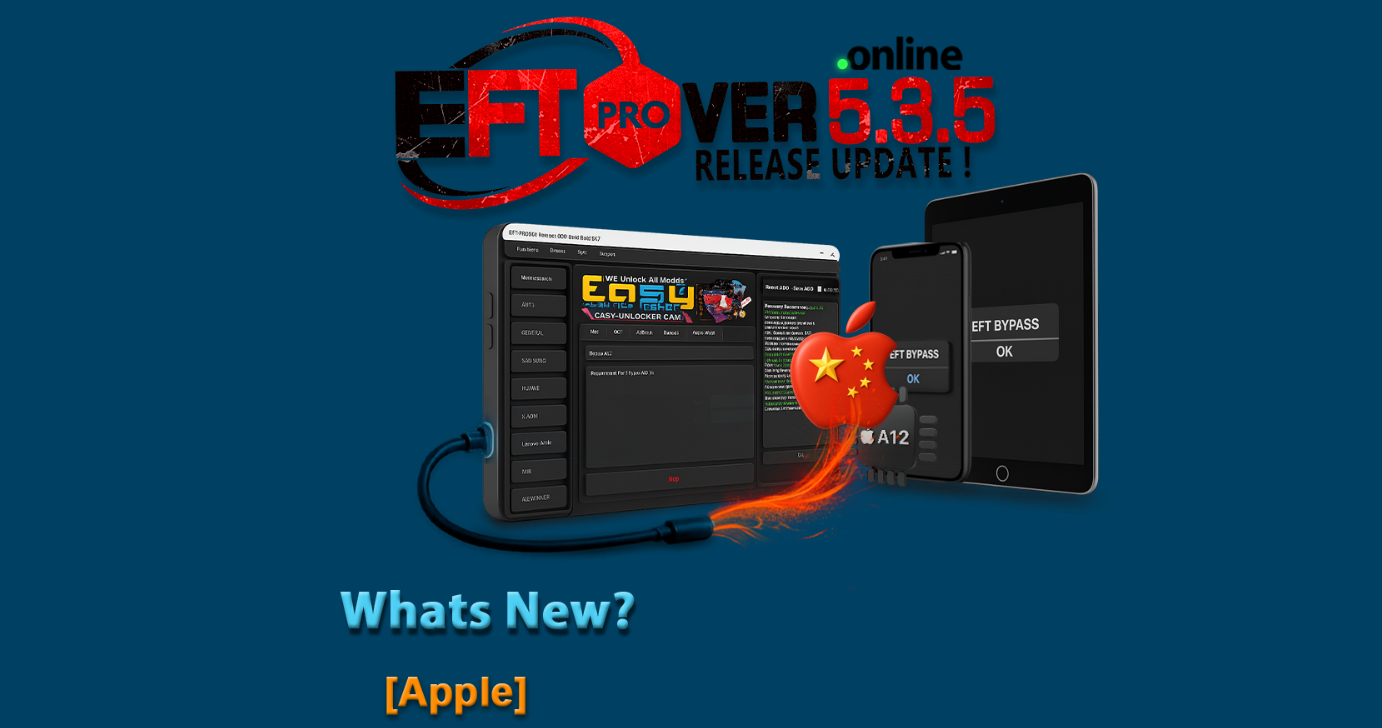
The mobile unlocking and repair industry is growing faster than ever, and tools that offer high stability, fast performance, and wide compatibility are now essential. In 2025, EFT Pro Dongle continues to dominate the market, and its latest release—EFT Pro Dongle V5.3.5 Update—has added some powerful features that technicians have been waiting for.
This update focuses heavily on Apple A12 Bypass, improved China BETA functions, expanded iPad/iPhone model coverage, and more stable performance for both personal users and GSM repair centers. Whether you are a beginner, an advanced technician, or a shop owner, this version gives you more reliability and flexibility to handle complex iOS cases.
In this detailed article, we explore everything about the EFT Pro Dongle V5.3.5 Update—its features, supported devices, installation steps, troubleshooting, benefits, and how it compares to other mobile unlock programs and phone unlock apps.
What is EFT Pro Dongle V5.3.5 Update and Why It Is Needed?
The EFT Pro Dongle V5.3.5 Update is the latest version of the EFT Pro software suite, designed for unlocking, bypassing, flashing, repairing IMEI (where legal), and managing iOS and Android devices. The update focuses primarily on:
- Apple A12 Bypass up to iOS 26.1 (China BETA)
- A12 MTH-3 Bypass support
- Stability improvements
- Support for a wider range of iPad and iPhone models
Why this update is important?
- Newer iOS versions require advanced bypass logic
Apple’s latest firmware updates are harder to bypass. This update keeps EFT Pro competitive. - Technicians need faster & more stable solutions
GSM repair shops require reliable tools that won’t fail during customer jobs. - Wider device compatibility = more customers
Supporting more models directly increases shop revenue opportunities. - Better performance for both new and existing users
Users upgrading from older versions will see significant performance improvements. - China BETA bypass is highly demanded
Especially for technicians dealing with imported iPhones.
In short: this update is required to stay ahead in the mobile repair industry.
Key Features of EFT Pro Dongle V5.3.5 Update (Latest Version)
The latest release has brought multiple enhancements. Below are the key highlights:
1. Apple A12 Bypass (up to 26.1) – China BETA
A major addition in the EFT Pro Dongle V5.3.5 Update is the A12 Bypass support for iOS 16–26.1 in China-specific models.
Key advantages:
- Works across a wide range of iPhones and iPads
- Useful for iCloud-locked devices
- Faster and more stable BETA performance
2. A12 (MTH 3) Bypass – BETA
This targets devices running the MTH 3 bootchain.
Benefits:
- Better compatibility
- Ideal for both personal and commercial GSM work
3. Huge Expansion in Supported Models
This update includes newer iPads, iPad Air generations, iPad mini, and iPhone 15–17 series models.
(A full supported models list is available in the next section.)
4. Overall Performance Enhancements
Technical improvements include:
- Faster bypass processing
- Improved device detection
- Better USB driver support
- More stable operations for repair centers
5. Enhanced Security
This version ensures:
- Safer flashing
- Reduced risk of device soft-bricks
- Stronger internal validation
6. Technician-Friendly Optimization
- Simplified UI
- Better logs
- Clearer on-screen instructions
- Less chance of user error
Supported Devices and Brands
Below is the complete EFT Pro Dongle Supported Models List included in the V5.3.5 update. This list covers iPhone, iPad, iPad Air, iPad Pro, and iPad mini.
✔ Supported iPad Models
- iPad8-3
- iPad8-5
- iPad8-7
- iPad8-9
- iPad8-10
- iPad8-9 [11″ Wi-Fi 2nd Gen]
- iPad8-11 [12.9″ 4th Gen]
- iPad11-1, 11-2 (iPad mini 5)
- iPad11-4 (iPad Air 3rd)
- iPad11-6, 11-7 (iPad 8th Gen)
- iPad12-1, 12-2 (iPad 9th Gen)
- iPad13-18, 13-19 (iPad 10th Gen)
- iPad13-16, 13-17 (iPad Air 5th)
- iPad14-8, 14-10 (iPad Air 6th Gen)
- iPad14-3 (iPad Pro 11 4th Gen)
- iPad14-5 (iPad Pro 12.9 6th Gen)
✔ Supported iPhone Models
- iPhone 11 / 11 Pro / 11 Pro Max
- iPhone SE 2nd Gen
- iPhone 12 mini / 12 / 12 Pro / 12 Pro Max
- iPhone 13 mini / 13 / 13 Pro / 13 Pro Max
- iPhone SE 3rd Gen
- iPhone 14 / 14 Plus / 14 Pro / 14 Pro Max
- iPhone 15 / 15 Plus / 15 Pro / 15 Pro Max
- iPhone 16 series
- iPhone 17 Pro Max
- iPhone Air
This makes the EFT Pro Dongle V5.3.5 Update one of the most comprehensive Apple bypass tools in the market.
Download and Installation Process
Below is the official method to install the latest version.

Step-by-Step Installation Guide
- Download the latest EFT Pro Dongle V5.3.5 Update installer
(You can provide your download link here.) - Extract the ZIP file using WinRAR or 7Zip
- Connect your EFT Pro Dongle to the USB port
- Run the installer as Administrator
- Follow on-screen steps:
- Install USB drivers
- Install core modules
- Install backup libraries
- Restart the application
- The tool will automatically detect the dongle
How to Register and Activate
- Open the EFT Pro Dongle app
- Go to Register / Login
- Enter your EMail id and Password
- Link your dongle ID Or Digital Software
- Verify your email / phone number If Available in this Software
- Call Reseller For Activation Dongle or Digital Service
How to Use EFT Pro Dongle V5.3.5 Update (For Owners & Technicians)
This tool is designed for both:
- Normal users (self-repair)
- Professional GSM technicians
- Mobile repair shops
- Business owners offering software services
Common Tasks You Can Perform
- iPhone A12 Bypass
- iPad activation bypass
- Remove MEID restrictions
- Restore system firmware
- iOS downgrade/upgrade (supported)
- Device backup/restore
- Delete MDM profile
- Read device info
- Flash IPSW files
- DFU mode management
- Repair baseband issues
- Read / write system files
IMEI Repair Services (Where Legal)
IMEI modifications are illegal in many countries. Perform only if legally permitted.
The tool supports:
- IMEI repair
- Baseband fix
- Serial reading
- Network unlock options
Comparison with Other Tools
| Feature | EFT Pro Dongle V5.3.5 Update | Competitor Tool A | Competitor Tool B |
|---|---|---|---|
| Apple A12 Bypass | ✔ Up to 26.1 | ✖ Limited | ✔ Partial |
| China BETA | ✔ Strong | ✖ No | ✖ Weak |
| Supported Models | Very wide | Medium | Low |
| Speed | Fast | Average | Slow |
| Stability | High | Medium | Medium |
| Price | Affordable | High | Medium |
Safety Tips and Legal Considerations
To remain compliant and safe:
- Only perform bypass on devices you own or have legal permission for.
- Never use for stolen or lost devices.
- Backup your data before flashing.
- Use only official firmware files.
- Do not disconnect the device during bypass.
- Make sure your USB cable is original.
Troubleshooting Common Errors
1. Dongle Not Detected
- Reinstall drivers
- Change USB port
- Try different PC
2. Bypass Stuck at 20–40%
- Use original cable
- Update iTunes
- Restart PC
3. Activation Error 401 / 403
- Check your internet
- Re-register your dongle
- Reset system firewall
4. Device Not Entering DFU Mode
- Use correct key combinations
- Try alternative cable
- Restart device
Pricing and Subscription Plans
EFT Pro Dongle offers multiple plan options:
| Plan Type | Features | Recommended For |
|---|---|---|
| Standard License | Basic bypass & tools | Individual users |
| Professional License | Full Apple/Android tools | Technicians |
| 1-Year Renewal | Annual updates | Repair shops |
| Lifetime License | One-time payment | Commercial labs |
(You can insert your sell price here.)
Frequently Asked Questions (FAQ)
1. What is the EFT Pro Dongle V5.3.5 Update?
It’s the latest 2025 update offering A12 bypass, China BETA support, and new model compatibility.
2. Does this update support iPhone 11/12/13/14/15/16?
Yes, all are supported.
3. Is this tool beginner-friendly?
Yes. Even first-time users can follow the UI steps.
4. Can I use this tool for iCloud unlock?
Only for authorized/legal bypass methods.
5. Do I need internet to use it?
Yes, for activation and some services.
6. Can repair shops use this tool commercially?
Absolutely. It is designed for professional GSM shops.
7. Is the China BETA bypass stable?
Yes, BETA is fast and works on A12 models up to iOS 26.1.
Final Thoughts + Download / Contact CTA
The EFT Pro Dongle V5.3.5 Update is currently one of the most powerful and reliable Apple bypass tools available in 2025. With expanded A12 support, improved China BETA performance, and the widest supported model list, it is a must-have for:
- GSM repair centers
- Mobile shops
- Freelance technicians
- Individual device owners
If you want stable, fast, and next-level unlocking capability — this update is essential.
Why Buy from GsmRadix
- 100% genuine and verified firmware
- Official download mirror of UnlockTool 3 months
- Instant auto-delivery 24/7
- Secure checkout with fast technical support