


The mobile repair and unlocking industry is evolving faster than ever. Every new Android security patch, chipset update, or iOS change brings new challenges for technicians and individual users alike. To keep up with these changes, professionals rely on powerful, frequently updated tools that deliver reliability, accuracy, and wide device support.

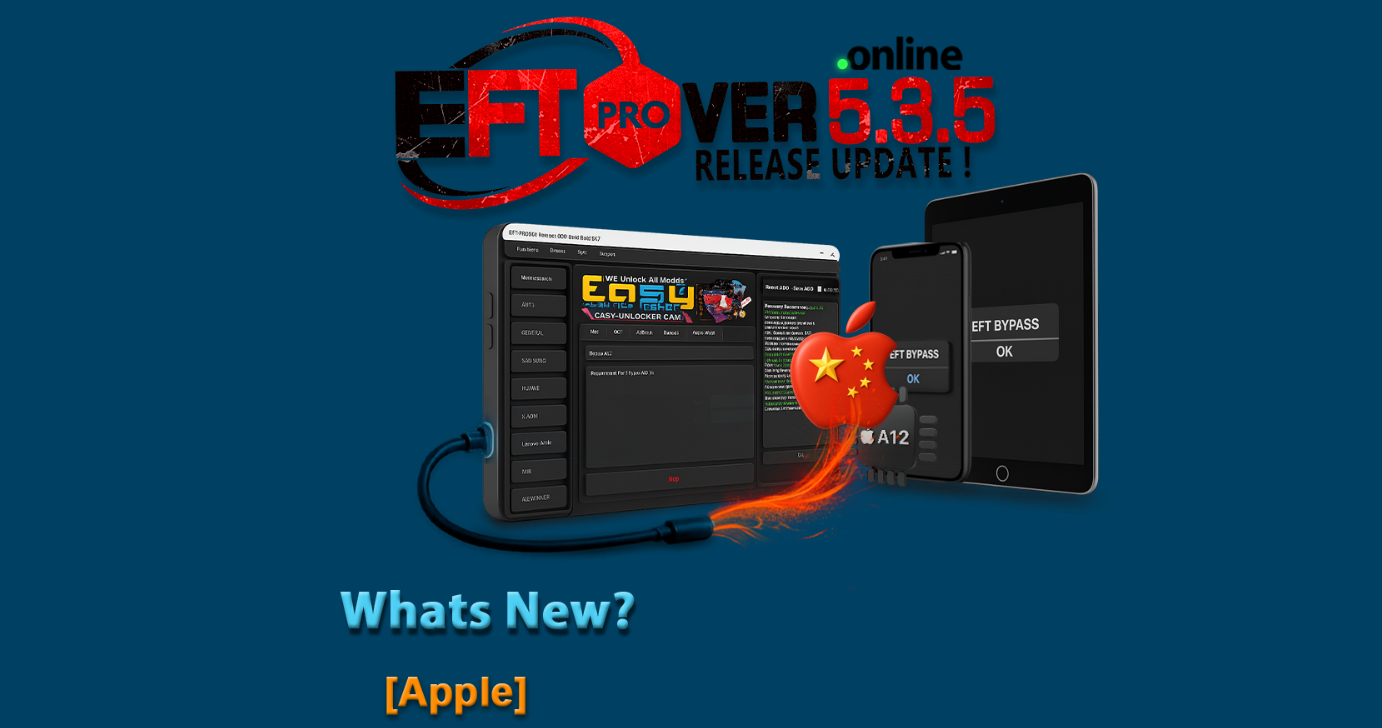
One such trusted tool is the EFT Pro Dongle, and with the release of EFT Pro Dongle Update V5.3.6, the software has taken a significant step forward. This update introduces Apple Flash Download support, expands Samsung MTK and Qualcomm compatibility, and improves essential services such as FRP removal, factory reset, read info, and flashing.
This in-depth guide on EFT Pro Dongle Update V5.3.6 is designed for:
- Individual users who own the dongle
- Professional technicians
- Mobile repair shop owners
- Service centers and resellers
By the end of this article, you will understand what the update offers, how to download and install it, supported models, usage methods, pricing, safety considerations, and how it compares with other mobile unlock programs.
What is EFT Pro Dongle Update V5.3.6 and Why It Is Needed
EFT Pro Dongle Update V5.3.6 is the latest official software release for the EFT Pro Dongle tool. It enhances the existing capabilities of the software while adding new device support and system-level improvements.
Why This Update Is Important
Modern smartphones come with:
- Stronger security layers
- Frequent Android and iOS updates
- New chipset architectures
- Updated bootloaders and protections
Older versions of mobile unlock programs struggle to handle these changes. The Best EFT Pro Dongle Update V5.3.6 2025 ensures technicians can:
- Work on newly released Samsung models
- Handle MTK and Qualcomm chipsets more effectively
- Perform Apple firmware downloads safely
- Reduce error rates during flashing and FRP operations
In short, EFT Pro Dongle Update V5.3.6 is essential to remain competitive, professional, and efficient in the mobile servicing industry.
Key Features of EFT Pro Dongle Update V5.3.6 (Latest Version)
The latest version brings meaningful improvements rather than minor tweaks. Below are the standout features of EFT Pro Dongle Update V5.3.6.
Apple Flash Download Feature
One of the biggest highlights of this release is:
- Official Apple Flash Download support
- Faster firmware fetching
- Improved compatibility with Apple devices
- Reduced dependency on third-party sources
This makes the tool more versatile, especially for technicians who work with both Android and iOS ecosystems.
Expanded Samsung MTK Support
Under the MTK section, EFT Pro Dongle Update V5.3.6 New Supported Samsung Models include functions such as:
- FRP removal
- Read Info
- Flash
- Read Flash
This ensures better handling of MediaTek-powered Samsung smartphones that were previously unsupported or unstable.
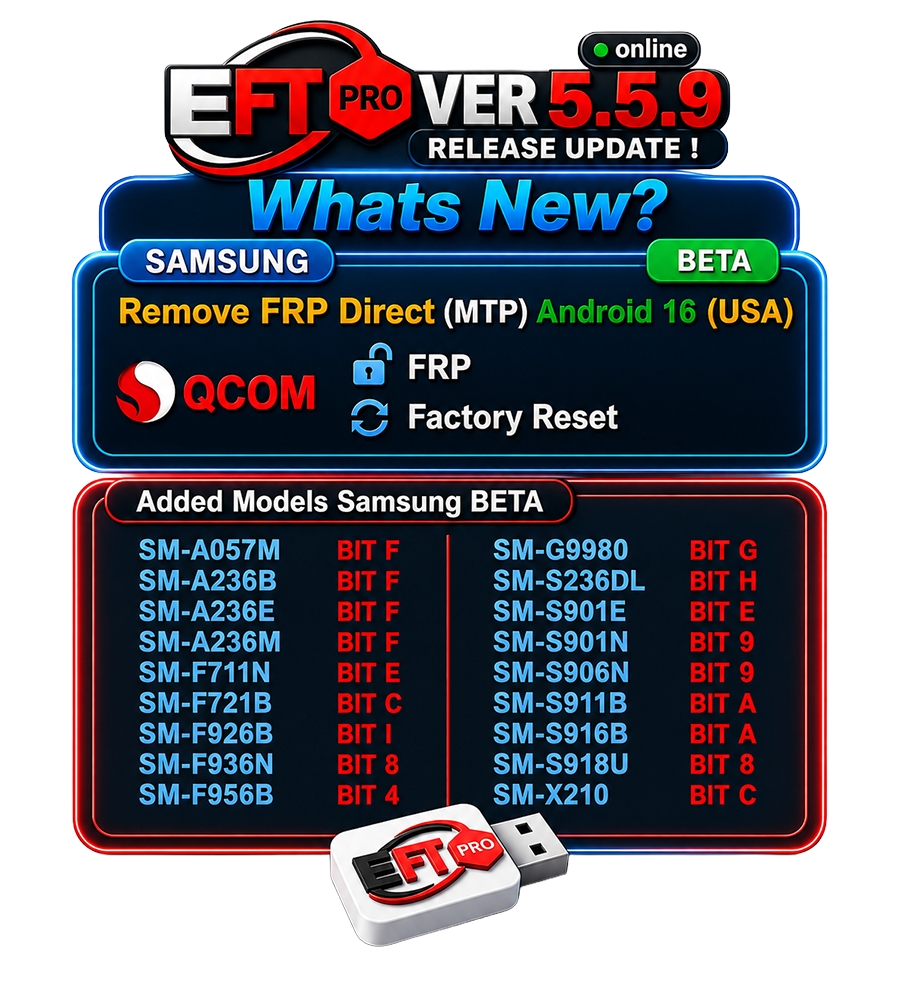
Qualcomm V2 Samsung Model Support
For Qualcomm devices, the update adds:
- New Samsung V2 models
- FRP reset
- Factory reset
This makes EFT Pro Dongle V5.3.6 MTK Qualcomm Full Details especially attractive for service centers that deal with mixed chipset devices daily.
Performance and Stability Improvements
- Faster detection of connected devices
- Reduced crashes during operations
- Improved error handling
- Optimized workflow for professional repair environments
Supported Devices and Brands
Apple Devices
- Apple Flash Download support added
- Firmware download directly from supported sources
Samsung MTK Models (Examples)
The following Samsung MTK models are supported in EFT Pro Dongle Update V5.3.6:
- Samsung SM-A175F (BIT-1)
- Samsung SM-X230 (BIT-1)
- Samsung SM-X236B (BIT-1)
- Samsung SM-X133 (BIT-1)
- Samsung SM-X135F (BIT-1)
- Samsung SM-M075F (BIT-1)
- Samsung SM-E075F (BIT-1)
- Samsung SM-X930 (BIT-3)
- Samsung SM-X117 (BIT-7)
Samsung Qualcomm Models (Examples)
Under Qualcomm support, the following models are included:
- Samsung SM-A025U (BIT-6)
- Samsung SM-A025U1 (BIT-6)
- Samsung SM-A057F / A057G / A057M
- Samsung SM-A236B / A236M / A236U
- Samsung SM-G7810 / G781U
- Samsung SM-G9900 / G9960
- Samsung SM-M236L
- Samsung SM-S124DL / S236DL
- Samsung SM-S237VL
- Samsung SM-T727V
- Samsung SM-X210R / X216B / X218U
- Samsung SM-T507
- Samsung SM-T387A
This wide range makes EFT Pro Dongle Update V5.3.6 suitable for nearly every modern Samsung repair scenario.
Download and Installation Process
System Requirements
Before installing EFT Pro Dongle Update V5.3.6, ensure:
- Windows 10 or Windows 11 (64-bit recommended)
- Minimum 8 GB RAM
- Stable internet connection
- EFT Pro Dongle connected to USB
- Updated USB drivers
Step-by-Step Installation Guide
- Visit the official EFT Pro support website
- Log in using your registered account
- Download EFT Pro Dongle Update V5.3.6 setup file
- Disable antivirus temporarily (to avoid false positives)
- Run the installer as Administrator
- Follow on-screen instructions
- Restart your system after installation
Once installed, launch the software with the dongle connected.
How to Register and Activate
- Connect EFT Pro Dongle to PC
- Open the software
- Enter your registered username and password
- Allow the software to verify license online
- Activation completes automatically
If you are a new user, registration can be completed through an authorized reseller.
How to Use EFT Pro Dongle Update V5.3.6 (For Owners and Technicians)
The interface of EFT Pro Dongle Update V5.3.6 is designed to be simple yet powerful.
Common Operations
- FRP removal
- Factory reset
- Read device information
- Flash firmware
- Read flash data
IMEI Repair and Other Services
Depending on the model and chipset, technicians can:
- Repair or rebuild IMEI (where legally permitted)
- Fix baseband and network issues
- Resolve software bootloops
- Restore corrupted firmware
Important: Always follow local laws when using IMEI-related features.
Comparison with Other Tools
| Feature | EFT Pro Dongle Update V5.3.6 | Other Tools |
|---|---|---|
| Samsung MTK Support | Yes | Limited |
| Qualcomm V2 Models | Yes | Partial |
| Apple Flash Download | Yes | Rare |
| Stability | High | Medium |
| Professional Use | Excellent | Varies |
| Updates | Frequent | Inconsistent |
This comparison shows why EFT Pro Dongle Update V5.3.6 remains a top-tier phone unlock app for professionals.
Safety Tips and Legal Considerations
- Always take full data backups
- Use original USB cables
- Do not interrupt flashing processes
- Use IMEI tools only with customer consent
- Follow country-specific mobile repair laws
The responsible use of EFT Pro Dongle Update V5.3.6 builds long-term trust with customers.
Troubleshooting Common Errors
Dongle Not Detected
- Change USB port
- Reinstall drivers
- Avoid USB hubs
Login Failed
- Check internet connection
- Verify account credentials
- Contact reseller if license expired
Operation Failed
- Confirm supported model and BIT version
- Use correct mode (EDL, MTP, Download Mode)
- Update drivers
Pricing and Subscription Plans
Pricing depends on:
- New dongle purchase
- Renewal period
- Reseller location
Typical options include:
- 3-month activation
- 6-month activation
- 12-month activation
For the best deals on EFT Pro Dongle Update V5.3.6, always buy from authorized sellers.
Frequently Asked Questions (FAQs)
What is EFT Pro Dongle Update V5.3.6?
It is the latest software update adding Apple Flash Download, new Samsung MTK and Qualcomm model support, and stability improvements.
Is EFT Pro Dongle Update V5.3.6 safe?
Yes, when downloaded from official sources and used correctly.
Can beginners use EFT Pro Dongle?
Yes. The interface is user-friendly, but basic technical knowledge is recommended.
Does it support the latest Samsung models?
Yes, many new MTK and Qualcomm Samsung models are supported.
Is EFT Pro Dongle a mobile unlock program?
Yes, it is a professional mobile unlock program and phone unlock app.
Final Thoughts – Should You Upgrade to EFT Pro Dongle Update V5.3.6?
If you are serious about mobile servicing in 2025, upgrading to EFT Pro Dongle Update V5.3.6 is not optional; it is essential. The update improves compatibility, introduces Apple Flash Download, expands Samsung support, and delivers the stability professionals expect.
Whether you are an individual user or a full-scale repair shop, EFT Pro Dongle Update V5.3.6 strengthens your service quality, reduces errors, and increases customer satisfaction.
Why Buy from GsmRadix
- 100% genuine and verified firmware
- Official download mirror of EFT 1 Months Pack
- Instant auto-delivery 24/7
- Secure checkout with fast technical support

Thank you for writing this article. I appreciate the subject too.