
In today’s fast-moving mobile and laptop repair industry, having accurate, up-to-date hardware information is not optional—it is essential. Whether you are an individual technician, a professional repair shop, or a hardware engineer, access to reliable schematics, bitmap values, resistance data, and board layouts can save hours of troubleshooting and prevent costly mistakes.
This is where Borneo Schematics Daily Update stands out.
The Borneo Schematics Daily Update is one of the most trusted platforms for mobile and laptop hardware schematics, delivering daily updates for the latest smartphones, laptops, and electronic devices. With the Borneo Schematics Update 2026, users get access to newer models, refined hardware solutions, and faster diagnosis methods.
This article is a complete guide to Borneo Schematics Daily Update, covering features, supported devices, installation, usage, pricing, safety tips, and FAQs—making it useful for both beginners and experienced technicians.
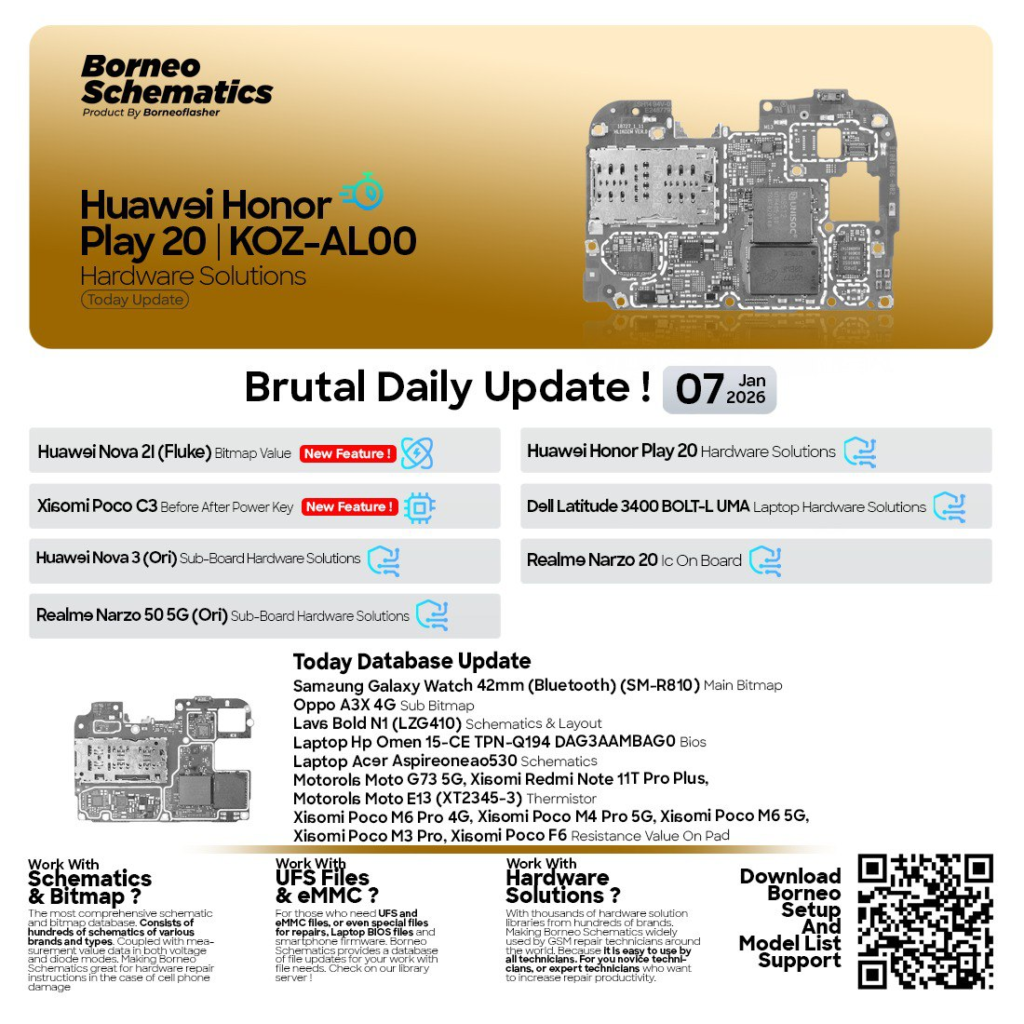
What is Borneo Schematics Daily Update and Why It Is Needed
Borneo Schematics Daily Update is a professional hardware schematic and diagnostic solution designed for:
- Mobile repair technicians
- Laptop motherboard engineers
- Service centers and repair shops
- Advanced electronics learners
The platform provides Borneo hardware schematics, including:
- Full motherboard schematics
- Bitmap values
- Resistance values on pads
- Power sequence data
- Sub-board layouts
- BIOS and board-level information
Why Borneo Schematics Daily Update Is Important
Modern smartphones and laptops are becoming more complex. Without proper schematics:
- Diagnosis becomes guesswork
- Repair time increases
- Board damage risk rises
- Customer trust decreases
The Borneo Schematics Daily Update solves these problems by offering accurate and regularly updated data, making it one of the best Borneo Schematics Daily Update 2025–2026 tools available today.
Key Features of Borneo Schematics Daily Update (Latest Version)
The latest version of Borneo Schematics Daily Update brings powerful improvements designed for real-world repair needs.
Core Features
- Daily updated mobile & laptop schematics
- High-accuracy bitmap values
- Resistance and voltage values on pads
- Power key ON / OFF analysis
- Sub-board and connector details
- BIOS and motherboard solutions
- Easy search by brand and model
Advanced Benefits
- Faster fault diagnosis
- Reduced trial-and-error repairs
- Increased repair success rate
- Suitable for both beginners and professionals
Compared to generic schematic tools, Latest Borneo Schematics provide model-specific and field-tested solutions, not theoretical data.
Supported Devices and Brands
One of the biggest strengths of Borneo Schematics Daily Update is its wide device coverage.
Supported Mobile Brands
- Samsung
- Xiaomi / Redmi / POCO
- Huawei / Honor
- Realme
- OPPO
- Vivo
- Motorola
- Lava
- Infinix
- Tecno
Supported Laptop Brands
- HP
- Dell
- Acer
- Lenovo
- Asus
Device Categories Covered
- Smartphones (4G / 5G)
- Feature phones
- Android tablets
- Laptops and notebooks
- Smart wearables
The Mobile & Laptop Schematics Update ensures technicians stay ready for newly launched devices.
Download and Installation Process
Getting started with Borneo Schematics Daily Update is simple.
Step-by-Step Installation Guide
- Visit the official Borneo Schematics website
- Create a user account
- Download the latest software version
- Install on a Windows PC
- Launch the application
The installation process is lightweight and does not require high-end hardware.
How to Register and Activate
After installation, registration is required.
Registration Steps
- Open the software
- Click on Register / Login
- Enter your account credentials
- Choose a subscription plan
- Activate your license
Once activated, Borneo Schematics Daily Update automatically syncs with the server and starts receiving daily updates.
How to Use Borneo Schematics Daily Update (For Owners and Technicians)
The tool is designed for ease of use, even for beginners.
Basic Usage Workflow
- Select brand and model
- Open schematic or layout
- Check bitmap or resistance values
- Diagnose faulty components
- Perform accurate repair
IMEI Repair and Other Services
While Borneo Schematics Daily Update is primarily a hardware tool, it works alongside:
- Mobile unlock program tools
- Phone unlock app utilities
- Software-based diagnostic platforms
Technicians often combine schematic analysis with IMEI repair, baseband fixing, and power issue resolution for complete device servicing.
Comparison with Other Tools
| Feature | Borneo Schematics Daily Update | Generic Schematic Tools |
|---|---|---|
| Daily Updates | Yes | No |
| Latest Models Support | High | Limited |
| Bitmap Accuracy | Verified | Uncertain |
| Laptop Support | Yes | Rare |
| Beginner Friendly | Yes | Medium |
| Professional Usage | Excellent | Limited |
This comparison shows why Borneo Schematics Daily Update is preferred by professionals.
Safety Tips and Legal Considerations
Using hardware schematic tools responsibly is important.
Safety Tips
- Always disconnect power before board repair
- Use ESD protection
- Double-check values before soldering
Legal Considerations
- Use schematics for legitimate repair purposes
- Follow local laws regarding IMEI and firmware repairs
- Avoid misuse of data
Borneo Schematics Daily Update is designed for ethical and professional use.
Troubleshooting Common Errors
Software Not Opening
- Check antivirus exclusions
- Run as administrator
Login Issues
- Verify internet connection
- Reset password if needed
Missing Model Data
- Update software
- Check daily update logs
Most issues are resolved quickly thanks to regular updates.
Pricing and Subscription Plans
Borneo Schematics Daily Update offers flexible plans.
Common Plans
- Monthly subscription
- Quarterly subscription
- Yearly subscription (best value)
Long-term users benefit most from annual plans, especially repair shops.
FAQs – Borneo Schematics Daily Update
What is Borneo Schematics Daily Update used for?
It is used for mobile and laptop hardware repair, diagnosis, and schematic analysis.
Is Borneo Schematics Daily Update suitable for beginners?
Yes. The interface is simple and beginner-friendly.
Does it support the latest devices?
Yes. The Borneo Schematics Update 2026 includes new models regularly.
Can I use it in a repair shop?
Absolutely. It is ideal for professional technicians and service centers.
Is registration mandatory?
Yes. Registration ensures access to daily updates.
Final Thoughts – Download, Contact & Subscribe
If you are serious about mobile and laptop repair, Borneo Schematics Daily Update is a must-have tool. It combines accuracy, daily updates, and professional-grade data, making it one of the most trusted Borneo Hardware Schematics platforms in the industry.
Why Buy from GsmRadix
- 100% genuine and verified firmware
- Official download mirror of UnlockTool 3 months
- Instant auto-delivery 24/7
- Secure checkout with fast technical support