

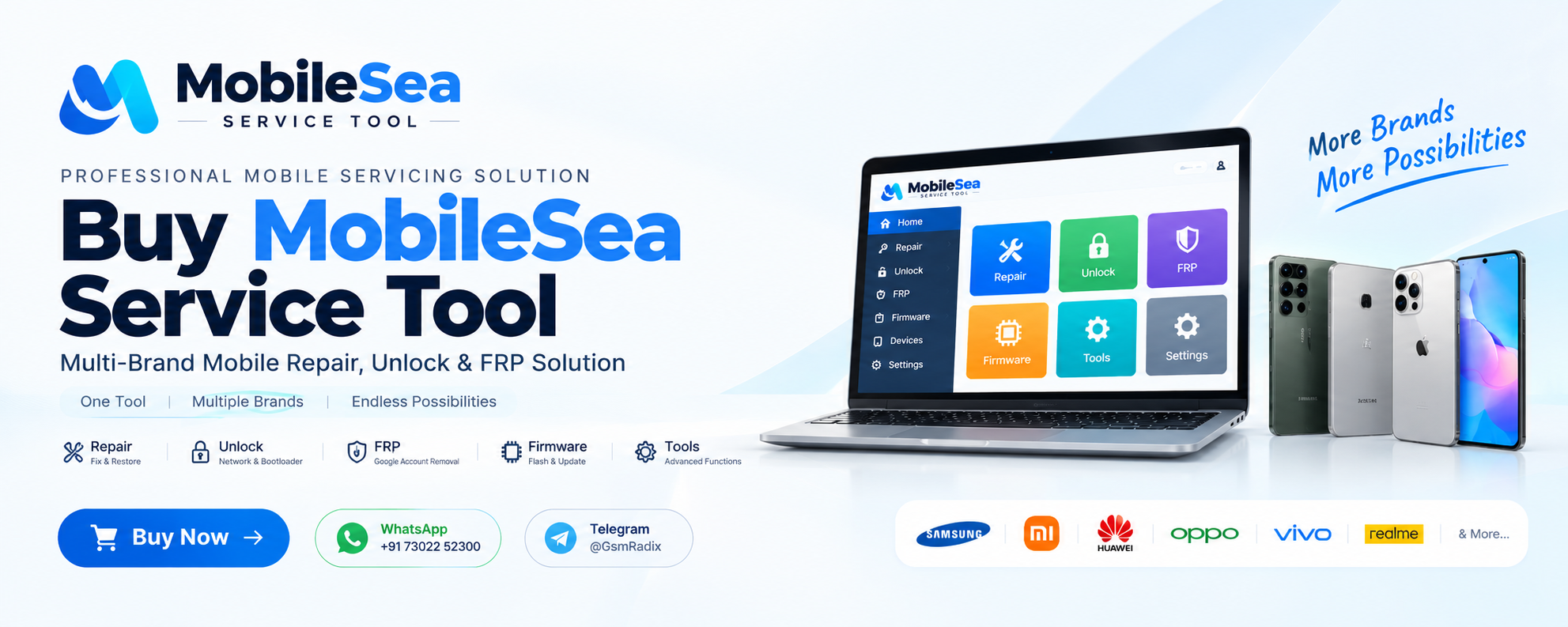
If you are looking to Buy MobileSea Service Tool for professional mobile repair, unlocking, FRP servicing, firmware work, or device maintenance, choosing the right activation and understanding the latest version is important.
MobileSea Service Tool is designed as a multi-brand mobile servicing solution for authorized technicians, repair shops, and individual users who need a single Windows-based platform for different mobile repair tasks. The official website describes it as an all-in-one toolbox for Repair, Unlock & FRP, with support across multiple chipsets and manufacturers.
The current official release is MobileSea Service Tool v7.9.3, with the latest September 2, 2026 update bringing changes to the Xiaomi module, including new MTK Direct BL Unlock, ADB Partition Manager, and a new temporary-root method for supported models.
Whether you are a beginner who wants to understand the MobileSea Purchase process or an experienced technician searching for MobileSea Activation 3 Months, 6 Months, or 12 Months, this guide covers the complete process.
In this article, you will learn:
- What MobileSea Service Tool is
- Why technicians use it
- How to Buy MobileSea Service Tool
- Current features and modules
- Supported brands and chipsets
- How to download and install the software
- How registration and activation work
- Available subscription plans
- Troubleshooting tips
- Safety and legal considerations
- Frequently asked questions
What Is MobileSea Service Tool and Why Is It Needed?
MobileSea Service Tool is professional desktop software developed for servicing supported mobile devices. It combines multiple servicing functions into one platform rather than requiring technicians to use a different utility for every brand or chipset.
For repair professionals, this can make daily workflow more convenient because MobileSea supports operations involving platforms such as MediaTek (MTK), Qualcomm, Unisoc/SPD, and HiSilicon, along with brand-specific servicing capabilities.
When you Buy MobileSea Service Tool, you are purchasing access to an activation plan rather than simply downloading an installer. The official pricing page currently lists 3-month, 6-month, and 12-month activation options, with the activation connected to the user’s account.
Why Do Technicians Choose MobileSea?
A professional repair shop may work with dozens of phone models every day. Having a multi-brand service solution can reduce the need to switch between different applications.
Depending on the supported device and release, MobileSea can provide functions related to:
- Firmware flashing
- IMEI and baseband servicing
- Dead-boot and bootloop recovery
- Partition-related operations
- Security-related servicing
- Network or carrier unlocking
- Bootloader servicing
- Screen/user-lock operations
- FRP servicing
- NV, EFS and calibration data servicing
The exact operations available depend on the model, chipset, firmware and current MobileSea release. The official supported-device database should always be checked before starting a specific operation.
Key Features of Buy MobileSea Service Tool – Latest Version
The latest MobileSea release is v7.9.3. The official changelog shows that this release was published on September 2, 2026 and includes Xiaomi-related updates.
1. Multi-Brand Mobile Servicing
One of the main advantages of choosing to Buy MobileSea Service Tool is its multi-brand approach.
The official platform currently lists brands including:
- Samsung
- Xiaomi
- Huawei
- Honor
- Oppo
- Vivo
- Realme
- Tecno
- Infinix
- Motorola
- Nokia
- LG
- Alcatel
- ZTE
- Lenovo
- QMobile
The supported-device database changes as new models and methods are introduced, so technicians should search for their exact model before performing any operation.
2. Qualcomm, MTK, Unisoc and HiSilicon Support
MobileSea is designed around multiple major mobile platforms.
Its official website lists:
- Qualcomm
- MediaTek
- Unisoc/SPD
- HiSilicon
- Samsung-related servicing
- ISP and Fastboot categories
This broad platform coverage makes the software relevant for repair shops handling different manufacturers.
3. Firmware and Repair Operations
The repair section includes firmware flashing, partition servicing, dead-boot recovery and other repair-related functions.
For technicians, these features can be particularly useful when diagnosing software-related problems such as bootloops or firmware corruption.
However, firmware and partition operations should always be performed carefully. Incorrect firmware or an incompatible procedure can result in data loss or device failure.
4. Unlock and FRP Services
MobileSea also includes unlock and FRP-related functionality for supported models.
The official website describes support for network/carrier unlock, bootloader and screen-lock servicing, as well as FRP operations on supported brands.
These functions should only be used on devices that the technician legally owns or has explicit permission to service.
5. Regular Updates
A major reason technicians Buy MobileSea Service Tool is the continuing release cycle.
The software automatically updates to the newest build, while the official changelog documents new device support, methods and fixes.
The recent v7.9.3 update, for example, added several Xiaomi-related functions and model support.
Supported Devices and Brands
Before you Buy MobileSea Service Tool, it is important to check whether the device you regularly repair is supported.
The official supported-device database currently contains thousands of models and allows users to search by model number. The database listed more than 4,600 models when checked for this guide.
Popular Supported Brands
| Brand | Example Service Category |
|---|---|
| Samsung | Unlock, FRP, servicing |
| Xiaomi | Repair, unlock, firmware-related services |
| Huawei | FRP and servicing |
| Oppo | Supported device operations |
| Vivo | Supported device operations |
| Realme | Supported device operations |
| Tecno | Device servicing |
| Infinix | Device servicing |
| Motorola | Device servicing |
| Nokia | Device servicing |
Support is model-specific. A brand appearing in the database does not mean that every model supports every operation.
Always Check Your Model
Search the exact model number before purchasing specifically for a particular job.
For example, instead of searching only for “Xiaomi,” search for the complete model number and check the available operations.
This is especially important for:
- Newer models
- Different regional variants
- Different chipsets
- Different firmware versions
- Security patch variations
How to Download MobileSea Service Tool
If you plan to Buy MobileSea Service Tool, download the software from a trusted source.
The official website provides the current download and registration options. The current listed version is v7.9.3.
Step-by-Step Download Process
- Visit the official MobileSea website.
- Create or log into your MobileSea account.
- Open the Download section.
- Download the latest available Windows version.
- Install the required USB drivers.
- Install the MobileSea Service Tool.
- Launch the application as administrator.
- Log in using your registered account.
- Activate the required plan.
- Start using the supported functions for authorized devices.
Important: Always verify the download source before installing mobile servicing software. Avoid modified, cracked or unofficial installers.
Step-by-Step Installation Guide
Step 1: Prepare Your Windows PC
MobileSea currently states that it supports 64-bit Windows PCs. Running the application as administrator and installing the appropriate chipset USB drivers are recommended.
Before installation:
- Use a stable Windows PC.
- Make sure you have administrator access.
- Install the appropriate USB drivers.
- Temporarily check antivirus alerts if the installer is flagged.
- Keep sufficient free storage available.
- Use a reliable USB cable for servicing.
Step 2: Install the Software
Run the downloaded installer and follow the setup instructions.
After installation, launch the application.
Step 3: Login to Your Account
Enter the account credentials you registered with MobileSea.
Your activation is tied to your account and, according to the current Terms, the computer hardware ID used with the tool is also part of the activation arrangement.
Step 4: Activate Your Plan
Choose the required subscription duration.
Available official plans currently include:
- MobileSea Activation 3 Months
- MobileSea Activation 6 Months
- MobileSea Activation 12 Months
Once activation has been applied to your account, the plan remains active for its selected duration.

How to Register and Activate MobileSea
The registration process is straightforward.
Basic Activation Workflow
Register → Download → Login → Purchase Activation → Activate → Start Servicing
You can create an account before deciding which plan to purchase.
If you want to Buy MobileSea License, make sure the seller is an official distributor or reseller. MobileSea’s current Terms state that activations can be purchased directly or through official distributors/resellers listed by the team.
MobileSea Purchase Options
Users can choose between different activation durations depending on their requirements.
For occasional servicing, a shorter plan may be enough.
For a busy repair shop, a longer plan can provide better value and reduce the need for frequent renewal.
How to Use MobileSea Service Tool
After activation, the available modules will depend on the supported device and current release.
The basic workflow is generally:
- Install the correct USB driver.
- Open MobileSea.
- Select the appropriate module.
- Connect the supported device.
- Put the device into the required service mode.
- Detect the device.
- Verify the model and operation.
- Read the available information.
- Select the required authorized service function.
- Follow the software instructions.
- Wait for the operation to complete.
- Reboot and test the device.
Do not disconnect the phone during critical operations unless the software specifically instructs you to do so.
IMEI Repair and Other Mobile Services
MobileSea includes advanced servicing functions on supported devices, including IMEI-related operations, Wi-Fi/Bluetooth MAC servicing, bootloader operations, FRP, firmware flashing, partition writing, and NV/EFS/security/calibration data repair.
These are advanced technician functions.
Important IMEI Warning
IMEI modification or repair can be restricted or prohibited in some jurisdictions. Only perform such operations where legally permitted and only on devices you are authorized to service.
A professional technician should maintain proper documentation and verify device ownership before performing sensitive operations.
MobileSea Service Tool for Individual Users vs Repair Shops
For Individual Users
If you only service phones occasionally, Buy MobileSea Service Tool when you have a supported device and a legitimate repair requirement.
A shorter subscription may make sense for occasional users.
For Professional Technicians
Repair shops can benefit from a longer activation because they may work on multiple devices every week.
A professional technician should also maintain:
- Correct USB drivers
- Stable Windows installation
- Reliable USB cables
- Device backups
- Firmware knowledge
- Model-specific procedures
- Customer authorization
MobileSea Purchase and Pricing Plans
The current official pricing page lists three subscription options.
| Plan | Current Listed Price | Approx. Monthly Cost |
|---|---|---|
| 3 Months | $15 | $5.00/month |
| 6 Months | $25 | $4.17/month |
| 12 Months | $30 | $2.50/month |
All three plans currently list access to the major MobileSea modules, including Qualcomm, MTK, Unisoc, HiSilicon, Samsung and Apple, along with updates released during the active plan.
MobileSea Activation 3 Months
The 3-month plan is suitable for users who need temporary access or want to test the workflow before committing to a longer period.
MobileSea Activation 6 Months
The 6-month plan is useful for technicians who regularly service devices but do not want a yearly commitment.
MobileSea Activation 12 Months
For busy repair shops, the 12-month plan currently provides the lowest listed monthly cost.
Before completing a MobileSea Purchase, always verify the current price and plan terms because pricing can change.
Buy MobileSea Service Tool: 2025 vs 2026
Some users may still search Google for terms such as “BestBuy MobileSea Service Tool 2025” or older MobileSea versions.
Those keywords can represent historical search intent, but users should understand that MobileSea continues to release new builds.
The current version checked for this article is v7.9.3, released on September 2, 2026. Earlier 2026 releases included major Apple, Xiaomi and Qualcomm updates.
Therefore, instead of relying on an old Buy MobileSea Service Tool 2025 page, users should check the latest release and supported-device database before beginning a repair.
Buy MobileSea Service Tool Update
The software’s update system is another important consideration. The official website states that the tool auto-updates to the newest build, while the changelog provides information about new methods, supported models and fixes.
Comparison With Other Mobile Service Tools
| Feature | MobileSea | Generic Flashing Tool |
|---|---|---|
| Multi-brand support | Yes | Usually limited |
| Qualcomm | Yes | Depends on tool |
| MTK | Yes | Depends on tool |
| Unisoc | Yes | Depends on tool |
| Firmware servicing | Yes | Often |
| FRP-related servicing | Supported models | Depends |
| Unlock functions | Supported models | Depends |
| Regular updates | Yes | Depends |
| Account-based activation | Yes | Varies |
| Professional repair focus | Yes | Varies |
The right tool depends on the exact phone model and operation. MobileSea should not be considered a replacement for every specialized service solution.
Safety Tips Before Using MobileSea
Before you Buy MobileSea Service Tool and start servicing devices, follow these best practices.
1. Verify Device Ownership
Only work on devices you legally own or have explicit authorization to service.
2. Backup Customer Data
Some operations may erase data or cause data loss.
3. Verify the Exact Model
Check the exact model and variant before selecting an operation.
4. Use Correct Firmware
Never flash firmware simply because the model name looks similar.
5. Use a Stable USB Connection
Avoid loose cables or USB hubs during critical operations.
6. Do Not Interrupt Firmware Operations
Disconnecting a device at the wrong time can cause serious software problems.
7. Avoid Cracked Software
Use legitimate software and official activation.
8. Follow Local Laws
Certain operations, including IMEI repair, FRP removal and bootloader unlocking, may be restricted by local law. MobileSea’s EULA specifically places responsibility on the user to ensure lawful use.
Troubleshooting Common MobileSea Errors
MobileSea Is Not Detecting the Phone
Try:
- Reinstalling the correct USB driver
- Changing the USB cable
- Trying another USB port
- Checking Device Manager
- Restarting the PC
- Selecting the correct device mode
Activation Is Not Showing
Verify that:
- You are logged into the correct account.
- The activation was applied successfully.
- Your subscription is still active.
- You are using the authorized computer.
- Your internet connection is working.
If the problem continues, contact your official reseller or MobileSea support.
Antivirus Is Blocking the Software
Mobile-service applications interact with USB devices and firmware at a low level, which can sometimes trigger antivirus warnings. The official MobileSea website recommends downloading only from the official source and provides guidance for legitimate antivirus false positives.
Do not disable security software blindly. First verify that you have downloaded the genuine application.
The Device Is Not Supported
Search the official supported-device database using the exact model number.
If your model is missing, check the latest changelog because support can be added in later releases.
Frequently Asked Questions
What is MobileSea Service Tool?
MobileSea Service Tool is a professional multi-brand mobile servicing application designed for supported repair, unlock, FRP, firmware and diagnostic operations.
Where can I Buy MobileSea Service Tool?
You can purchase MobileSea activation directly or through an official distributor/reseller. The official Terms recommend purchasing plans only through recognized channels.
How does MobileSea Purchase work?
Register an account, download the software, select an activation plan, complete the purchase, and apply the activation to your account.
Can I Buy MobileSea License for 3 months?
Yes. The current official pricing page lists a 3-month activation option.
Is MobileSea Activation available for 6 months?
Yes. A 6-month activation is currently listed by MobileSea.
Is MobileSea Activation 12 Months available?
Yes. The current pricing page lists a 12-month plan.
What is the latest MobileSea version?
The current release checked for this guide is v7.9.3, released September 2, 2026.
Does MobileSea support Qualcomm?
Yes. Qualcomm is one of the major platforms supported by MobileSea.
Does MobileSea support MediaTek?
Yes. MediaTek/MTK is supported, including model-specific operations documented in the official database and changelog.
Does MobileSea support Samsung?
Yes. Samsung is among the supported brands, although available operations vary by model.
Can beginners use MobileSea?
Yes, but advanced repair functions require technical knowledge. Beginners should understand the device model, firmware and purpose of an operation before starting.
Is MobileSea safe to use?
The legitimate software should be downloaded from an official source. Users should also follow the EULA, back up data, verify device ownership and understand the risks of advanced repair operations.
Does MobileSea automatically update?
The official website states that the tool auto-updates to the newest build, with release details documented in the changelog.
How to Choose the Right MobileSea Activation
Choosing between the available plans depends on how frequently you service devices.
Choose 3 Months If:
- You are an occasional user.
- You need the tool for a short project.
- You want short-term access.
Choose 6 Months If:
- You repair phones regularly.
- You want medium-term access.
- You do not need a full-year plan.
Choose 12 Months If:
- You operate a professional repair shop.
- You service multiple devices every month.
- You want the lowest current monthly cost among the listed plans.
For most high-volume technicians, a longer activation can be more convenient because you do not need to renew as frequently.
Why Buy MobileSea Service Tool From a Trusted Seller?
A legitimate activation is important when purchasing professional servicing software.
Before completing your MobileSea Service Tool Purchase, verify:
- Seller authenticity
- Activation duration
- Account requirements
- Current pricing
- Supported services
- Renewal process
- Customer support
- Official activation status
Avoid offers that promise cracked, unlimited or unauthorized access.
For technicians, reliable after-sales support can be just as important as the activation itself.
Final Thoughts – Buy MobileSea Service Tool for Professional Repair
MobileSea Service Tool has developed into a multi-brand servicing platform aimed at technicians and authorized repair environments. With support for Qualcomm, MTK, Unisoc and HiSilicon platforms, along with a growing device database and frequent updates, it can be a practical addition to a professional mobile repair workflow.