


Factory Reset Protection (FRP) is an important security feature introduced by Google to protect Android devices from unauthorized access after a factory reset. However, many users and repair technicians face situations where legitimate access to a device becomes impossible due to forgotten Google account credentials.
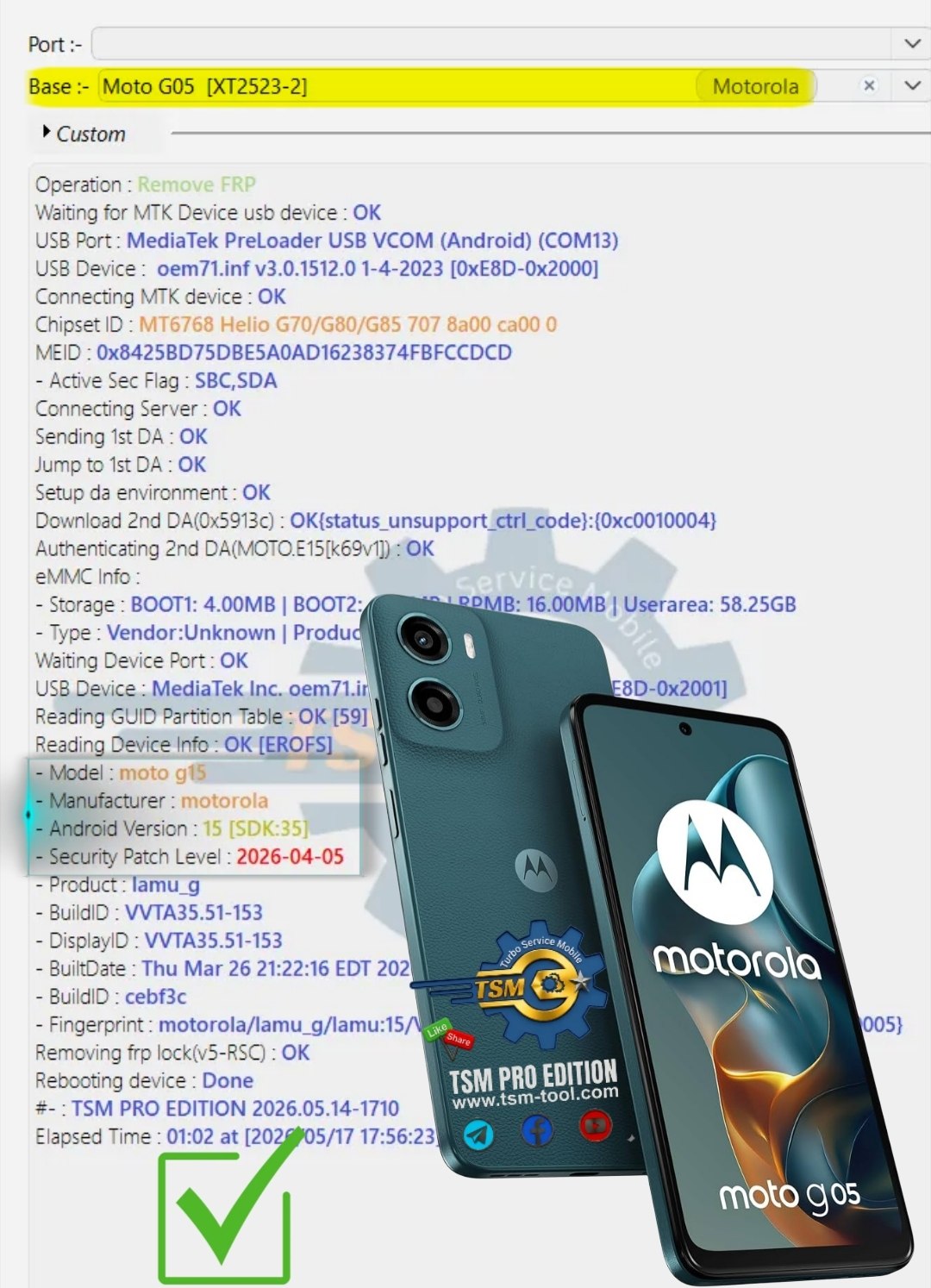
This detailed guide explains everything about Moto G05 FRP Unlock, including how to perform XT2523-2 FRP Bypass, remove Google account locks, install unlocking software, activate tools, and troubleshoot common problems on Android 15 devices.
Whether you are:
- A mobile repair technician
- A GSM software user
- A service center owner
- Or an individual device owner
…this guide will help you understand the latest methods for Moto G05 Google Account Remove safely and efficiently.
What is Moto G05 FRP Unlock and Why Is It Needed?
Understanding FRP Protection
Factory Reset Protection (FRP) is a built-in Android security system that activates automatically when a Google account is added to a device. After a factory reset, the phone requires the previously synced Google account credentials before allowing access.
On the Moto G05 Android 15 Unlock process, FRP protection becomes active after:
- Hard reset
- Software flashing
- Factory reset from recovery mode
- Failed update or software repair
If the original account details are forgotten, the device remains locked on the verification screen.
Why Users Need Moto G05 FRP Unlock
There are several legitimate reasons for needing Moto G05 FRP Unlock:
For Individual Users
- Forgotten Gmail password
- Purchased second-hand device
- Device stuck after reset
- Unable to recover Google account
For Mobile Technicians
- Customer FRP removal requests
- Device refurbishing
- Software servicing
- Android repair operations
Common Scenarios
- XT2523-2 FRP Bypass after flashing firmware
- Moto G05 FRP Remove Without PC methods not working
- Android 15 security patch restrictions
- Google verification loop issues
Key Features of Moto G05 FRP Unlock (Latest Version)
The latest Best Moto G05 FRP Unlock 2025 solutions offer advanced features for both beginners and professionals.
Main Features
Android 15 Support
Compatible with:
- Android 14
- Android 15
- Latest April 2026 security patch
MediaTek CPU Support
The Moto G05 uses a MediaTek chipset, enabling:
- Preloader mode access
- Fast FRP bypass
- Secure authentication bypass
One-Click FRP Removal
Most modern GSM tools provide:
- Automatic device detection
- Single-click operations
- Fast reboot and unlock
No Data Corruption
Safe unlocking methods reduce risks of:
- Bootloop
- Firmware damage
- IMEI corruption
Technician-Friendly Functions
Useful for service centers:
- Batch operations
- Driver auto-installation
- Log generation
- Device information reading
Supported Devices and Brands
Although this guide focuses on Moto G05 FRP Unlock, many unlocking programs also support other brands.
Supported Motorola Models
- Moto G05
- Moto G04
- Moto G14
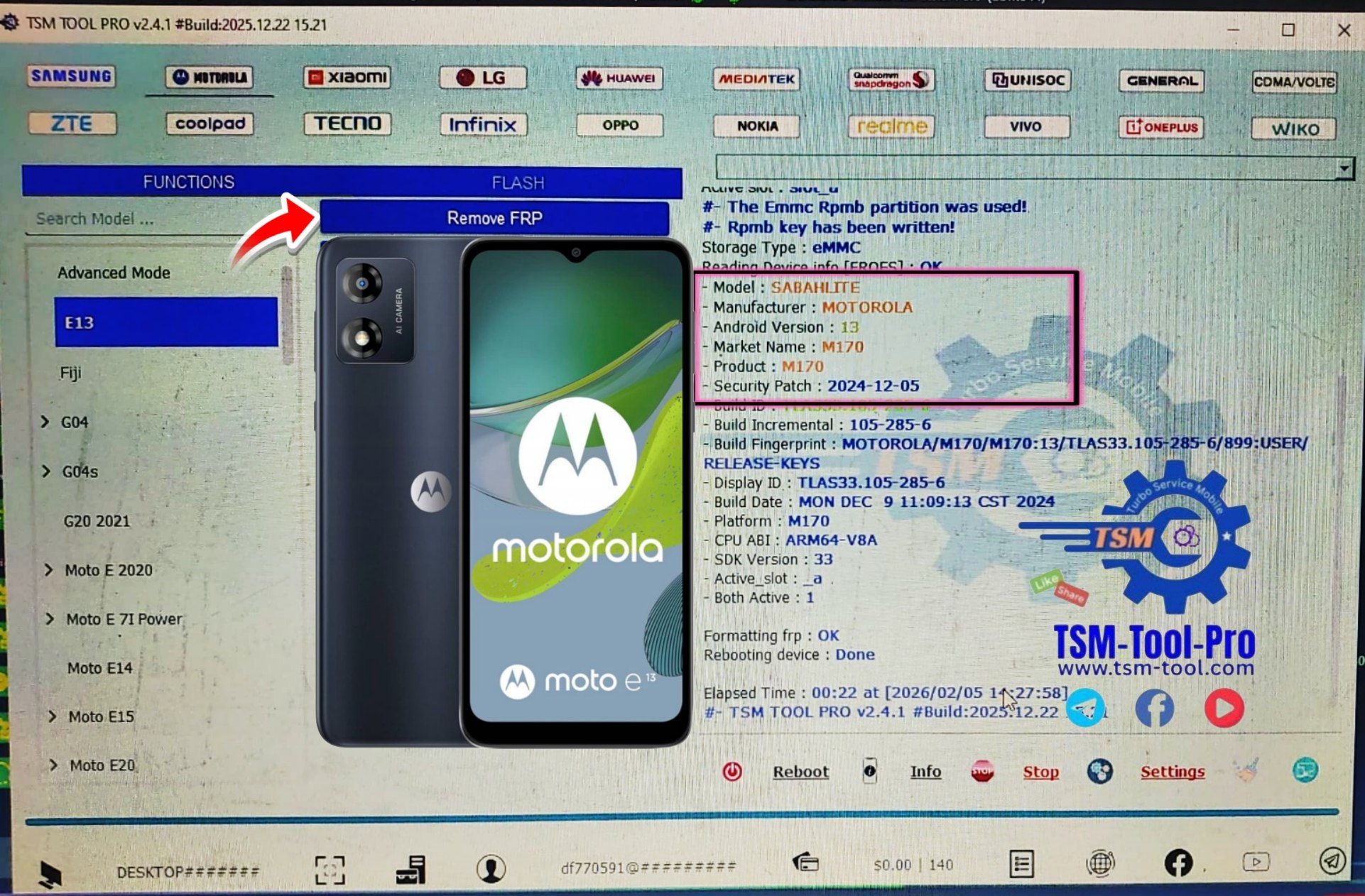
- Moto E13
- Moto E14
- Moto G Stylus series
Supported Brands
| Brand | Supported Services |
|---|---|
| Motorola | FRP, Flashing, Boot Repair |
| Samsung | FRP Unlock, KG Unlock |
| Xiaomi | Mi Account Remove |
| Realme | FRP and Pattern Unlock |
| Vivo | Demo Remove |
| Oppo | Auth Bypass |
| Tecno | FRP Reset |
| Infinix | Factory Unlock |
Moto G05 FRP Unlock Download and Installation Process
To perform XT2523-2 FRP Bypass, you need a compatible mobile unlock program or phone unlock app.
Requirements
Before starting:
- Windows PC or laptop
- USB cable
- Installed USB drivers
- Stable internet connection
- Supported FRP tool
Step-by-Step Installation Guide
Step 1 – Download the Tool
Download the latest version of the FRP unlock software from the official provider website.
Recommended:
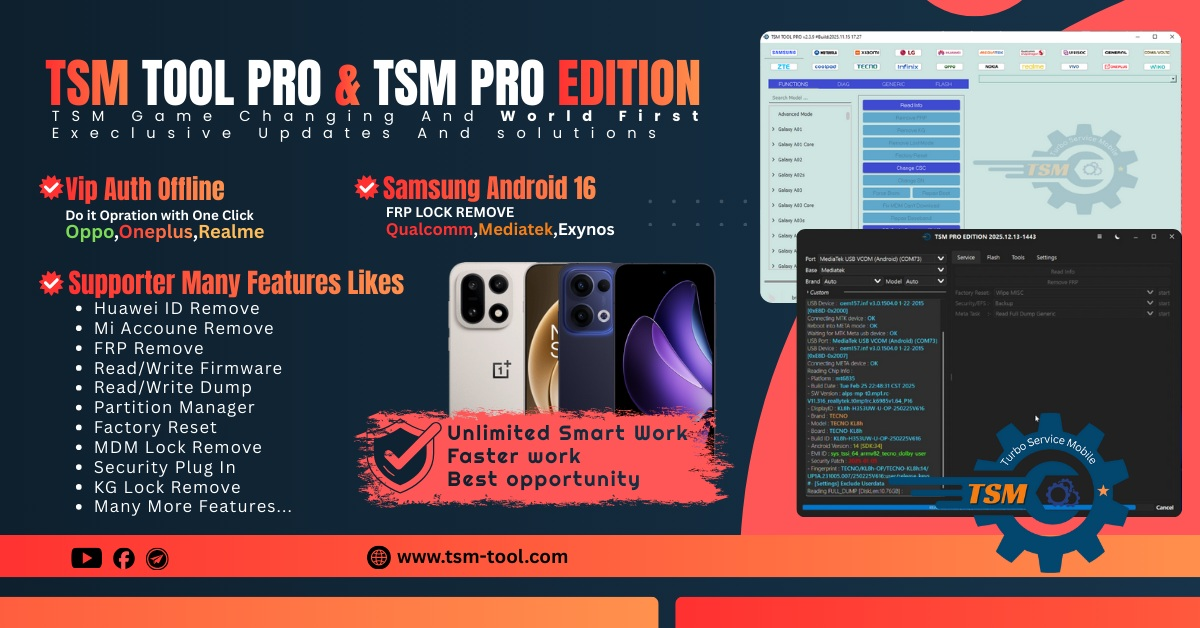
- TSM Tool
- GSM unlock utilities
- Android service applications
Step 2 – Disable Antivirus Temporarily
Some GSM software may trigger antivirus detection because of low-level device communication.
Step 3 – Install USB Drivers
Install:
- Motorola USB drivers
- MediaTek VCOM drivers
Step 4 – Extract Files
Use:
- WinRAR
- 7-Zip
Step 5 – Run as Administrator
Launch the software with administrator privileges.

How to Register and Activate
Most professional tools require activation.
Activation Steps
- Open the software
- Create user account
- Enter license key
- Login with registered credentials
- Activate via server
Common Activation Types
| Plan | Duration |
|---|---|
| Trial | Limited |
| Monthly | 30 Days |
| Yearly | 365 Days |
| Lifetime | Permanent |
How to Use Moto G05 FRP Unlock
Now let’s understand the actual unlocking procedure.
Method 1 – Preloader Mode FRP Unlock
This is the most effective method for Android 15 devices.
Steps
Step 1 – Power Off Device
Completely switch off the Moto G05.
Step 2 – Open Unlock Tool
Launch your FRP software.
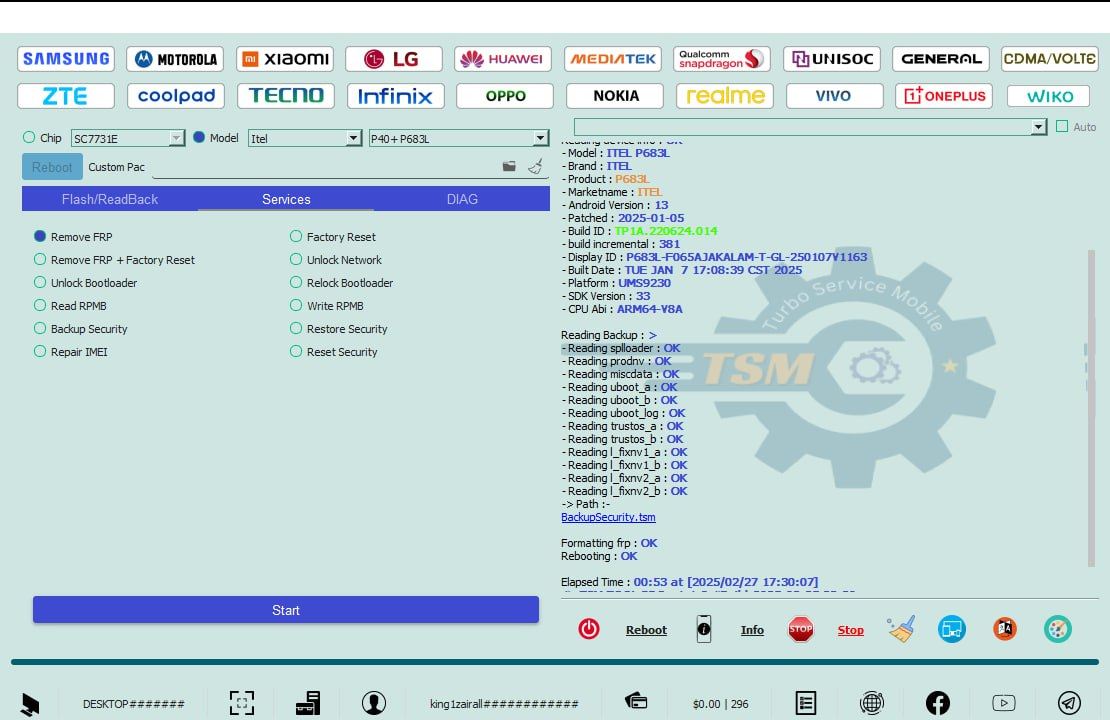
Step 3 – Select Motorola
Choose:
- Brand: Motorola
- Model: XT2523-2
Step 4 – Select FRP Function
Click:
- Remove FRP
- Reset Google Lock
Step 5 – Connect Device
Connect using USB while holding volume keys if needed.
Step 6 – Wait for Detection
The software will detect:
- MediaTek chipset
- Preloader mode
- Device COM port
Step 7 – Start Unlock Process
Click Start.
The tool will:
- Read device info
- Remove FRP partition
- Reboot phone
Step 8 – Complete Setup
After reboot:
- Skip Google verification
- Create new account
- Finish setup wizard
Moto G05 FRP Remove Without PC
Many users search for Moto G05 FRP Remove Without PC methods. While some APK-based tricks exist, Android 15 security patches have blocked most browser exploit methods.
Limitations of Without-PC Methods
- Security patch restrictions
- No guarantee of success
- Time-consuming process
- Risk of getting stuck again
For technicians and professionals, PC-based unlocking remains the safest and fastest option.
Moto G05 Android 15 Unlock for Technicians
Professional technicians need efficient workflows.
Recommended Workflow
- Install drivers
- Verify battery charge
- Use stable USB port
- Backup firmware
- Perform FRP reset
- Test functionality
IMEI Repair and Other Services
Many professional GSM tools also provide:
- IMEI repair
- Firmware flashing
- Pattern unlock
- Boot repair
- Dead boot recovery
- Network unlock
- Device formatting
Important Notice
IMEI repair laws vary by country. Always comply with local regulations and perform services only for legitimate ownership cases.
Comparison with Other Tools
| Feature | TSM Pro | Generic Tool | APK Methods |
|---|---|---|---|
| Android 15 Support | Yes | Limited | Poor |
| MediaTek Support | Excellent | Average | No |
| One-Click Unlock | Yes | Partial | No |
| Technician Features | Advanced | Basic | None |
| Security Patch Support | Latest | Outdated | Weak |
| Registration Needed | Yes | Sometimes | No |
| Stability | High | Medium | Low |
Safety Tips and Legal Considerations
Important Safety Tips
Before starting Moto G05 FRP Unlock:
Always Backup Data
FRP operations may erase user data.
Use Trusted Software
Avoid cracked or malware-infected unlock tools.
Keep Battery Charged
Maintain at least:
- 50% battery
- Stable USB connection
Avoid Interruptions
Disconnecting during unlock may:
- Cause bootloop
- Damage firmware
- Corrupt partitions
Legal Considerations
FRP removal should only be performed:
- On personally owned devices
- With customer authorization
- For legitimate servicing purposes
Unauthorized bypassing of security protections may violate laws in some regions.
Troubleshooting Common Errors
Device Not Detected
Solutions
- Reinstall drivers
- Change USB cable
- Use rear USB port
- Reboot PC
Stuck on Preloader Mode
Fix
- Hold power button for 15 seconds
- Retry connection
- Update MediaTek drivers
Authentication Failed
Causes
- Unsupported patch
- Old software version
- Server issue
Solution
Use the latest Moto G05 FRP Unlock update.
Bootloop After Unlock
Fix Steps
- Enter recovery mode
- Wipe cache
- Reflash stock firmware
FRP Still Active
Solution
Repeat the process using:
- Latest software version
- Correct model selection
- Updated activation
Pricing and Subscription Plans
Most professional unlocking solutions are subscription-based.
Estimated Pricing
| Plan | Best For | Approx Price |
|---|---|---|
| Free Trial | Testing | Free |
| Monthly | Small shops | Budget-friendly |
| Quarterly | Technicians | Moderate |
| Yearly | Professional users | Best value |
| Lifetime | Service centers | Premium |
Why Technicians Prefer Professional Unlock Tools
Professional repair shops choose premium tools because they provide:
- Faster turnaround
- Better success rates
- Regular updates
- Security patch compatibility
- Customer trust
Using reliable software helps build:
- Brand authority
- Customer satisfaction
- Repeat business
Best Practices for Repair Shops
Improve Customer Trust
- Explain the process clearly
- Provide service receipts
- Maintain transparency
Offer Additional Services
Bundle:
- Screen replacement
- Flashing
- Software updates
- Data transfer
Build Online Presence
Use:
- WhatsApp support
- Telegram groups
- YouTube tutorials
- Facebook communities
FAQs – Moto G05 FRP Unlock
What is Moto G05 FRP Unlock?
It is the process of removing Google account verification from a Moto G05 after factory reset.
Is XT2523-2 FRP Bypass safe?
Yes, when performed using trusted professional software and proper methods.
Does Moto G05 Android 15 Unlock require a PC?
Most successful methods currently require a Windows PC and USB connection.
Can I perform Moto G05 FRP Remove Without PC?
Some methods exist, but success rates are low on newer security patches.
Is the process permanent?
Yes, FRP removal is generally permanent unless the device is reset again with another Google account added.
Which CPU does Moto G05 use?
Moto G05 uses a MediaTek chipset with preloader mode support.
Can repair shops use this commercially?
Yes, many GSM tools are designed specifically for technicians and repair businesses.
Will unlocking damage the phone?
When done correctly, FRP unlocking should not damage the device.
Final Thoughts
The demand for reliable Moto G05 FRP Unlock solutions continues to grow as Android 15 security becomes more advanced. Whether you are an individual user trying to regain access to your phone or a professional technician handling customer devices daily, using trusted unlocking software is essential.
This guide on the Moto G05 FRP bypass for Android 15 is incredibly timely, especially given how strict the lockout mechanisms have become on the XT2523-2 model. Including the specific details for technicians facing credential issues really bridges the gap between a standard tutorial and a practical field reference. It would be a great addition to discuss how these Android 15 security updates might impact the longevity of these bypass methods in future firmware.